HDVF-C950W
2-4 (E)
Page Menu Items Setting ( indicates the default) Function
S05 FUNCTION2 SECOND VF OFF , ON Switches the IIC address used as
the second VF
OFF : Normal
ON : When used as the second
VF
*1
PANEL REV <H> OFF , ON Inverses the screen display
horizontally
OFF : Normal
ON : Inverses horizontally
PANEL REV <V> OFF , ON Inverses the screen display
vertically
OFF : Normal
ON : Inverses vertically
MAG REL TIME 1 to 5 to 10 Sets the time it takes to return
from the enlarged view to the
normal view when MAG AUTO
RELEASE is set to AUTO
*2
TEST SIGNAL OFF , BARS, SAW, RAST Sets the internal test signal
*3
OFF : Does not output the test
signal
BARS: Outputs a color bar signal
SAW : Outputs a saw-tooth wave
test signal
RAST : Outputs a rectangular test
signal
COLOR SELECT W , R, G, B, Y, C, M Selects a display color when a
rectangular test signal is selected
TEST LEVEL 0 to 255 Sets the signal level when a
rectangular test signal is selected
S06 HOURS METER RESET METER EXEC Resets the OPERATION time
Press the MENU knob to move to
the operation screen
*4
OPERATION Display only Displays the total power-on time
(resettable)
TOTAL Display only Displays the total power-on time
*1 : Set this to ON only when using the device as the second VF by connecting it to the EXT I/O (20P) connector of HDC-950 or HDC-
930. (No setting change is required when using the device alone.)
In this case, a dedicated VF connection cable and the corresponding camera settings are needed.
Contact your nearest SONY Office/Service Center for details.
No setting change is required when connecting the device to the EXT I/O (20P) connector of HDC-F950.
*2 : Refer to AUTO RELEASE of OPERATION MENU 03 MEGNIFICATION.
*3 : This parameter will always start in OFF when the power is turned on.
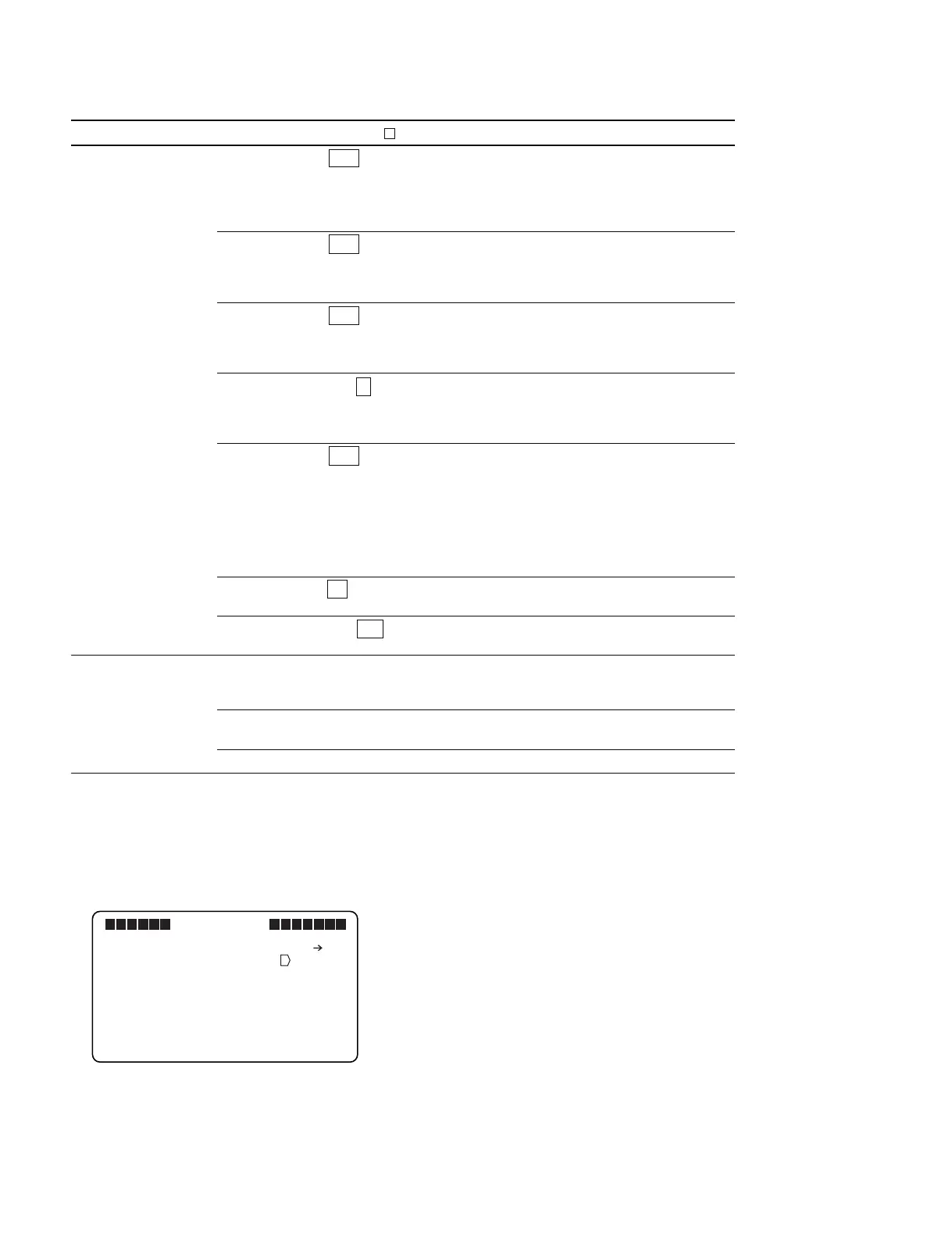
*4 : Place the cursor mark “→” on “EXEC” and press the MENU knob to move to the following operation screen.
Place the cursor mark “→” on “YES” and press the MENU knob to perform reset.
VF MENU
S06 HOURS METER
RESET OK? YES NO
RESET METER : EXEC
OPERATION : XXXXXXH
TOTAL : XXXXXXH



 To Next Page