3
7 7
Notes
• Refer to the operating
instructions supplied with the
TV and DVD player.
• Check the following if you
cannot listen to multi channel
sound.
Be sure this receiver is
connected to the DVD player
via a digital connection.
Be sure the digital audio
output of the DVD player is
set up properly.
Tips
• Select the audio format of the
disc to be played, if necessary.
• You can select the sound field to
suit the movie/music. Refer to
page 46 for details.
Recommended sound fields:
Movie: ( .ST.EX
Music: ( ONCERT
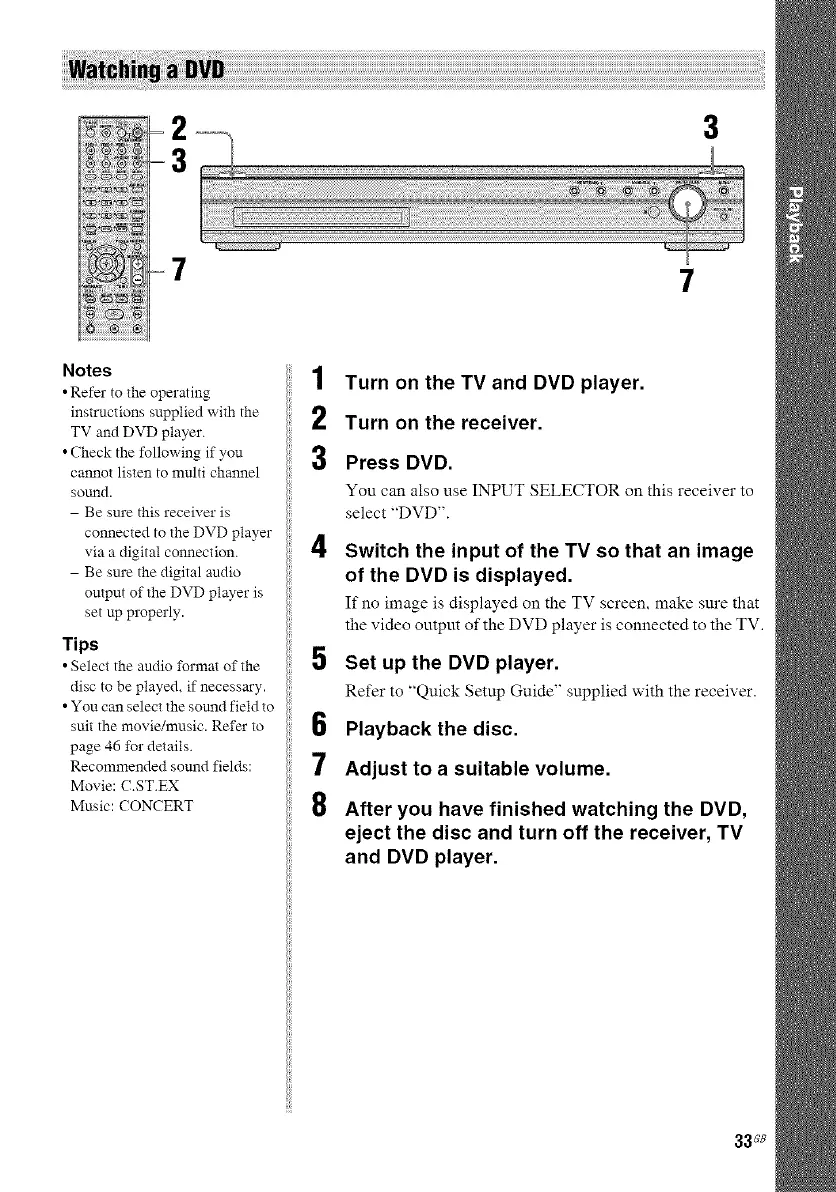
1 Turn on the TV and DVD player.
2 Turn on the receiver.
3 Press DVD.
You can also use INPUT SELECTOR on this receiver to
select "DVD".
4 Switch the input of the TV so that an image
of the DVD is displayed.
If no image is displayed on the TV screen, make sm'e that
the video outpm of the DVD player is connected to the TV.
5 Set up the DVD player.
Refer to "Quick Setup Guide" supplied with the receiver.
6 Playback the disc.
7 Adjust to a suitable volume.
8 After you have finished watching the DVD,
eject the disc and turn off the receiver, TV
and DVD player.
33_8



 To Next Page