31
L:\SONY\PV\CX91030\1130insatuPDF\2887521121_GB\2887521111HVRV1UVIN\01GB03GET.
fm
HVR-V1E/V1P
2-887-521-12(1)
Getting Started
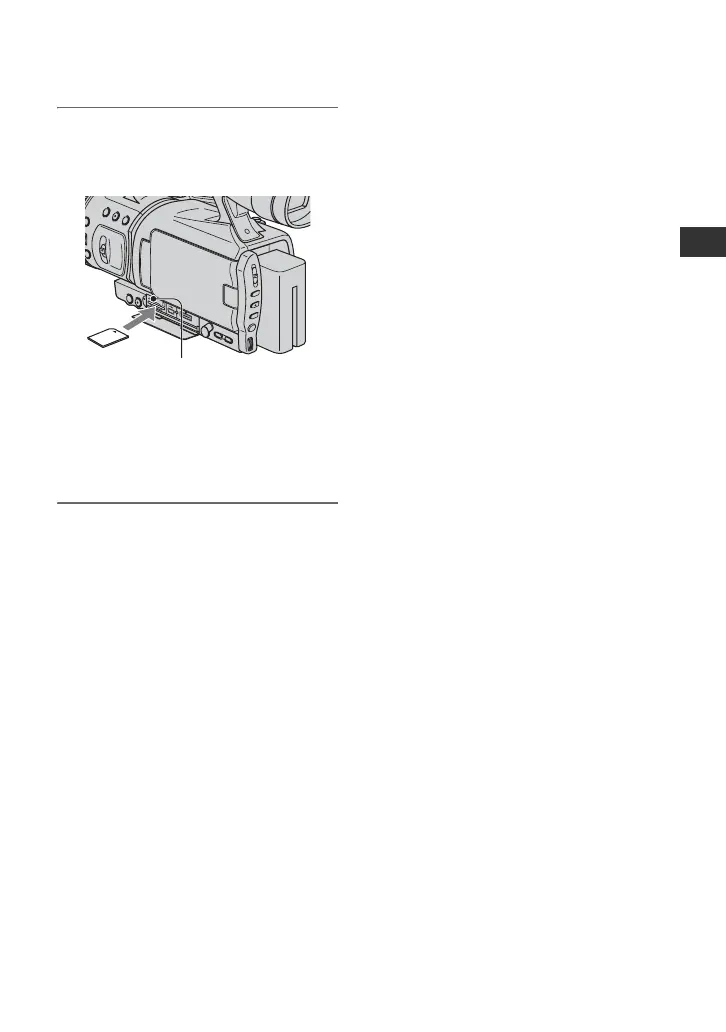
2 Insert the “Memory Stick Duo”
into the “Memory Stick Duo” slot
in the right direction until it clicks.
b Note
• If you insert the “Memory Stick Duo” into
the slot in the wrong direction, the “Memory
Stick Duo,” the “Memory Stick Duo” slot,
or image data may be damaged.
To eject a “Memory Stick Duo”
Lightly push the “Memory Stick Duo”
once.
b Notes
• When the access lamp is lit or flashing, your
camcorder is reading/writing data. Do not shake
or knock your camcorder, turn the power off,
eject the “Memory Stick Duo,” or remove the
battery pack. Otherwise, image data may be
damaged.
• When inserting or ejecting the “Memory Stick
Duo,” be careful with the “Memory Stick Duo”
from popping out and dropping.
Access lamp



 To Next Page