44
L:\SONY\PV\CX91030\1130insatuPDF\2887521121_GB\2887521111HVRV1UVIN\01GB05BAS.
fm
HVR-V1E/V1P
2-887-521-12(1)
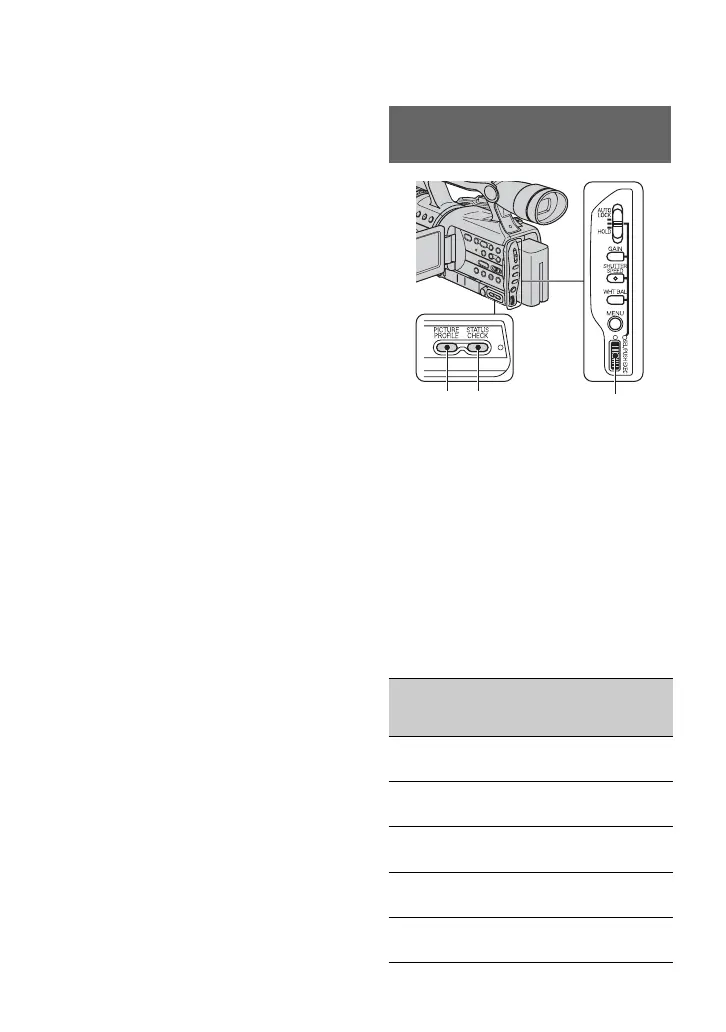
To restore the automatic white
balance
Press the WHT BAL button B, or set the
AUTO LOCK switch A to AUTO LOCK.
b Note
• If you set the AUTO LOCK switch A to
AUTO LOCK, other manually adjusted items
(iris, gain, shutter speed) also become
temporarily automatic.
You can customize the picture quality by
adjusting [COLOR LEVEL],
[SHARPNESS], etc. You can set 6 different
picture quality settings depending on the
recording time of day, the weather, or the
camera person, and store them in the
memory.
Connect your camcorder to a TV or
monitor, and adjust the picture quality
while observing the picture on the TV or
monitor screen.
At the default setting, [PP1] through [PP6]
are registered with picture quality settings
for the following recording conditions.
Customizing the picture quality
(Picture profile)
Picture profile
number (setting
name)
Recording condition
PP1
:PORTRAIT
Appropriate setting to
record people
PP2
:CINEMA
Appropriate setting to
record film-like pictures
PP3
:SUNSET
Appropriate setting to
record sunset
PP4
:MONOTONE
Appropriate setting to
record monotone pictures
PP5
:------
You can assign your own
setting
CB
A
Changing the settings of your camcorder recordings (Continued)



 To Next Page