32
HVR-V1E/V1P
2-887-521-12(1)
L:\SONY\PV\CX91030\1130insatuPDF\2887521121_GB\2887521111HVRV1UVIN\01GB05BAS.
fm
Recording/Playback
Recording
This camcorder records movies on tape and still images on “Memory Stick Duo.” The
procedure for recording movies is below.
• This camcorder can record movies in HDV or DVCAM (DV) format. The factory setting is HDV format
([REC FORMAT] p. 82).
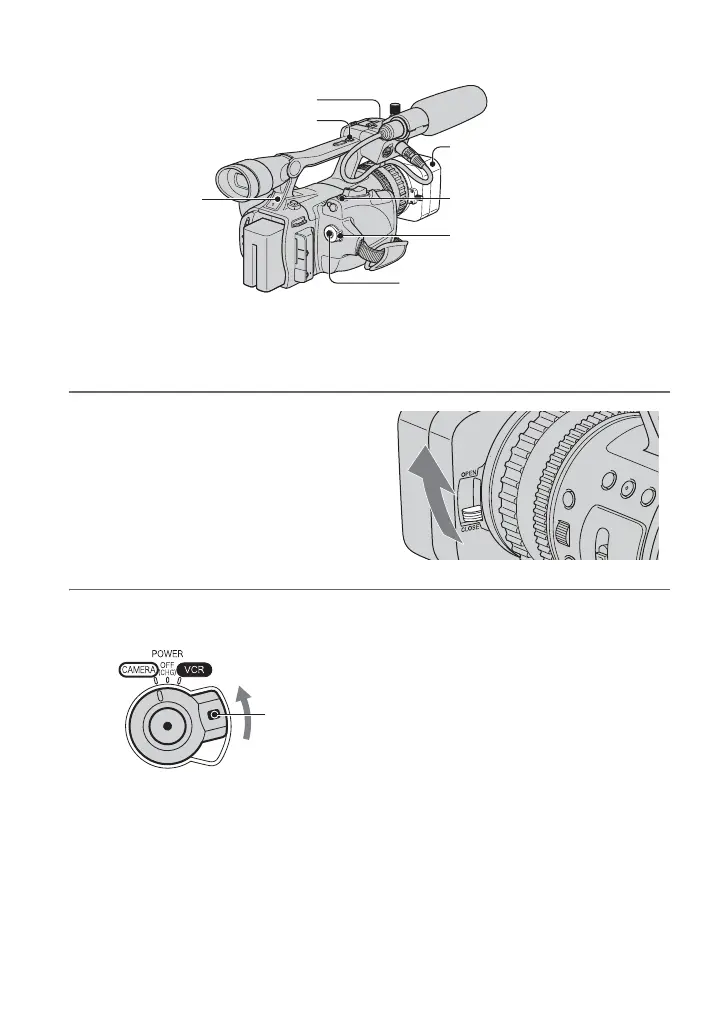
1 Open the shutter of the lens hood.
2 While pressing the green button, set the POWER switch to CAMERA.
Lens hood
REC START/STOP
button B
POWER switch
REC START/STOP button A
Rec lamp
PHOTO/EXPANDED
FOCUS button
Rec lamp
If the POWER switch
is set to OFF (CHG),
slide it while pressing
the green button.



 To Next Page