33
HVR-V1E/V1P
2-887-521-12(1)
L:\SONY\PV\CX91030\1130insatuPDF\2887521121_GB\2887521111HVRV1UVIN\01GB05BAS.
fm
Recording/Playback
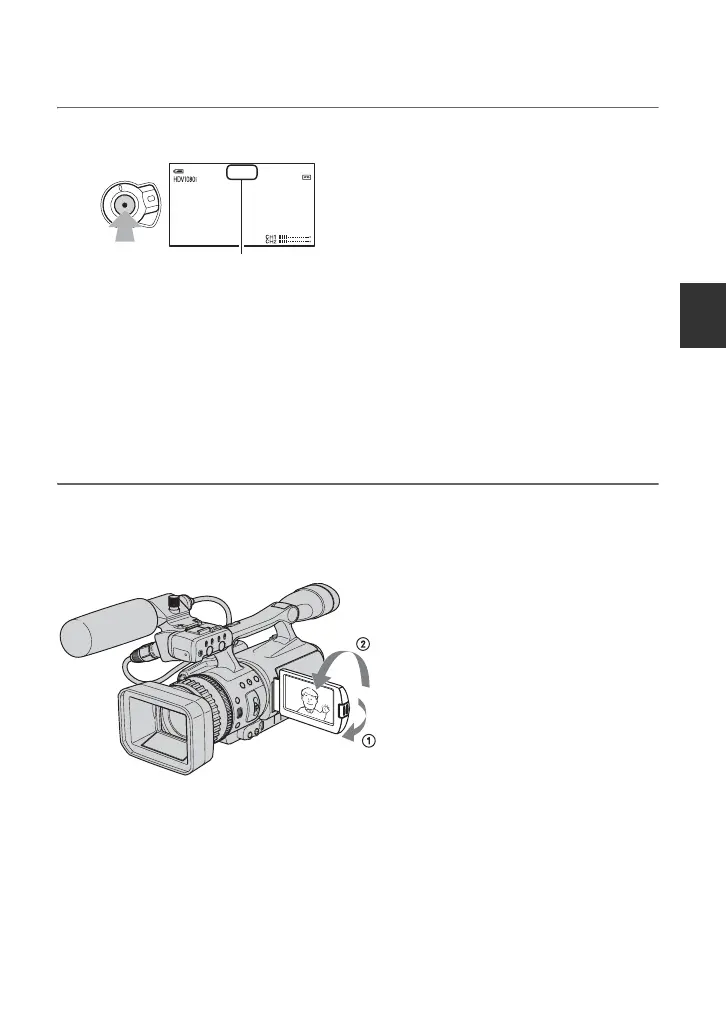
3 Press the REC START/STOP button A (or B).
The Rec lamp lights up during recording.
To stop the movie recording, press the REC START/STOP button again.
z Tips
• When recording in HDV format, the aspect ratio is fixed to 16:9. When recording in DVCAM (DV)
format, you can switch the aspect ratio to 4:3 ([DV WIDE REC] p. 83).
• You can change the screen display during recording (p. 54).
• Indicators displayed on the screen during recording are shown on page 144.
• The recording lamp can be set to stay off ([REC LAMP] p. 91).
• You cannot record the movie on a “Memory Stick Duo”.
To record in mirror mode
Open the LCD panel 90 degrees to the camcorder (1), then rotate it 180 degrees toward the
lens (2).
z Tip
• A mirror-image of the subject appears on the LCD screen, but the recorded picture will be normal.
410min
60min
REC
00:04:50:04
[STBY] t [REC]
Continued ,



 To Next Page