97
HVR-V1E/V1P
2-887-521-12(1)
Dubbing/Editing
L:\SONY\PV\CX91030\1130insatuPDF\2887521121_GB\2887521111HVRV1UVIN\01GB07DUB.
fm
3 Connect your VCR as a player to
your camcorder.
When an i.LINK cable is connected, the
format of the input signal (
or ) will be
indicated on the LCD screen of your
camcorder (This indicator may appear
on the screen of the playback device,
however, it will not be recorded).
4 Insert a cassette into the VCR.
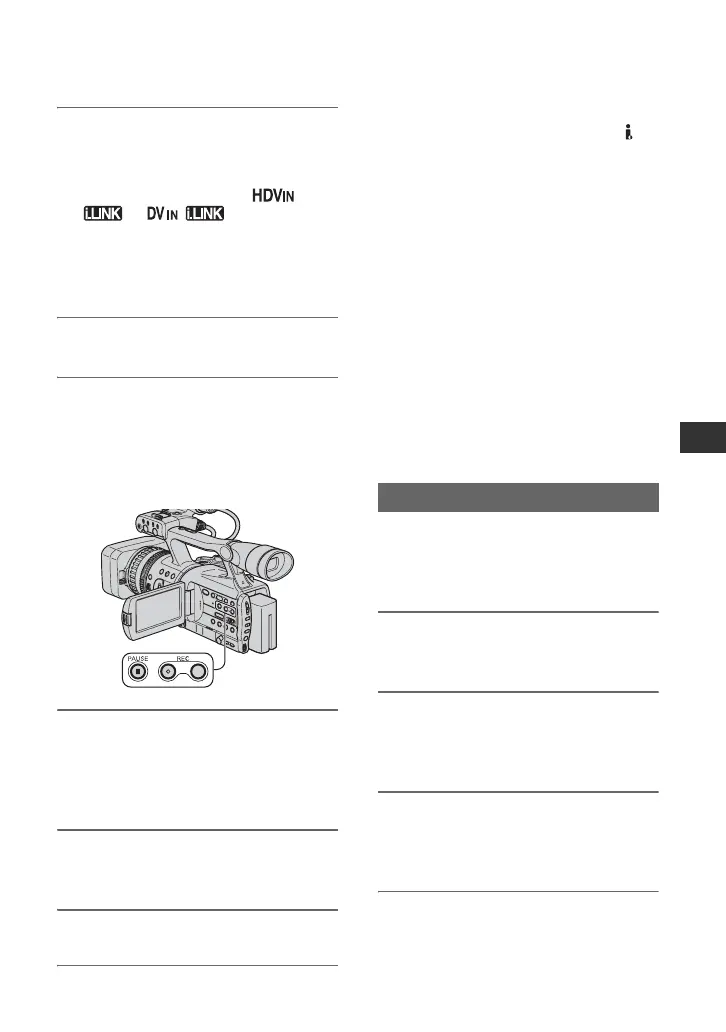
5 Set your camcorder to recording
pause.
While pressing X (PAUSE), press both
z REC (record) buttons
simultaneously.
6 Start playing the cassette on your
VCR.
The picture played on the VCR appears
on the LCD screen of your camcorder.
7 Press X (PAUSE) again at the
point you want to start recording.
8 Press x (STOP) to stop
recording.
b Notes
• You cannot record TV programs from the
HDV/DV interface (i.LINK).
• User bits are not recorded when dubbing from a
DVCAM (DV) device via an i.LINK cable.
• You can record pictures from DV devices only
in the DVCAM (DV) format.
• Note the following when connecting with an
i.LINK cable:
– The recorded picture becomes rough when a
picture is paused on your camcorder while
recording to a VCR.
– You cannot record the picture and sound
separately.
– If you pause or stop the recording and restart
it, the picture may not be recorded smoothly.
z Tip
• When a 4:3 video signal is input, it appears with
black bands on the right and left sides on the
screen of your camcorder.
Be sure to insert a “Memory Stick Duo” for
recording in your camcorder beforehand,
and set [PHOTO/EXP.FOCUS] to
[PHOTO] (the default setting) (p. 90).
1 Perform steps 1 to 4 in
“Recording movies.”
2 Start playing the cassette.
The pictures on the VCR appear on the
screen of your camcorder.
3 Press the PHOTO/EXPANDED
FOCUS button at the scene you
want to record.
Recording still images
Continued ,



 To Next Page