EasyManua.ls Logo

Sony ICF-SW77 - To receive a preset station on the Timer Page; How to Select a Preset Frequency under a single Station Name

Sony ICF-SW77
33 pages
Print Icon
To Next Page IconTo Next Page
To Previous Page IconTo Previous Page
Loading...
The
selected
station
is
tuned
m.
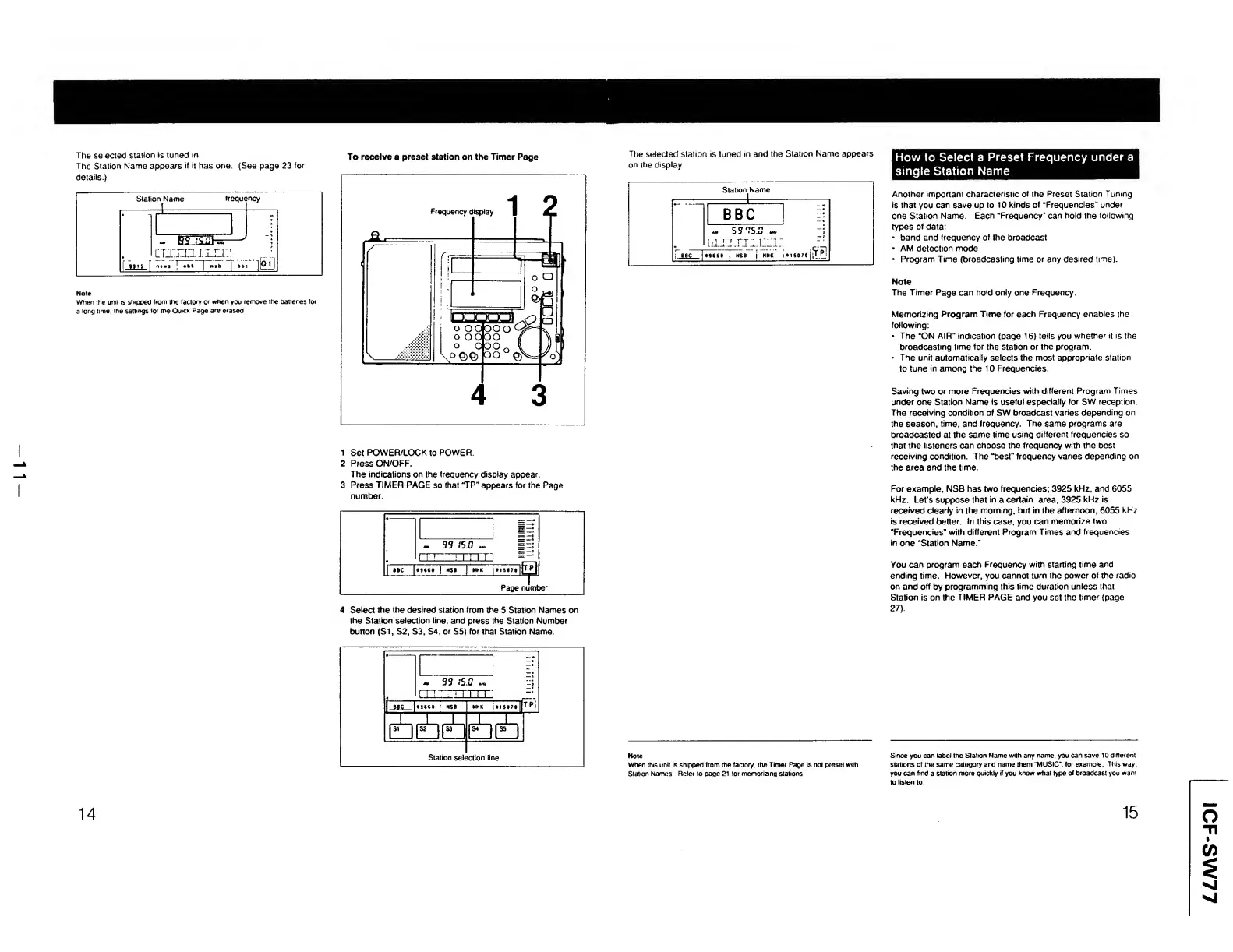
To
receive
a
preset
station
on
the
Timer
Page
The
Station
Name
appears
if
it
has
one
(See
page
23
for
1
Set
POWER/LOCK
to
POWER.
2
Press
ON/OFF.
The
indications
on
the
frequency
display
appear.
3
Press
TIMER
PAGE
so
that
“TP
n
appears
for
the
Page
number.
4
S
elect
the
the
desired
station
from
the
5
Station
Names
on
the
Station
selection
line,
and
press
the
Station
Number
button
{SI,
S2,
S3,
S4,
or
S5)
for
that
Station
Name.
14
The
selected
station
is
tuned
in
and
the
Station
Name
appears
on
the
display.
How
to
Select
a
Preset
Frequency
under
a
single
Station
Name
Another
important
characteristic
of
the
Preset
Station
Tuning
is
that
you
can
save
up
to
10
kinds
of
“Frequencies"
under
one
Station
Name
Each
“Frequency"
can
hold
the
following
types
of
data:
band
and
frequency
of
the
broadcast
AM
detection
mode
Program
Time
(broadcasting
time
or
any
desired
time).
Note
The
Timer
Page
can
hold
only
one
Frequency.
Memorizing
Program
Time
for
each
Frequency
enables
the
following:
The
“ON
AIR”
indication
(page
16)
tells
you
whether
it
is
the
broadcasting
time
for
the
station
or
the
program
The
unit
automatically
selects
the
most
appropriate
station
to
tune
in
among
the
10
Frequencies.
Saving
two
or
more
Frequencies
with
different
Program
Times
under
one
Station
Name
is
useful
especially
for
SW
reception.
The
receiving
condition
of
SW
broadcast
varies
depending
on
the
season,
time,
and
frequency.
The
same
programs
are
broadcasted
at
the
same
time
using
different
frequencies
so
that
the
listeners
can
choose
the
frequency
with
the
best
receiving
condition.
The
“best”
frequency
varies
depending
on
the
area
and
the
time.
For
example.
NSB
has
two
frequencies;
3925
kHz,
and
6055
kHz.
Let
s
suppose
that
in
a
certain
area,
3925
kHz
is
received
clearly
in
the
morning,
but
in
the
afternoon,
6055
kHz
is
received
better.
In
this
case,
you
can
memorize
two
“Frequencies"
with
different
Program
Times
and
frequencies
in
one
“Station
Name."
You
can
program
each
Frequency
with
starting
time
and
ending
time.
However,
you
cannot
turn
the
power
of
the
radio
on
and
off
by
programming
this
time
duration
unless
that
Station
is
on
the
TIMER
PAGE
and
you
set
the
timer
(page
27).
Note
Since
you
can
label
the
Station
Name
with
any
name,
you
can
save
10
different
When
this
unit
is
shipped
trom
the
factory,
the
Timer
Page
is
not
preset
with
stations
of
the
same
category
and
name
them
"MUSIC’,
for
example
This
way.
Station
Names
Refer
to
page
21
tor
memorizing
stations
you
can
find
a
station
more
quickly
if
you
know
what
type
of
broadcast
you
want
15
ICF-SW77

Other manuals for Sony ICF-SW77

Related product manuals