Help Guide
Interchangeable Lens Digital Camera
ILCE-9M3 α9III
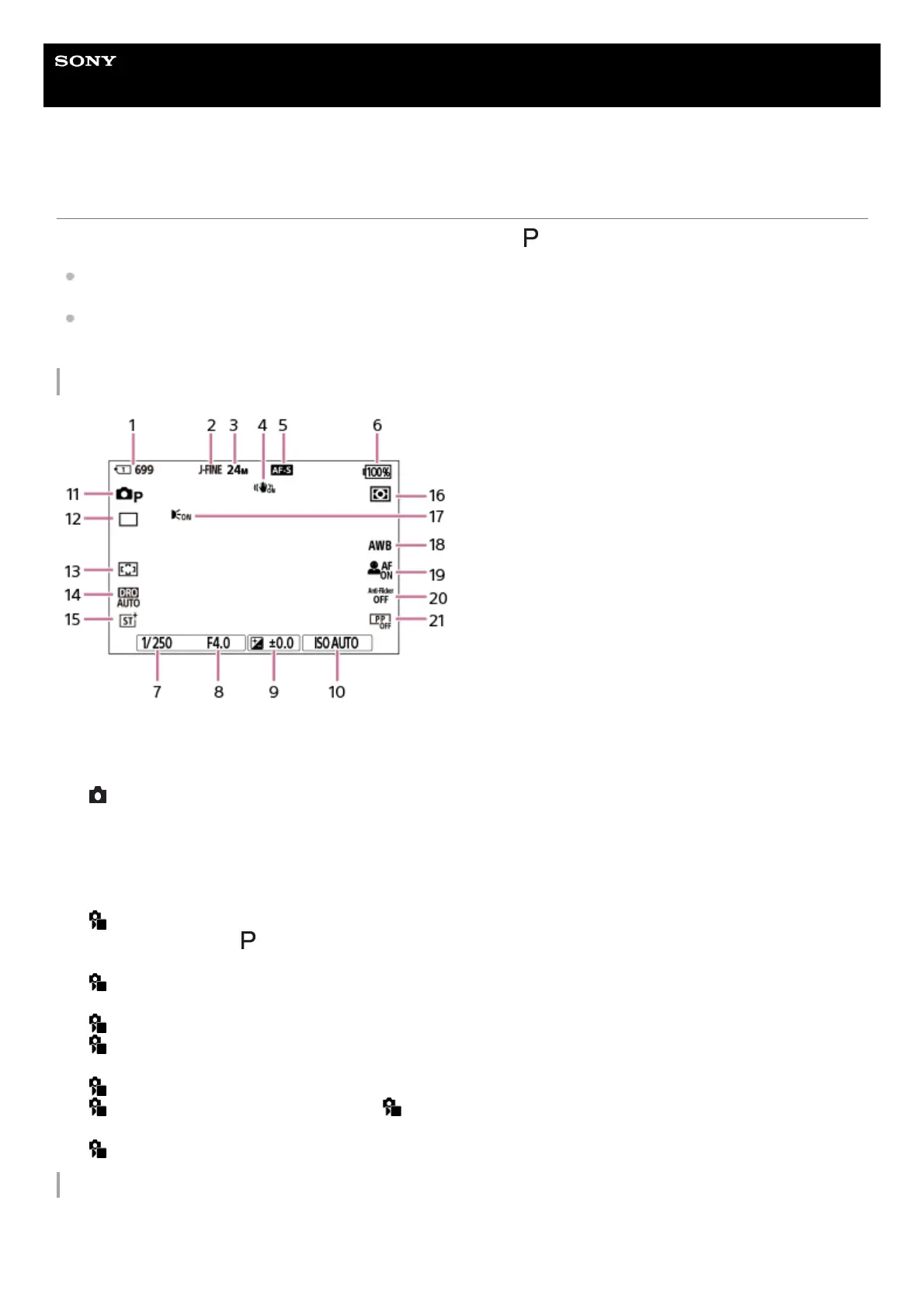
Basic icons displayed on the monitor
This section describes the screen display when the shooting mode is (Program Auto).
The following is an example of the display when [DISP (Screen Disp) Set] is set to [Display All Info.] and the touch
function icons are hidden.
The displayed content and positions are for reference only, and may differ from the actual display. Some icons may
not be displayed depending on the camera settings.
During still image shooting
During movie recording
Slot number of the memory card recording the shooting data and recordable number of still images1.
[JPEG/HEIF Switch] is set to [JPEG]. [JPEG Quality] is set to [Fine].2.
[JPEG Image Size] is set to [L: 24M].3.
[ SteadyShot] is set to [On].4.
The focus mode is set to [Single-shot AF].5.
Remaining battery level6.
Shutter speed7.
Aperture value8.
Exposure compensation9.
[ ISO] is set to [ISO AUTO].10.
The mode dial is set to (Program Auto).11.
[Drive Mode] is set to [Single Shooting].12.
[ Focus Area] is set to [Wide].13.
[D-Range Optimizer: Auto] is selected.14.
[ Creative Look] is set to [ST].15.
[ Metering Mode] is set to [Multi].16.
Displayed when [AF Illuminator] is set to [Auto] and the camera detects that the AF Illuminator is required.17.
[ White Balance] is set to [Auto].18.
[ Subject Recog in AF] is set to [On] and [ Recognition Target] is set to [Human].19.
[Anti-flicker Shoot.] is set to [Off].20.
[ Picture Profile] is set to [Off].21.



 To Next Page