Help Guide
Interchangeable Lens Digital Camera
ILCE-9M3 α9III
List of default setting values (Setup)
The default setting values at the time of purchase are shown in the following table.
To reset settings to the default values
Select MENU → (Setup) → [Reset/Save Settings] → [Setting Reset] → [Camera Settings Reset] or [Initialize] →
[Enter].
Initialize: All the settings of the camera will be reset to the default values.
Camera Settings Reset: Items that can be reset are limited. See the following table.
(Setup) tab
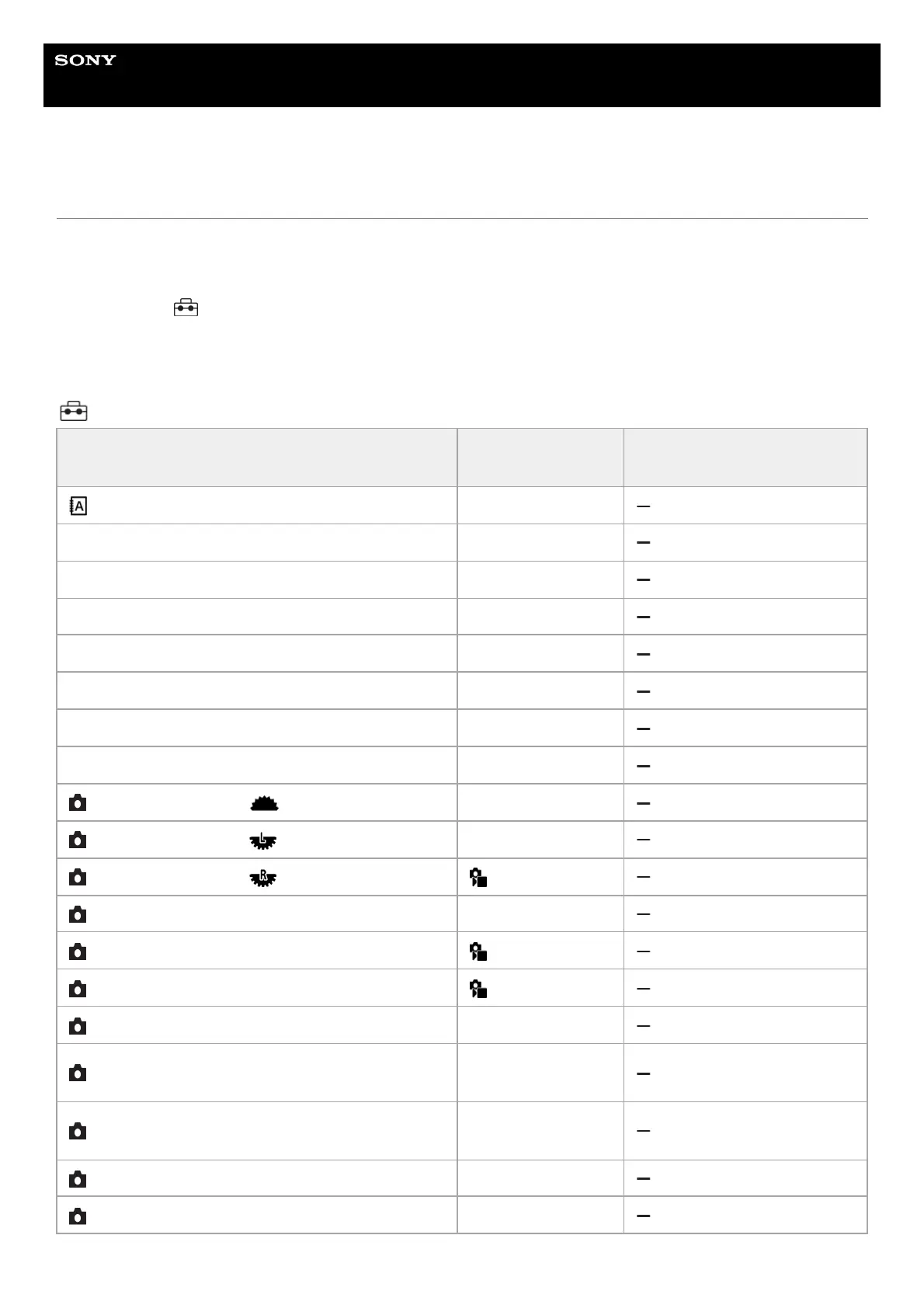
MENU item Default setting value
Resettable using [Camera
Settings Reset]
Language ―
Area/Date/Time Setting (Area Setting) ―
Area/Date/Time Setting (Daylight Savings) Off
Area/Date/Time Setting (Date/Time) ―
Area/Date/Time Setting (Date Format) ―
NTSC/PAL Selector ―
Setting Reset ―
Save/Load Settings ―
Custom Key/Dial Set. ( Front dial) Av/Tv (Av in M mode)
Custom Key/Dial Set. ( Rear Dial L) Av/Tv (Tv in M mode)
Custom Key/Dial Set. ( Rear Dial R) Exposure Comp.
Custom Key/Dial Set. (Control Wheel) Not set
Custom Key/Dial Set. (Custom Button 1) White Balance
Custom Key/Dial Set. (Custom Button 2) Focus Area
Custom Key/Dial Set. (Custom Button 3) Audio Signal Volume
Custom Key/Dial Set. (Custom Button 4)
Touch Operation
Select
Custom Key/Dial Set. (Custom Button 5)
Cnt Sht Spd Bst w/
Hold
Custom Key/Dial Set. (Multi-Slc Center Btn) Focus Standard
Custom Key/Dial Set. (Center Button) Not set


 To Next Page