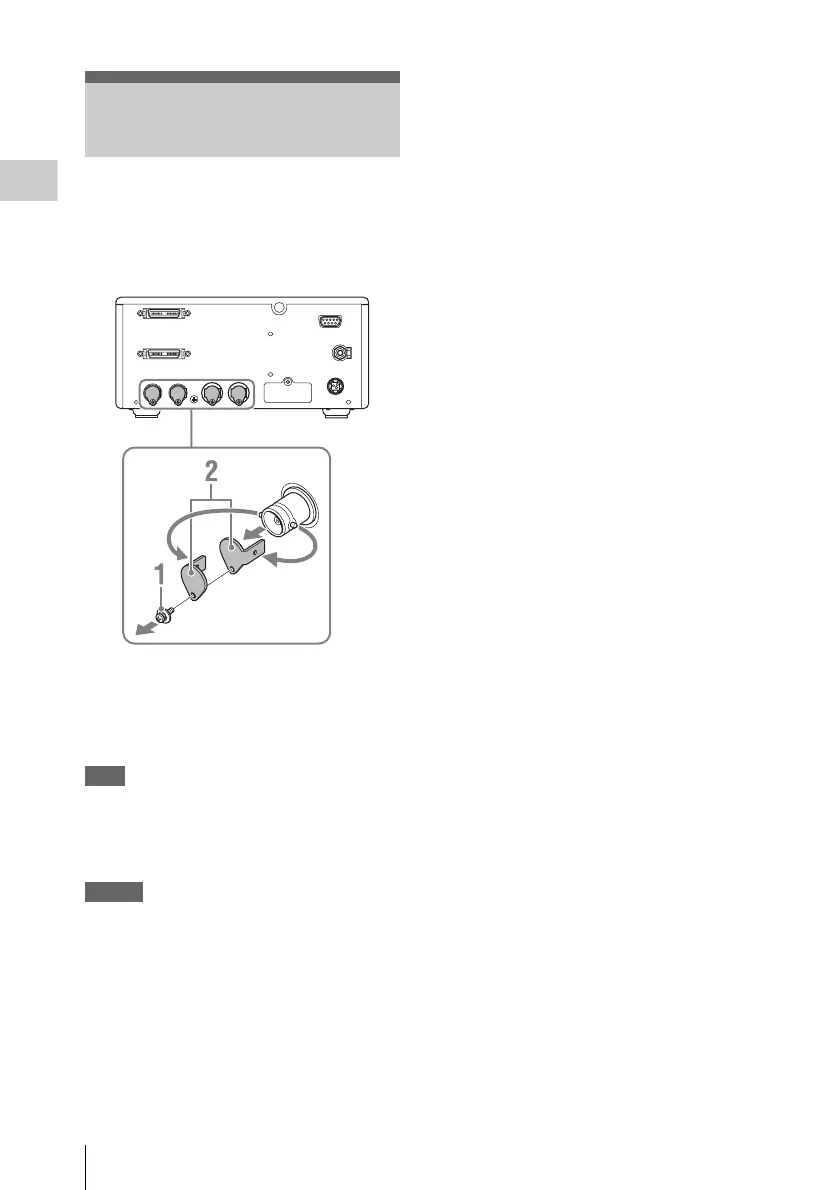
Removing the Connector Covers
18
Preparations
When the unit is shipped from the factory,
connector covers are attached to the HD SDI
OUT A, B connectors VIDEO OUT connector,
and EXT SYNC IN connector. To use one of
these connectors, remove the cover as follows.
1 Remove the screw of the connector
cover, using a screwdriver that matches
the grooves of the screw.
2 Remove the connector cover.
Note
• Make sure the DC power cable is disconnected
before performing the above.
• Save the screws and cover, so that you can
reattach the cover if necessary.
Caution
These connectors are designed to allow direct
contact with conductive circuits. Weak voltage
may be present because of a failure in this unit. To
prevent patients from touching these connectors
accidentally, attach the connector covers when
the connectors are not being used to connect to
other devices.
Removing the Connector
Covers













 To Next Page