Lens Mounting
16
Preparations
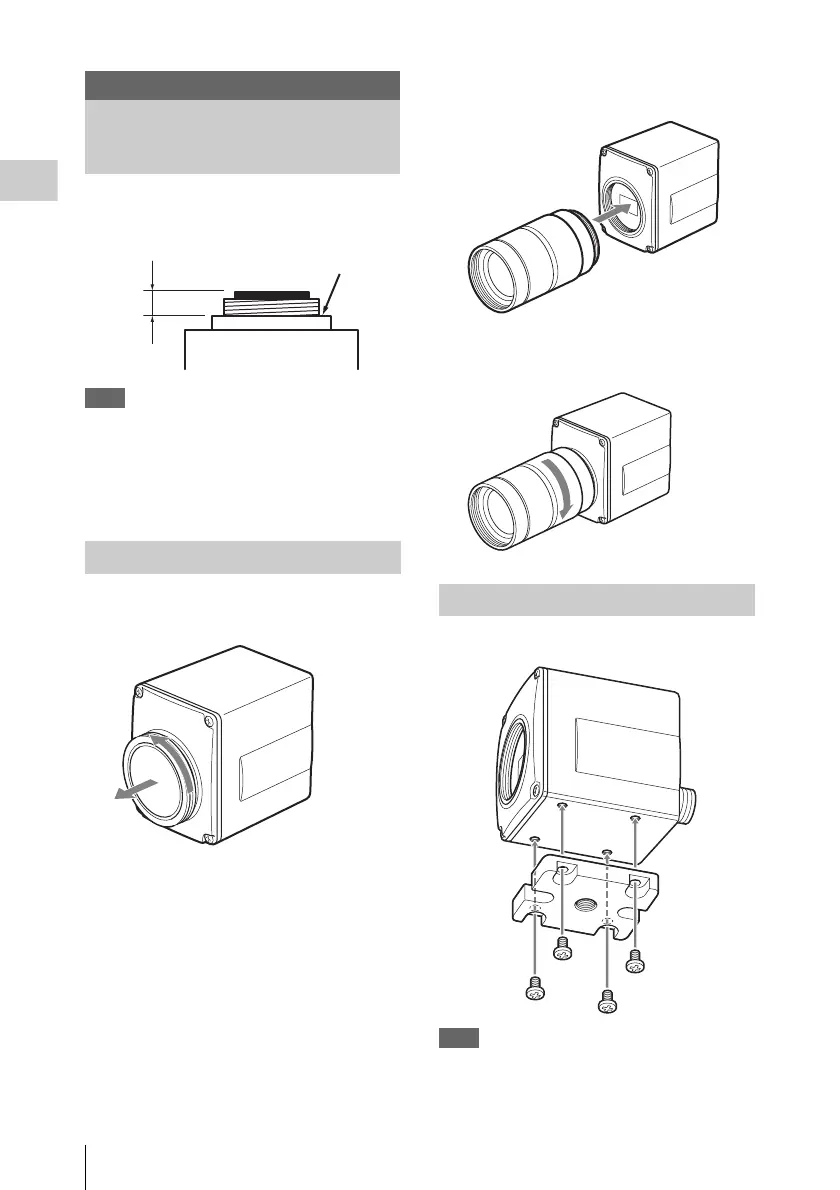
C-mount lenses with the following lens mount
surface can be attached to the camera head.
Note
Be sure to use a lens whose projected part from
the lens mount surface is 4.1 mm (
3
/
16
inches) or
less. Mounting the lens with a maximum
projection part 4.2 mm or more may damage the
internal mechanism of the camera head.
1 Remove the lens mount cap of the
camera head.
2 Align the threaded portion of the lens
mount with that of the camera mount.
3 Slowly rotate the lens clockwise to fix
the lens to the camera head tightly.
Attach the supplied tripod adaptor if necessary.
Note
When using a heavy lens, support the lens itself.
Do not support the lens via the camera head alone.
Preparations
Lens Mounting
Mounting the lens
Lens mount surface
4.1 mm
or less
Attaching the tripod adaptor













 To Next Page