Picture Profiles
32
Shooting
You can customize the picture quality, depending
on the conditions or circumstances of shooting,
and store them as a picture profile, enabling the
picture quality to be resumed just by your
selecting the picture profile.
Six different picture profiles (PP1 to PP6) can be
stored in memory. The same standard (reference)
values are registered to six picture profiles at the
factory.
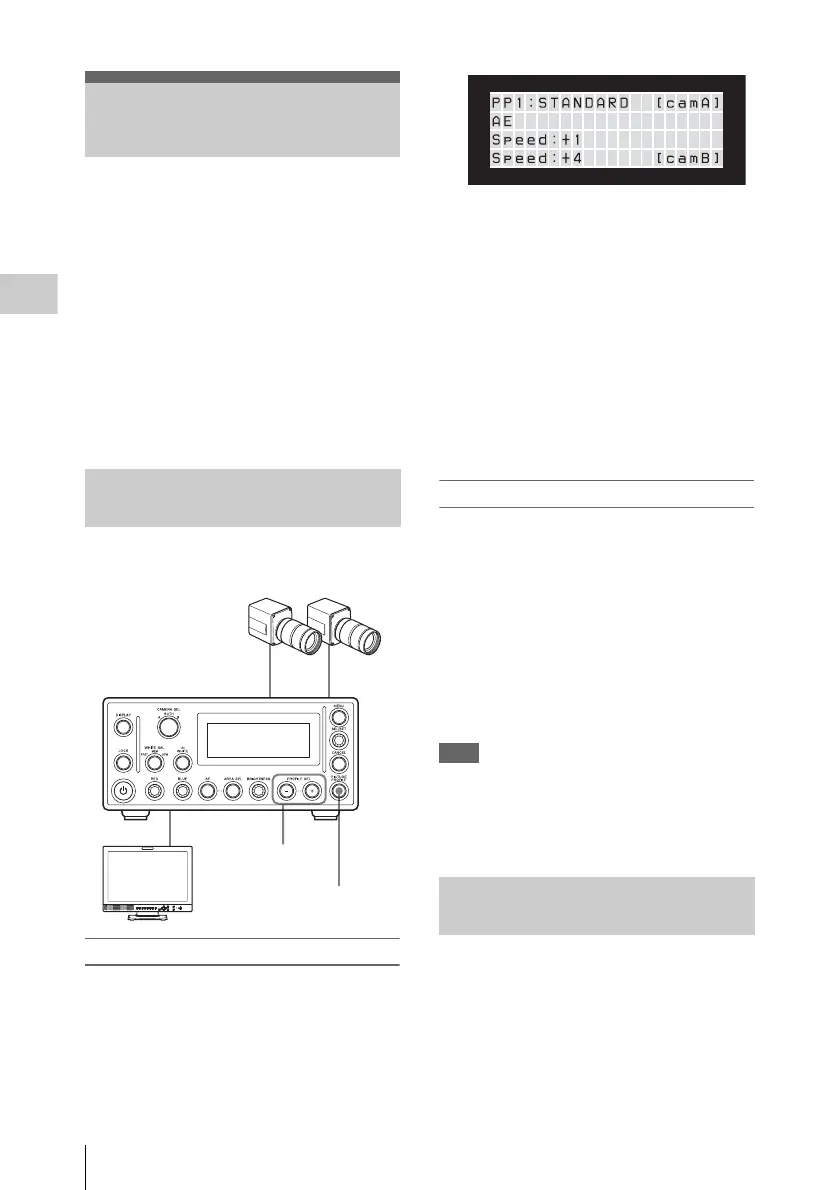
To register and copy picture profiles, use the
Picture Profile menu. To recall a picture profile,
use the PROFILE SEL buttons.
Once you store a picture profile, you can recall
the settings registered to the picture profile.
Registering a picture profile
1 Press the PICTURE PROFILE button.
The Picture Profile menu is displayed.
2 Make the settings of the picture profile
items.
If camera B or BOTH is selected with the
CAMERA SEL button, the selection will
automatically switch to A.
To configure the settings for camera B,
display the menu item you want to configure
and press the CAMERA SEL button to
switch to camera B.
For details on the setting items, see “Picture
profile items” on page 34 to 37.
3 When the settings are completed, press
the PICTURE PROFILE button to exit
the menu.
Recalling a picture profile
Press the PROFILE SEL + or – button.
The currently loaded picture profile number
appears in the front panel display.
With each press of the + button, you can select
picture profile files in the order
1t2t 3t4t5t6t1... With each press of
the – button, you can select picture profile files in
the order 1t6t5t4t3t2t1...
When you change the profile selection, the image
characteristics of this unit change according to the
loaded picture profile.
Note
The PROFILE SEL + and – buttons are disabled
when:
• the LOCK button is on.
• the Picture Profile menu is displayed.
You can copy the settings of a selected picture
profile to another picture profile on the same
camera.
1 Refer to the procedure in “Registering
and recalling picture profiles” (page 32)
and select the source picture profile.
Picture Profiles
Registering and recalling picture
profiles
PROFILE SEL
+ and – buttons
PICTURE PROFILE button
Copying the settings of a picture
profile












 To Next Page