Overview of the Setup Menus / Basic Menu Operations
38
Menu Configuration and Detailed Settings
The various settings required for shooting are
configured using the setup menus that appear in
the front panel display of the unit.
For connections of a video monitor, see “Connecting
Video Monitors” on page 19.
Press the MENU button to display the setup
menus, and select the item for which you want to
configure settings.
CAMERA SET menu
For setting the items related to shooting other than
those on picture quality (page 40).
The picture-quality items are set with the Picture Profile
menu (page 34).
VIDEO SET menu
For setting the items related to picture outputs
(page 41).
OTHERS menu
For setting the other items (page 41).
This section covers basic operations for setting
the Setup menu items.
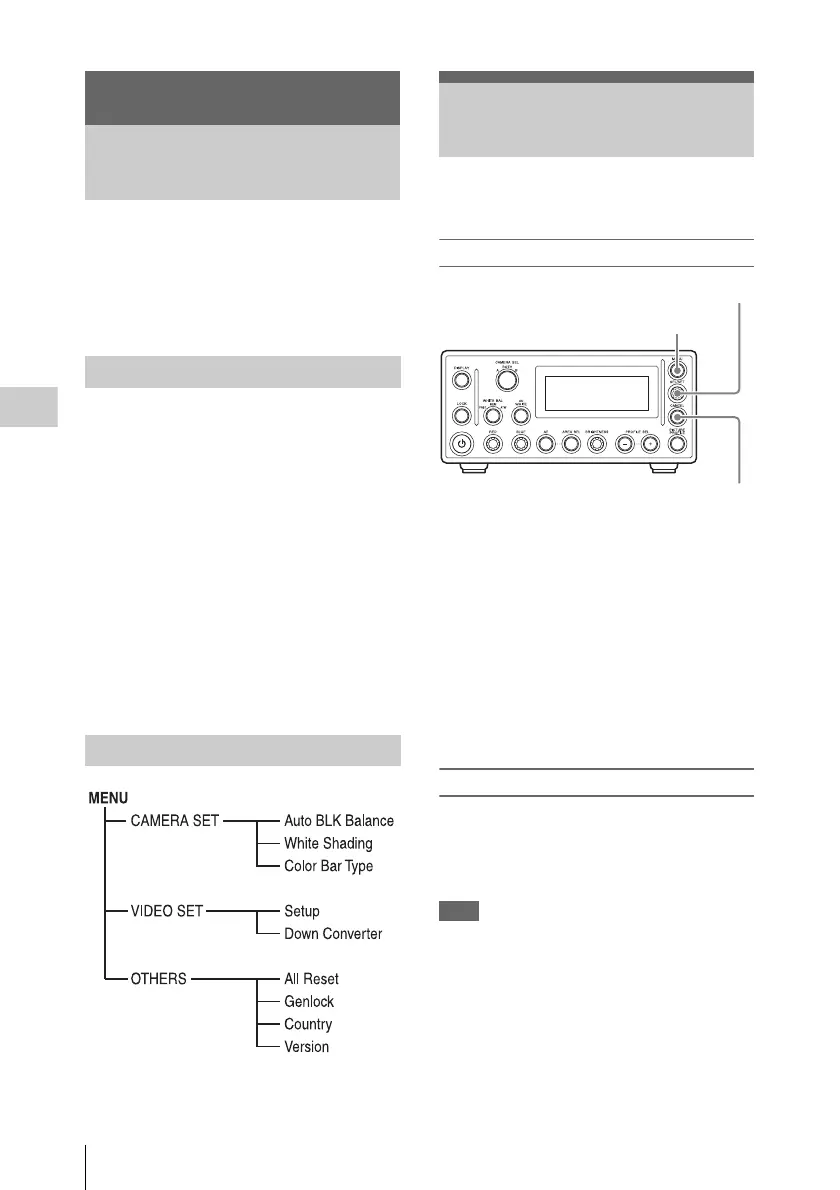
Menu controls
MENU button
To turn the Setup menu display on/off.
SEL/SET knob
When you turn it, the cursor moves in the
corresponding direction, permitting you to select
menu items or setting values. When you press it,
the selected value or setting is confirmed, or the
selected operation is executed.
CANCEL button
To return to the previous layer of the menu. An
uncompleted change is canceled.
Displaying the Setup menu
Press the MENU button.
The menu last selected in the previous session
appears in the first row of the front panel display,
and a related menu item appears below it.
Note
If camera A or B is selected with the CAMERA
SEL button, the selection will automatically
switch to BOTH.
You cannot switch the camera with the
CAMERA SEL button to configure different
settings for each camera.
Menu Configuration and Detailed
Settings
Overview of the Setup
Menus
Setup menu configuration
Setup menu layers
Basic Menu Operations
MENU button
CANCEL button
SEL/SET knob












 To Next Page