15
Resume playback
You can resume playback from the point
where the playback has been stopped. The
player memorizes the point even after the
power is turned off.
1 During playback, press x to stop.
The player memorizes the point where
playback is stopped.
•DVD/Video CD/Audio CD
“PRESS PLAY KEY TO LASTPLAY”
appears on the screen.
2 Press u to start playback.
“LASTPLAY” appears on the screen and
playback starts from the point where
playback has been stopped.
•MP3/JPEG
When resume playback is activated,
playback starts from the beginning of the
MP3/JPEG file (track) during which you
have stopped playback.
Notes
• To deact ivat e the resume function, press x again
while playback is stopped. “ PRESS PLAY KEY TO
PLAY” appears on the screen at t his time.
• The resume f unction will be deactivat ed when
the disc is eject ed.
• The resume f unction will also be deactivat ed
when t he ignition key is turned to OFF posit ion
or w hen the player is disconnected from the
pow er source.
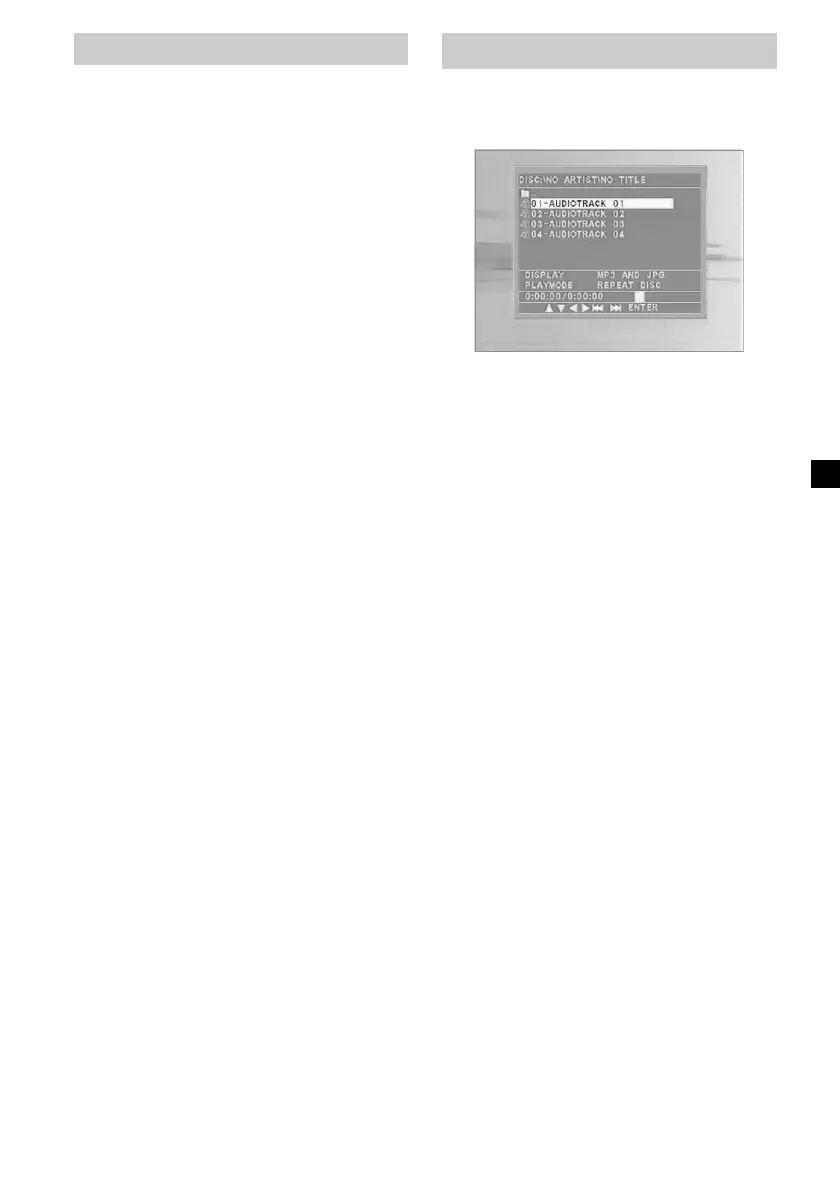
Using M P3/JPG menu
When you insert a disc containing MP3 or
JPEG files, playback automatically starts and
the MP3/JPG menu appears on the screen.
To make settings on the MP3/JPG menu, press
x to stop the player.
To select a folder or a file
While the player is stopped, use M/m buttons
to select the folder or a file, then press
(ENTER).
When you press (ENTER) after selecting a
folder, files inside the folder appear.
To select the display mode
While the player is stopped, use ,/<
buttons to select “DISPLAY,” then press
(ENTER) repeatedly to select the display
mode.
Each time you press (ENTER), display mode
changes as follows: MP3 ONLY (only MP3
files are displayed) t JPG ONLY (only JPEG
files are displayed) t MP3 AND JPG (MP3
files and JPEG files are grouped and
displayed).
To select the playback mode
While the player is stopped, use ,/</m
buttons to select “PLAYMODE,” then press
(ENTER) repeatedly to select the playback
mode.
Each time you press (ENTER), playback mode
changes as follows: REPEAT DISC (repeats all
the tracks on the disc) t NORMAL (normal
playback) t REPEAT DIR (repeats all the
tracks within the directory) t REPEAT ONE
(repeats one track) t RANDOM (plays tracks
at random; the same track may be played more
than once) t SHUFFLE (plays tracks at
random; tracks are played only once).
continue to next page t
Downloaded from: https://www.usersmanualguide.com/















 To Next Page