13
Various Playback
This chapter describes various functions for
playback.
Playing a disc
ENTER
SEARCH
POWER
DISPLAY
CLEAR
SETUP
AUDIO
ANGLE
SUBTITLE
MENU
TOP MENU
INPUT
123
456
7890
VOL
./>
u
x
POWER
SEARCH
M/m
</,
/y
m/M
VOL
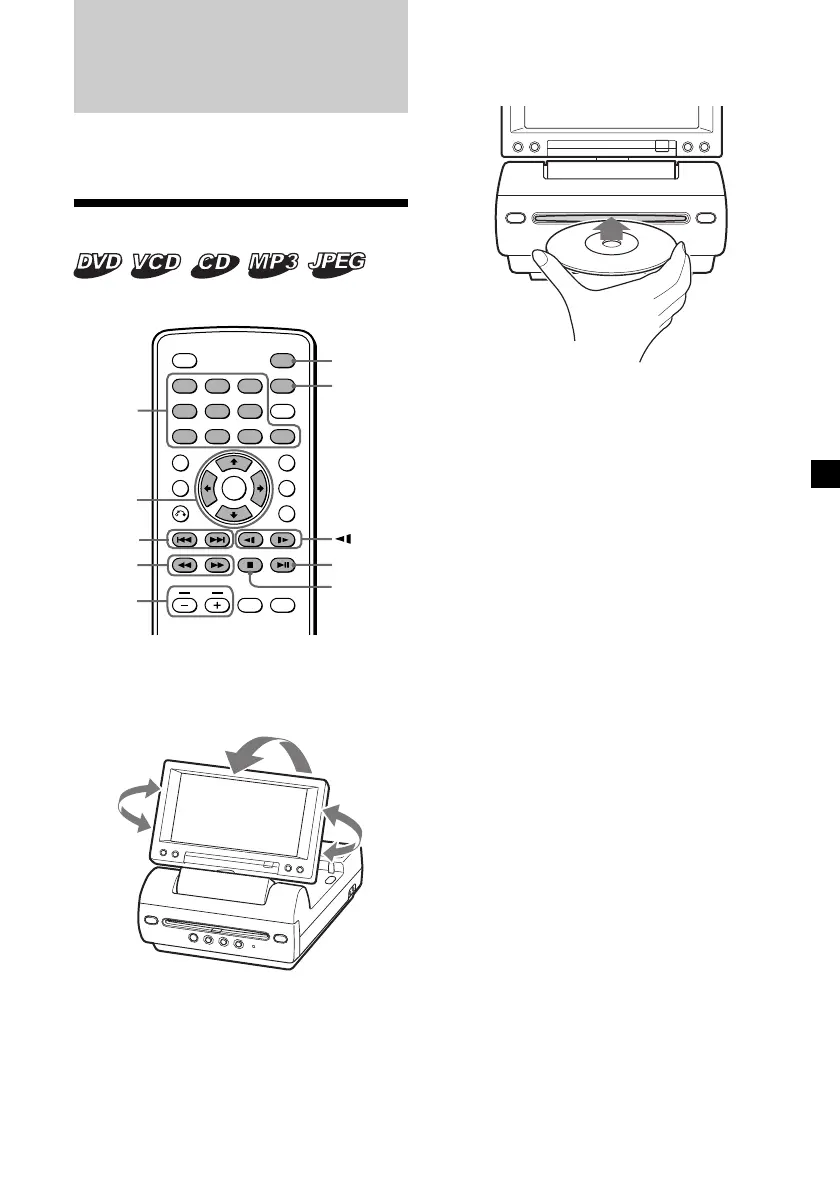
1 Open the monitor and adjust the tilt and
sw ivel.
2 Press (POWER) to turn on the player.
The monitor turns on and the green light of
the POWER switch on the player lights up.
Number
buttons
3 Insert the disc (labeled side up) into the
player.
Playback starts automatically.
If a disc is already inserted or playback does
not start automatically, press u to start
playback.
4 Press (VOL) (+) or (VOL) (–) on the card
remote commander to adjust the
volume.
To turn off the pow er
Press (POWER) so that the green light of the
POWER switch on the player turns off.
After use
Turn off the player and disconnect the power
cord from the power source.
Note on using the player in the car
Using the player while the ignition key is in
ACC position and the engine is stopped may
cause the car battery to run down.
Notes
• Even when t he player is t urned of f, you can eject
a disc from the player, though you cannot insert
a disc.
• Read the inst ruction manual supplied w ith t he
disc to play wit h this player.
• When you play an 8-cm disc (e.g., CD-single), be
sure to insert it t o the cent er area of t he disc slot.
• Depending on t he recording met hod used on t he
disc, it may t ake a minute or more bef ore
playing.
• Depending on t he condit ion of the disc, it may
not play back (page 32).
• A high-bit rate M P3 f ile such as 320 kbps may not
play back properly.
continue to next page t
Downloaded from: https://www.usersmanualguide.com/















 To Next Page