10
REVERSE
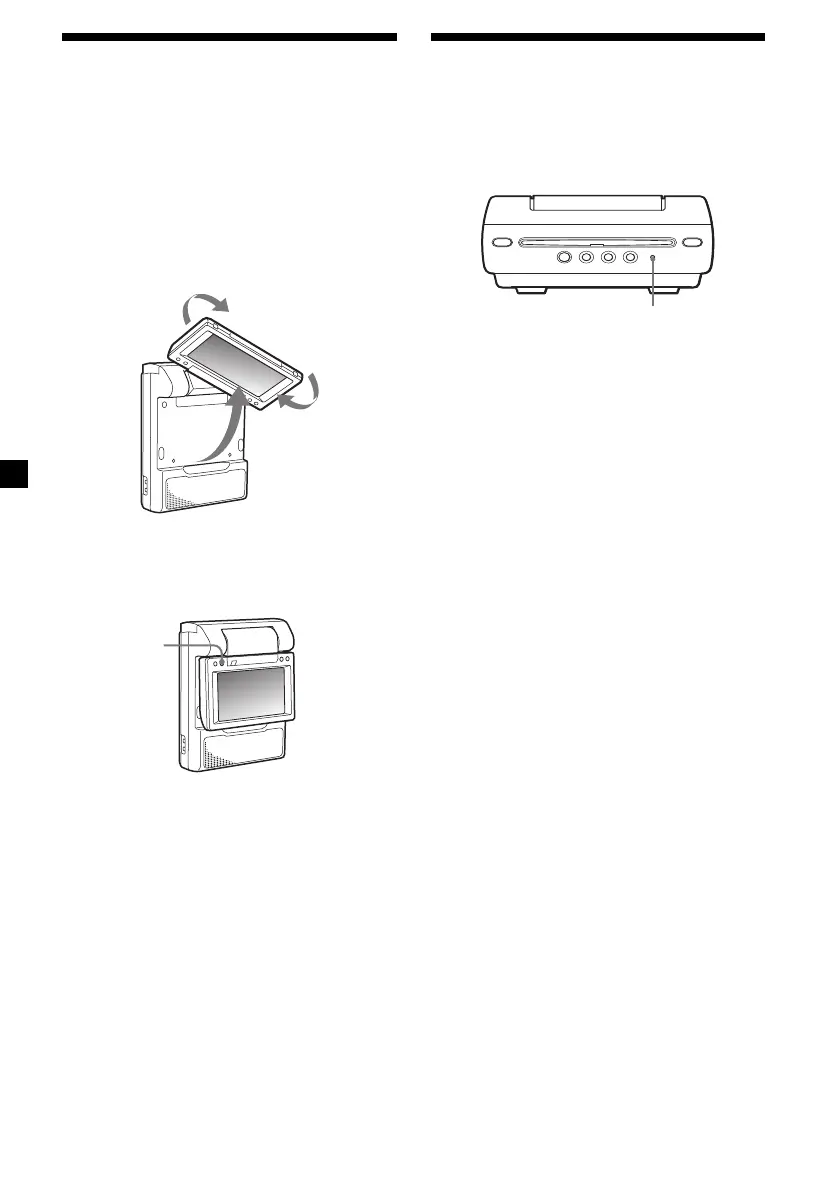
Resetting the player
Before operating the player for the first time,
you must reset the player.
Press (RESET) with a pointed object, such as a
ballpoint pen. Pushing it with force by using a
needle may damage the player.
Notes
• When you press (RESET), some of t he previous
set tings may be lost. If t his occurs, make t he
set tings again.
• It takes about 10 seconds f or t he player t o reset
it self after pressing (RESET). Do not insert a disc
during this t ime. If you do, the player may not be
reset properly.
RESET
When the player is installed behind
the seat or betw een the seats
The player is installed upside down.
Do the procedure below to turn the picture on
the screen upside down and switch the audio
channels to use the player.
1 Open the monitor of the player, rotate it
in 180 degrees, then close it w ith the
screen facing upw ard.
2 Turn on the player, then press
(REVERSE) on the monitor.
To cancel this, press (REVERSE) again.
Downloaded from: https://www.usersmanualguide.com/















 To Next Page