20
Using the PBC (playback
control) function
During playback of a PBC compatible Video
CD, you can display the PBC menu and select
the item from the menu.
ENTER
SEARCH
POWER
DISPLAY
CLEAR
SETUP
AUDIO
ANGLE
SUBTITLE
MENU
TOP MENU
INPUT
123
456
7890
VOL
MENU
./>
u
O
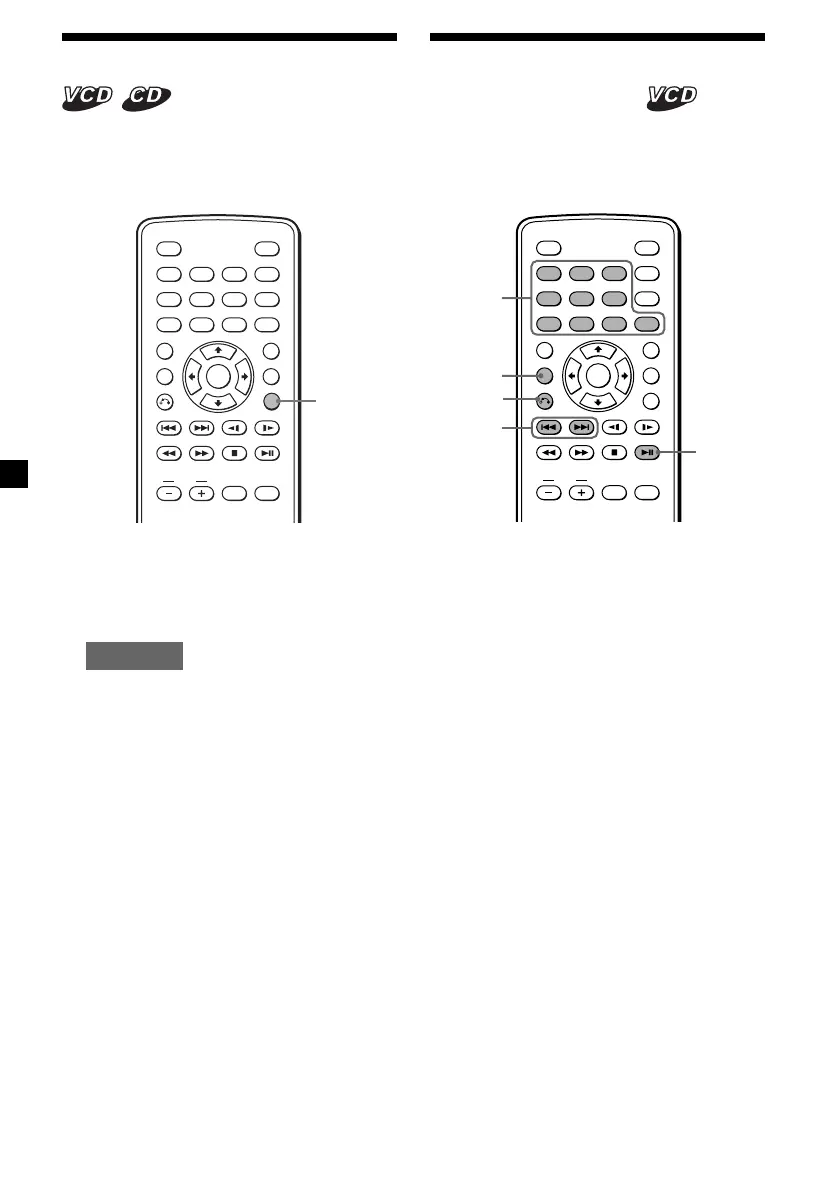
1 Insert a Video CD, then press
(MENU) repeatedly to select “PBC ON.”
Depending on the Video CD, the PBC menu
may be displayed automatically after
inserting a Video CD.
Each time you press (MENU), the PBC
menu function turns on or off.
2 Press u.
The PBC menu is displayed.
3 While the PBC menu screen is displayed;
— press the number buttons to select the
number of the desired item.
— press ./> to go to the previous/
next page.
Button functions vary or may not work,
depending on the Video CD.
Notes
• To display t he PBC menu during playback of a
Video CD, press (MENU) repeat edly to select
“ PBC ON,” t hen press u.
• During playback of a Video CD w ith “ PBC ON,”
press ./> t o change t he item. The PBC
menu is not displayed but t he item you selected
st arts to play.
• During playback of a Video CD w ith “ PBC ON,”
press O to display the PBC menu and t he B
mark.
• The PBC menus differ, depending on t he Video
CD. Read t he instruction manual supplied wit h
the Video CD.
Changing the audio output
You can select the desired audio output from
“STEREO” or “L-MONO/R-MONO” during
Video CD or Audio CD playback.
ENTER
SEARCH
POWER
DISPLAY
CLEAR
SETUP
AUDIO
ANGLE
SUBTITLE
MENU
TOP MENU
INPUT
123
456
789
0
VOL
AUDIO
1 During playback, press (AUDIO).
The current output is displayed at the
upper left.
Example: an audio output display
L-MONO
2 Press (AUDIO) to select the desired
output from “STEREO” or “L-M ONO/R-
M ONO” w hile the output is displayed.
Each time you press (AUDIO), the output
switches.
Number
buttons
Downloaded from: https://www.usersmanualguide.com/















 To Next Page