17
•Video CD
•Audio CD
To turn off the time information
Press (DISPLAY) repeatedly to select “OFF.”
Elapsed time of the disc
Elapsed time of the track and audio
mode (stereo/ mono)
Elapsed time of the track and PBC
setting (ON/OFF)
Remaining time of the track
OFF (default display)
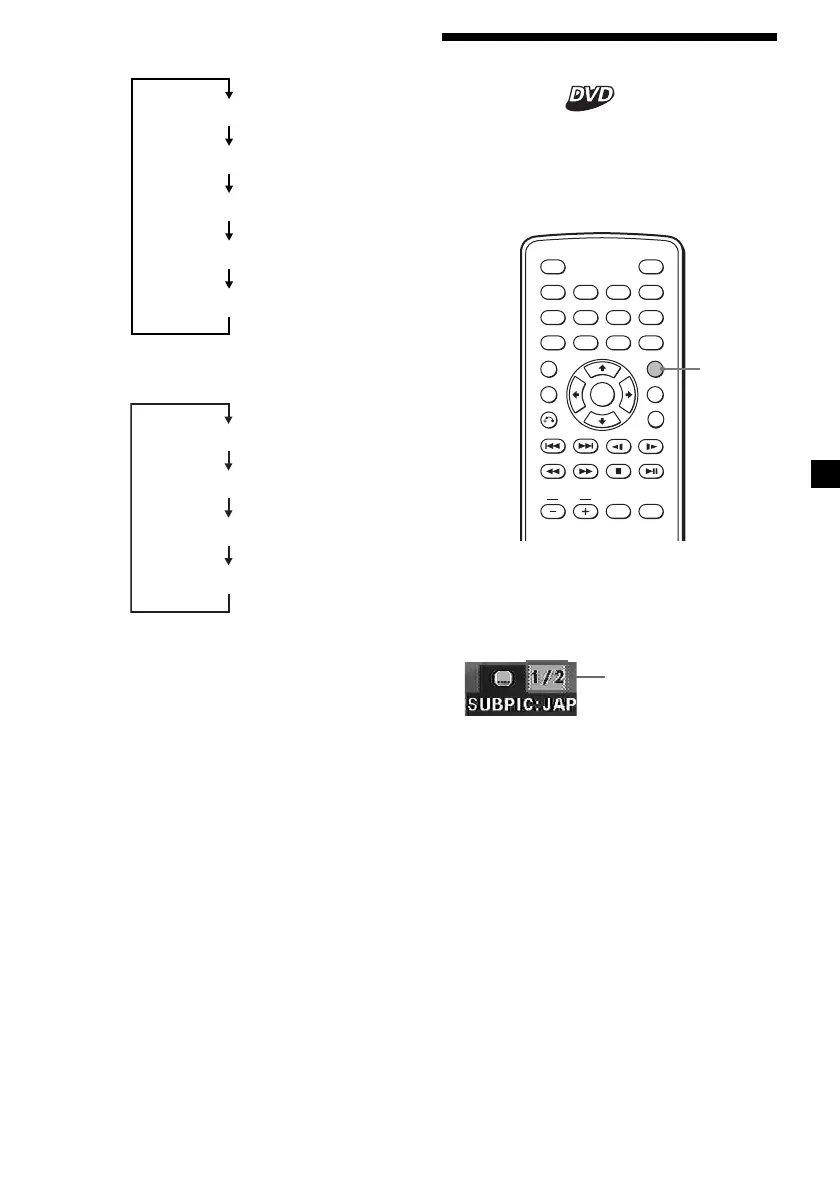
Changing the subtitle
language
Some DVDs have recorded subtitles in one or
more languages. You can turn the subtitles on
or off, or change the subtitle language on such
DVDs.
ENTER
SEARCH
POWER
DISPLAY
CLEAR
SETUP
AUDIO
ANGLE
SUBTITLE
MENU
TOP MENU
INPUT
123
456
789
0
VOL
SUBTITLE
Press (SUBTITLE) during playback.
The subtitle language is displayed at the
upper left.
Example: a subtitle language display
Each time you press (SUBTITLE), the
language switches within the list of subtitle
languages recorded on the disc.
To turn off the subtitle
Press (SUBTITLE) repeatedly to select “OFF.”
Notes
• You can also change the subt itle languages by
changing Set up*.
See “ Displaying the subt itles
for DVD — SUBTITLE” (page 23).
*
You can change to a specif ic subtit le language
using t he DVD SETUP menu, only if the
language is included in bot h the disc and t he
menu. In some discs, t he init ial language to be
displayed is specif ied regardless of the DVD
SETUP menu set ting.
• This funct ion varies or may not w ork, depending
on t he DVD.
The disc contains 2
subtitle languages and
the first language is
currently selected.
Remaining time of the disc
Elapsed time of the disc
OFF
Elapsed time of the track
(default display)
Downloaded from: https://www.usersmanualguide.com/















 To Next Page