2
SELF-DIAGNOSIS FUNCTION
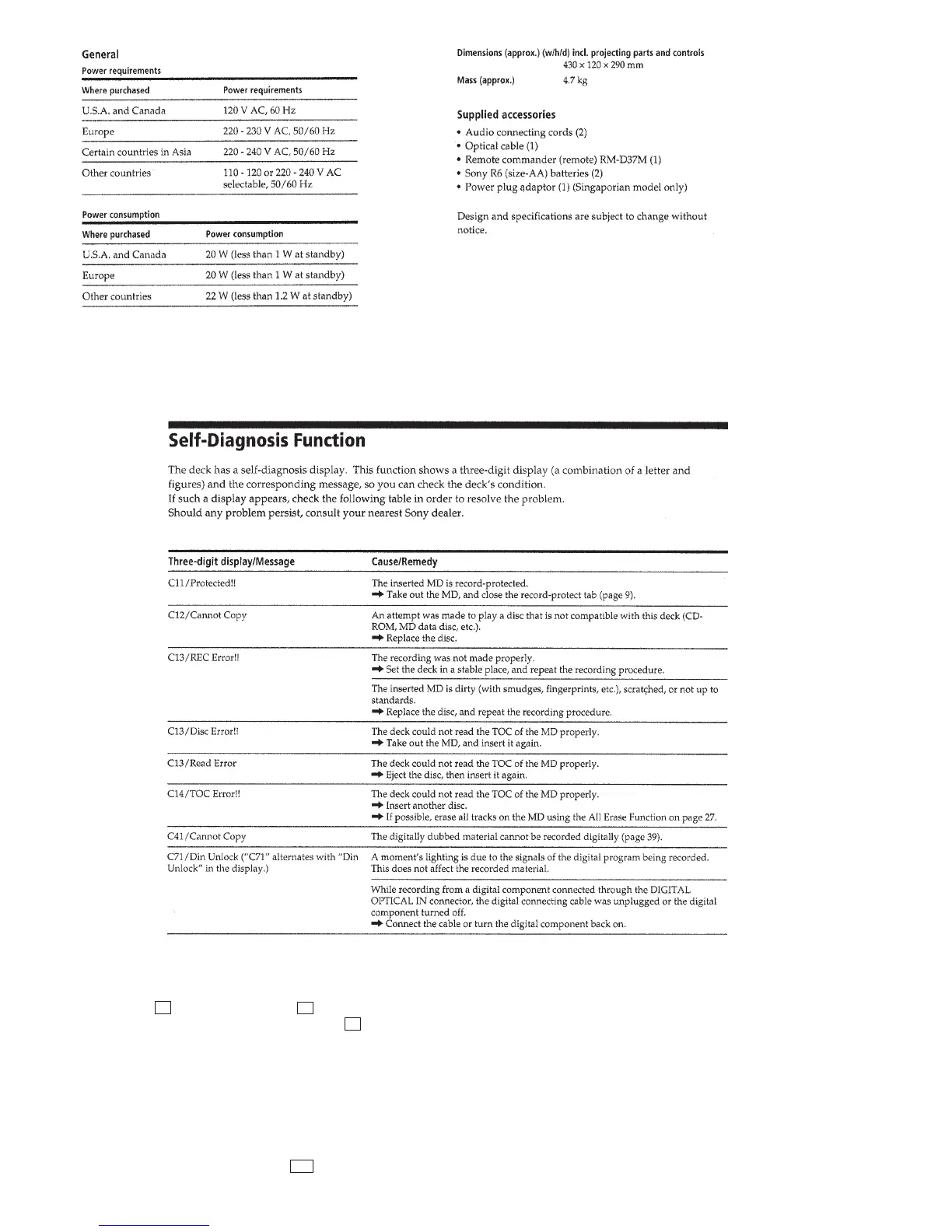
The self-diagnosis function consists of error codes for customers which are displayed automatically when errors occur, and error codes
which show the error history in the test mode during servicing. For details on how to view error codes for the customer, refer to the
following box in the instruction manual. For details on how to check error codes during servicing, refer to the following “Procedure for
using the Self-Diagnosis Function (Error History Display Mode)”.
PROCEDURE FOR USING THE SELF-DIAGNOSIS FUNCTION (ERROR HISTORY DISPLAY MODE)
Note: Perform the self-diagnosis function in the “error history display mode” in the test mode. The following describes the least required procedure. Be
careful not to enter other modes by mistake. If you set other modes accidentally, press the MENU/NO button to exit the mode.
1. Press the x (CD), [CLEAR] (CD), x (MD) and [CLEAR] (MD) buttons at the same time.
2. Press the [ AMS ] (MD) knob and x (MD) button to display “ <0> To Normal”.
3. Turn the [ AMS ] (MD) knob and when “ <5> MD Test” is displayed, press the [ AMS ] (MD) knob.
4. Turn the [ AMS ] (MD) knob and when “[Service]” is displayed, press the [YES] button.
5. Turn the [ AMS ] (MD) knob to display “ERR DP MODE”.
6. Press the [YES] button to sets the error history mode and displays “total rec”.
7. Select the contents to be displayed or executed using the [ AMS ] (MD) knob.
8. Press the [ AMS ] (MD) knob to display or execute the contents selected.
9. Press the [ AMS ] (MD) knob another time returns to step 6.
10. Press the [MENU/NO] button to display “ERROR DP MODE” and release the error history mode.
11. To release the test mode, press the ?/1 button to turn the power OFF.
lL
lL
lL
lL
lL
lL
lL
lL



 To Next Page