7-GB
2
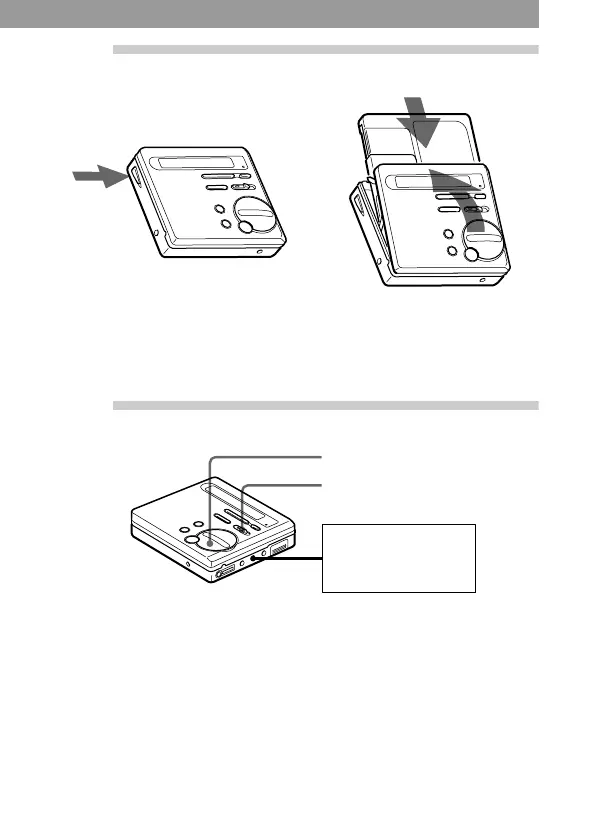
Insert a recordable MD.
1 Press OPEN to open the lid. 2 Insert a recordable MD with
the label side facing front,
and press the lid down to
close.
3
Record an MD.
1 Slide REC to the right.
REC indication lights up in
the display and recording
starts.
2 Play the source you want to
record.
To stop recording, press x.
After you press x, the recorder will automatically turn off after:
— about 5 minutes when using AC power adaptor.
— about 10 seconds when using batteries.
REC
CD player, cassette
recorder, etc.
(source)
x


 To Next Page
 Loading...