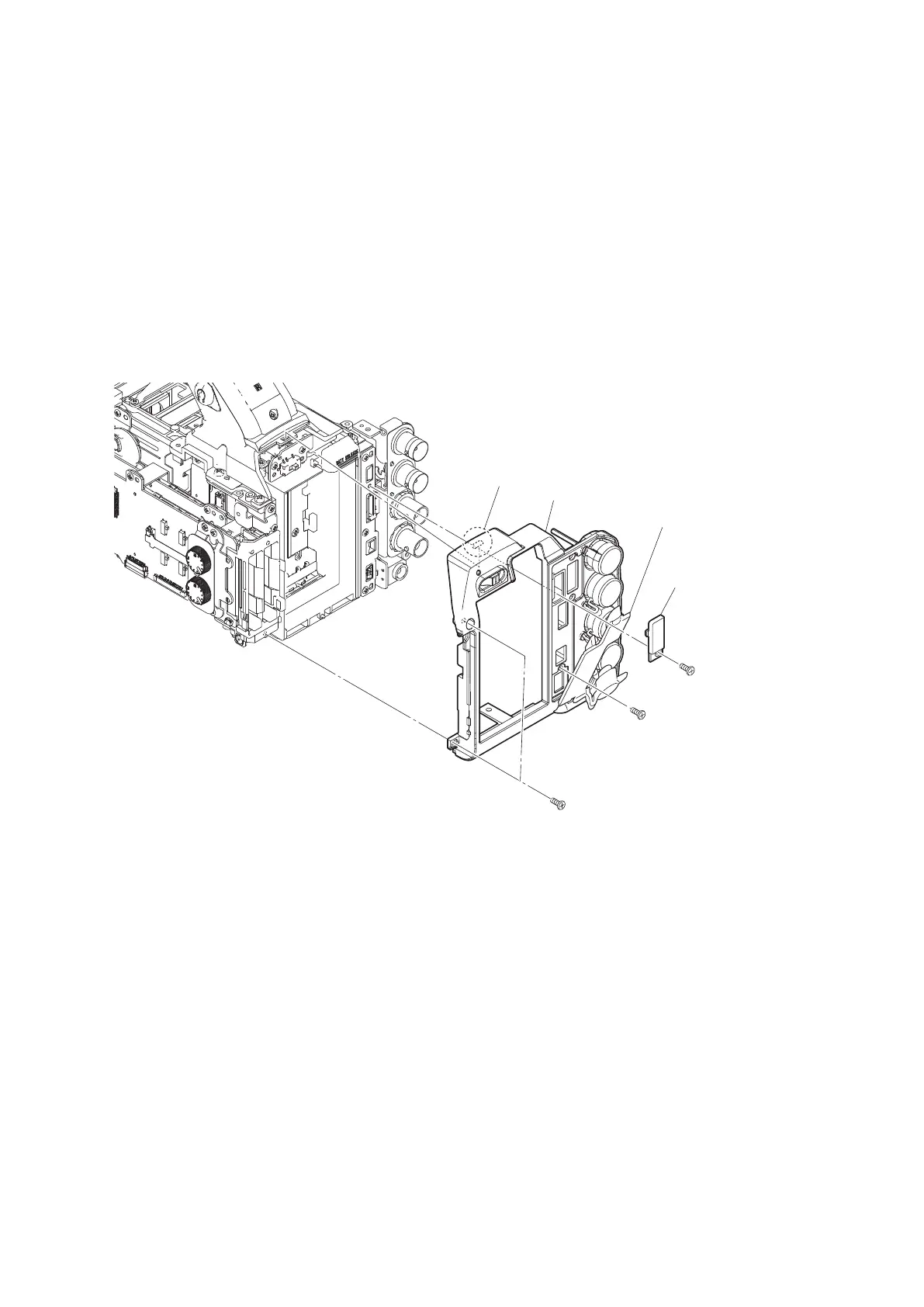
2-8. Rear Panel Assembly
Preparation
1. Remove the bottom panel assembly. (Refer to“2-5. Bottom Panel Assembly”)
2. Remove the inside panel assembly. (Refer to“2-6-1. Inside Panel Assembly”)
3. Remove the outside panel assembly. (Refer to“2-7-1. Outside Panel Assembly”)
Procedure
1. Open the IO cover (A).
2. Remove the screw to detach the USB cover.
3. Remove the three screws.
4. Release the claw to detach the rear panel assembly.
Precision screw
(P2 x 5)
Precision screw
(P2 x 5)
Precision screws
(P2 x 5)
IO cover (A)
Claw
Rear panel assembly
USB cover
5. Install the removed parts by reversing the steps of removal.
PMW-300
2-27



 To Next Page