Menu Submenu Set value Description
Cursor Prev — — Moves the correction point indicator cursor to the
previous address.
Record — Execute, Cancel Registers the RPN.
Delete — Execute, Cancel Deletes the RPN.
Reset — Execute, Cancel Deletes all the RPN registered for correction after
shipment from the factory.
3-2-3. INFORMATION Menu
Menu Submenu Set value Description
Serial Number — — Displays the serial number.
Version — — Displays the software version number.
Self Diag Diag Type Type 1, Type 2 Selects the self-diagnostic type.
Item1 Execute, Cancel Executes self-diagnostic Item 1.
Item2 Execute, Cancel Executes self-diagnostic Item 2.
Item3 Execute, Cancel Executes self-diagnostic Item 3.
Item4 Execute, Cancel Executes self-diagnostic Item 4.
Item5 Execute, Cancel Executes self-diagnostic Item 5.
Item6 Execute, Cancel Executes self-diagnostic Item 6.
Item7 Execute, Cancel Executes self-diagnostic Item 7.
Item8 — This item is not selectable.(Display only)
Item9 Execute, Cancel Executes self-diagnostic Item 9.
Item10 — This item is not selectable.(Display only)
Item11 — This item is not selectable.(Display only)
Item12 — This item is not selectable.(Display only)
Item13 — This item is not selectable.(Display only)
Log Dump — Execute, Cancel Records the error log to media.
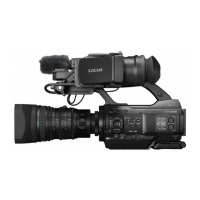
PMW-300
3-4


 To Next Page