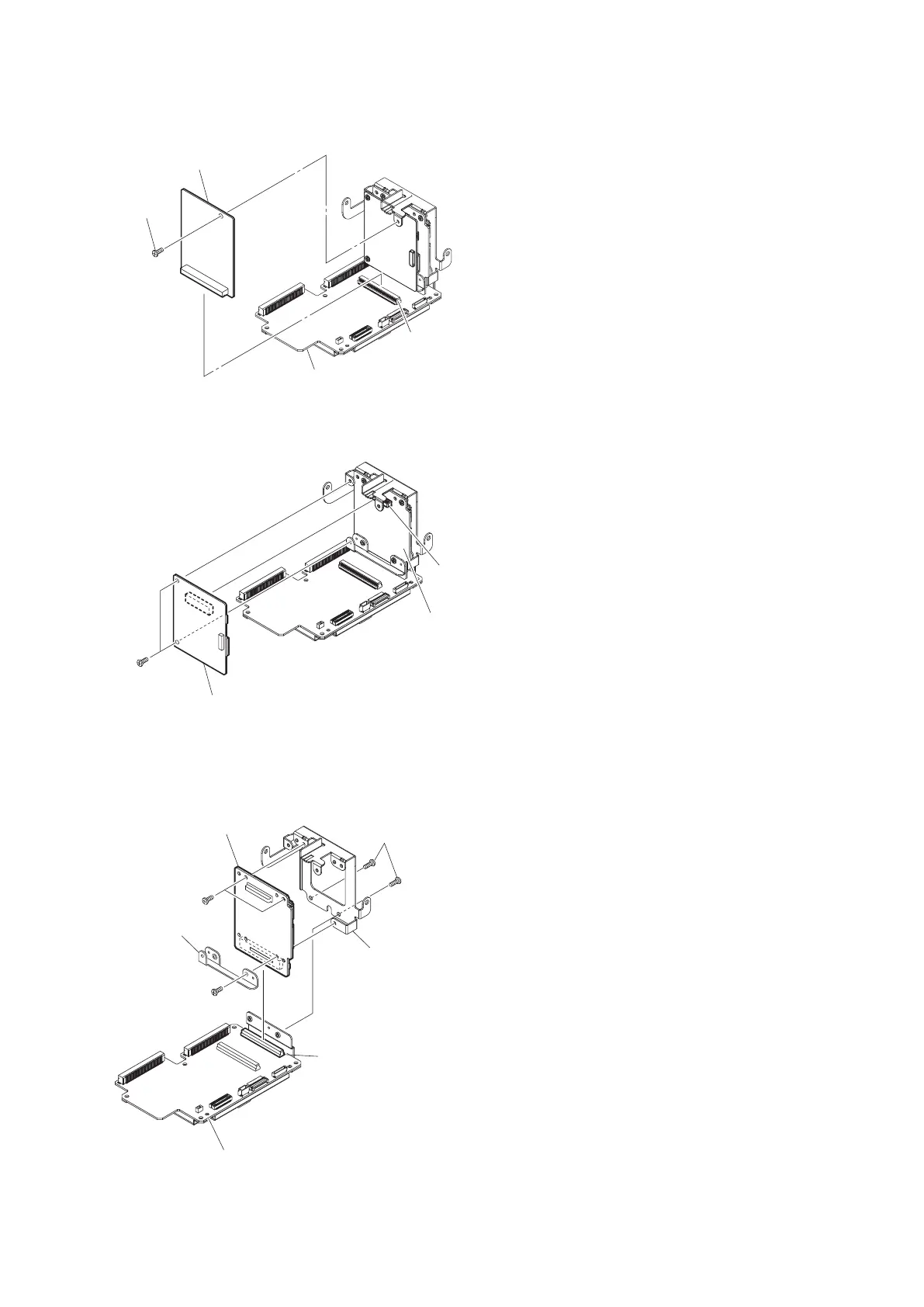
6. Remove the RE-322 board from the connector on the AU-357 board.
7. Remove the two screws (P2 x 4).
8. Remove the RE-320 board from the connector on the RE-321 board.
RE-321 board
P2 x 4
Connector
RE-320 board
9. Remove the two (a) screws (P2 x 4).
10. Remove the RE-321 board from the connector on the AU-357 board.
11. Remove the three (b) screws (P2 x 4) to detach the bracket RE and the bracket from the RE-321 board.
(a)
P2 x 4
(b)
P2 x 4
(b)
P2 x 4
Connector
RE-321 board
Bracket RE
Bracket
AU-357 board
PMW-300
2-50



 To Next Page