3-2 (E)
PVM-A250
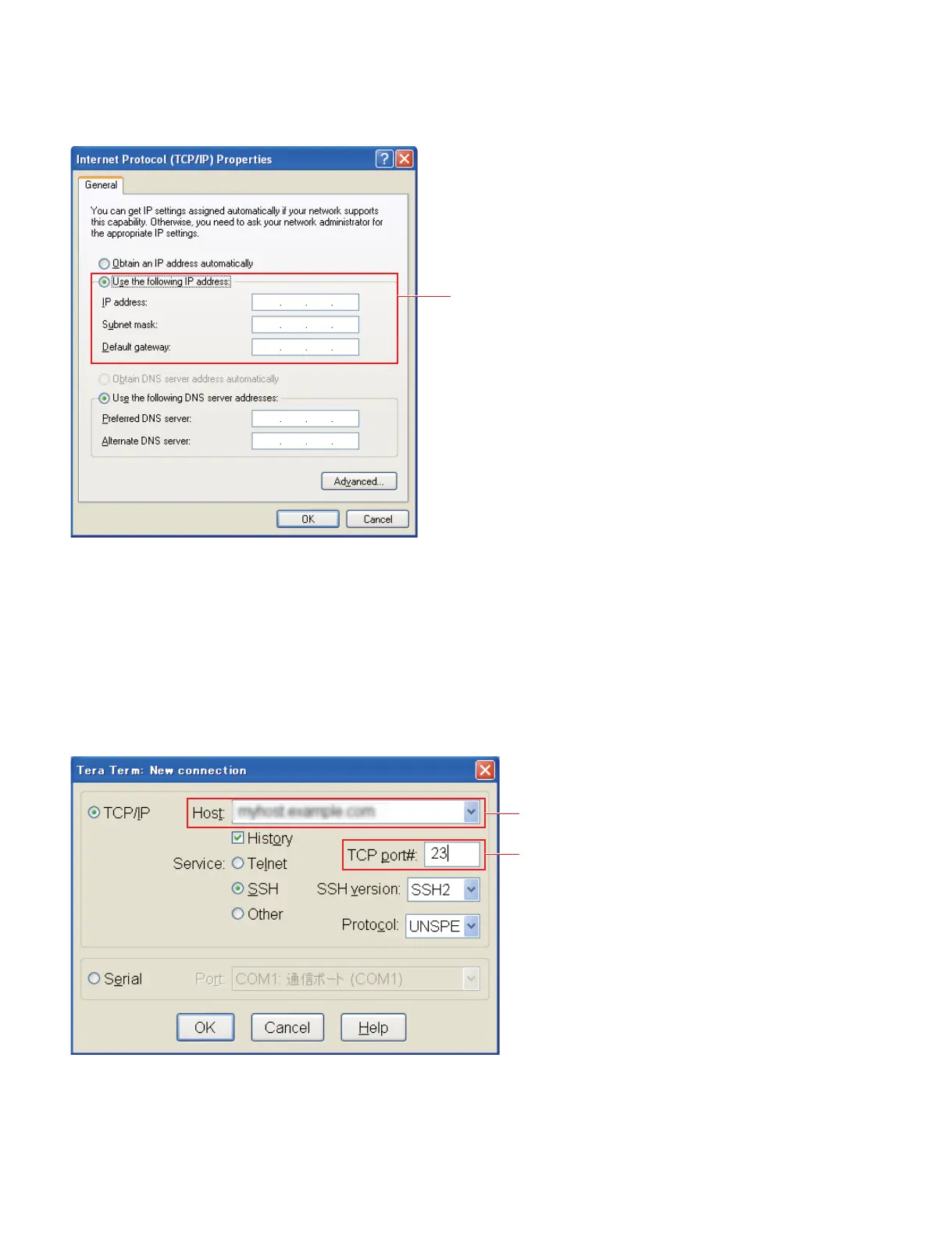
4. Select internet protocol version 4 (TCP/IPv4) and click the [Properties] button.
5. Enter 192.168.0.10 in the IP address field, enter 255.255.255.0 in the subnet mask field, and click the
[OK] button.
6. Close the Local area connection property screen.
3-1-3. Connection with Monitor
1. Start terminal software.
2. Set the connection destination to the IP address f a monitor and set the TCP port to 23.
Enter the IP address and subnet.
Set the IP address of a monitor.
Set the TCP port to 23.


 To Next Page