Menu Configuration and Basic Operation
58
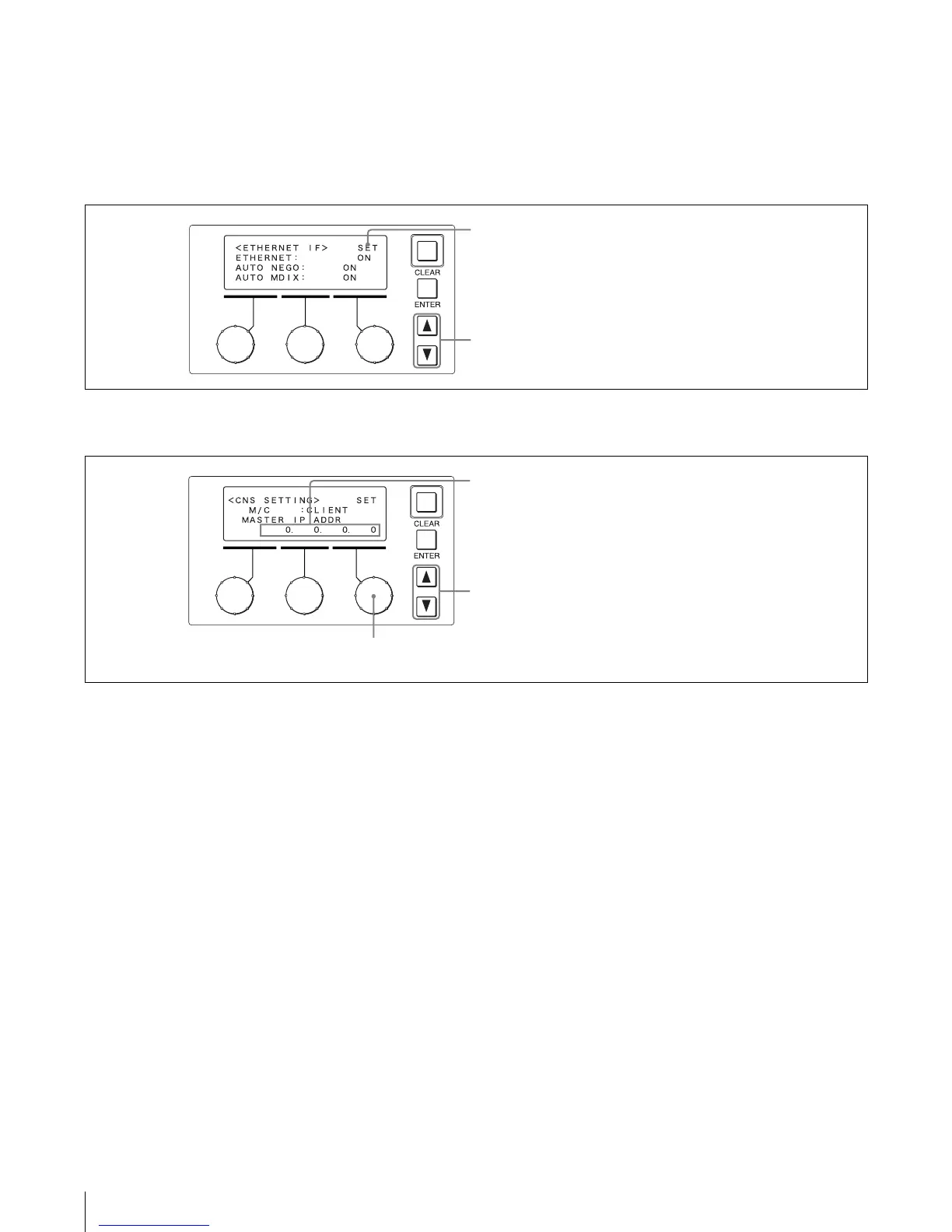
Page with SET item
For pages which have a “SET” item, changes must be
confirmed by the setting procedure before they become
active.
Otherwise the changes will be lost when switching to
another page.
Example: ETHERNET IF page
Entering a series of numeric values
Example: CNS SETTING page
When you press ENTER once while the cursor is here, the cursor
shape becomes “?.” Press ENTER once more to activate the
changes. The cursor shape returns to “>.”
Press to move between pages in the menu.
For this item, a series of separate values must be set. Pressing
ENTER moves to the next field. When the last field has been set,
pressing ENTER cancels the item selection and the cursor
shape returns to “>.”
Turn to change the numeric value of the selected field.
Press to move between pages in the menu.











 To Next Page