Fditing
Using an additional VCR, you can record programs from one VCR to the other. Here's how:
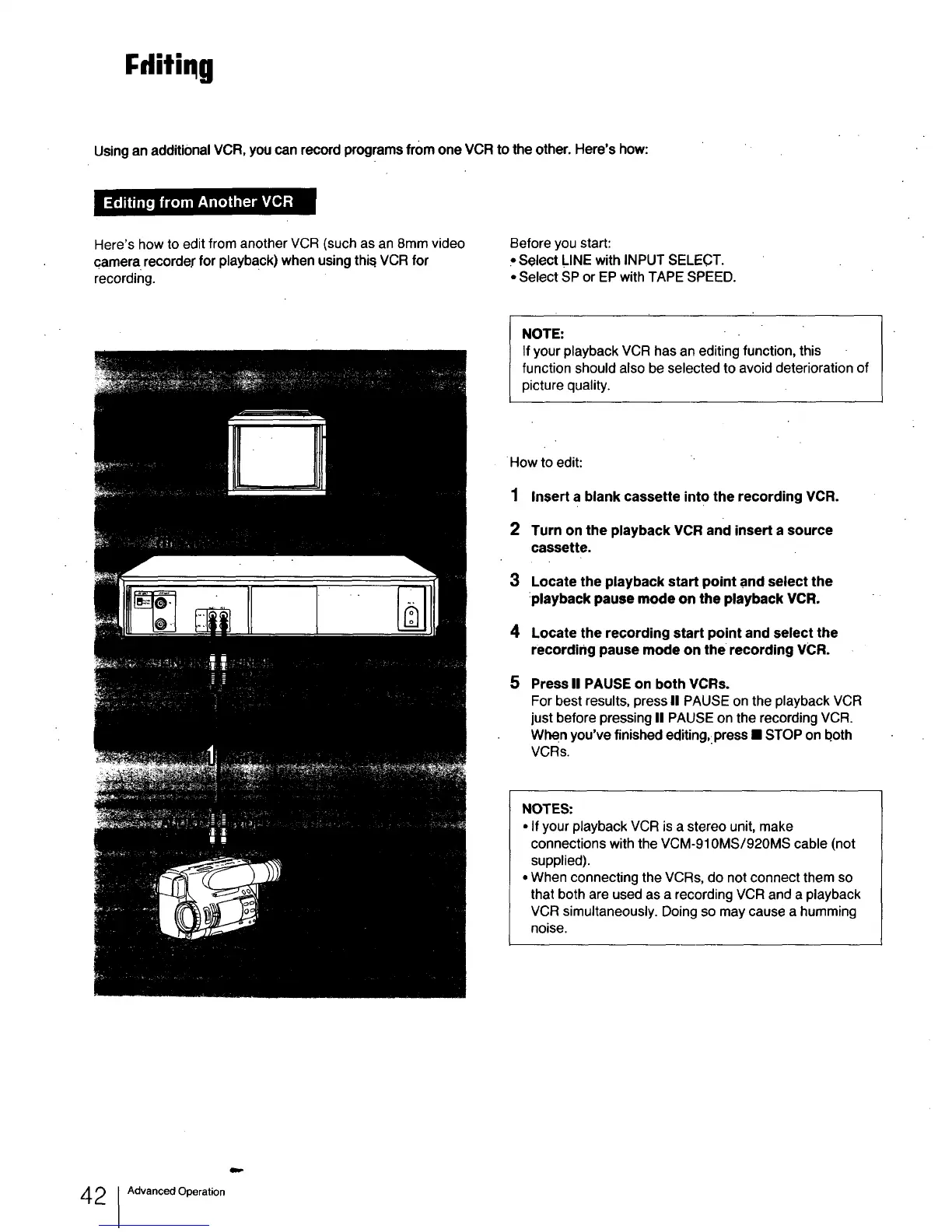
Here's how to edit from another VCR (such as an 8mm video
camera, recorder for playback) when using this.VCR for
recording.
Before you start:
PSelect LINE with INPUT SELECT.
• Select SP or EP with TAPE SPEED.
NOTE:
If your playback VCR has an editing function, this
function should also be selected to avoid deterioration of
picture quality.
How to edit:
1 Insert a blank cassette into the recording VCR.
2 Turn on the playback VCR and insert a source
cassette.
3 Locate the playback start point and select the
:playback pause mode on the playback VCR.
4 Locate the recording start point and select the
recording pause mode on the recording VCR.
5
Press II PAUSE on both VCRs.
For best results, press II PAUSE on the playback VCR
just before pressing II PAUSE on the recording VCR.
When you've finished editing,:press • STOP on both
VCRs.
NOTES:
• If your playback VCR is a stereo unit, make
connections with the VCM-910MS/920MS cable (not
supplied).
• When connecting the VCRs, do not connect them so
that both are used as a recording VCR and a playback
VCR simultaneously. Doing so may cause a humming
noise.
4 2 Advanced Operation



 To Next Page