EasyManua.ls Logo

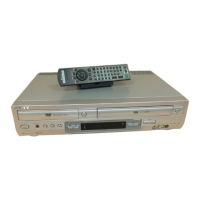
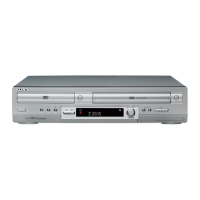
Sony SLV-D281P - User Manual

Sony SLV-D281P
116 pages
Print Icon
To Next Page IconTo Next Page
Loading...
3-093-965-11 (1)
DVD Player/
Video Cassette
Recorder
Operating Instructions
Manual de instrucciones
For customers in the USA
If you have any questions about your Sony DVD-VCR, you may call Sony Customer
Information Center at 1-800-VHS-SONY (847-7669).
For all other Sony product questions, please call Sony Customer Information Center at
1-800-222-SONY (7669).
Or write to: Sony Customer Information Center 12451 Gateway Boulevard Ft. Myers,
FL 33913
SLV-D281P
© 2007 Sony Corporation
US
ES

Table of Contents

Other manuals for Sony SLV-D281P

Questions and Answers

  • R
    Ronald TaylorSep 1, 2025
    Why doesn't the playback picture appear on the TV screen from my Sony SLV-D281P?
    • C
      Cynthia BaileySep 2, 2025
      If the playback picture from your Sony DVD VCR Combo does not appear on the TV screen, make sure the TV is set to the channel for the VCR. Also, the signal from the VCR will not be output when you make the connection using COMPONENT VIDEO OUT jacks.
  • R
    Randy DillonSep 13, 2025
    Why doesn't the picture fill the screen on my Sony SLV-D281P even after setting the aspect ratio?
    • D
      David HallSep 13, 2025
      If the picture on your Sony DVD VCR Combo doesn't fill the screen even after setting the aspect ratio, the aspect ratio of the disc is fixed on your DVD.
  • P
    Patrick RosarioAug 31, 2025
    How to reset clock on Sony SLV-D281P DVD VCR Combo when it displays '-- : –'?
    • A
      angelafloresAug 31, 2025
      If the clock on your Sony DVD VCR Combo has stopped and '-- : –' appears in the display window, reset the clock (and timer).
  • M
    Michelle ChapmanSep 16, 2025
    Why does the picture roll vertically during picture search on my Sony SLV-D281P?
    • D
      Debra ThompsonSep 16, 2025
      If the picture rolls vertically during picture search on your Sony DVD VCR Combo, adjust the vertical hold control on the TV or monitor.
  • Q
    qharrisSep 15, 2025
    Why doesn't the tracking meter appear on the screen of my Sony SLV-D281P?
    • M
      Monica WillisSep 15, 2025
      If the tracking meter does not appear on the screen of your Sony DVD VCR Combo, it is because the recording condition of the tape is very poor and tracking cannot be adjusted.
  • A
    Ariel SalasSep 23, 2025
    What to do if a tape cannot be inserted into my Sony DVD VCR Combo?
    • J
      Jennifer BerrySep 23, 2025
      If a tape cannot be inserted into your Sony DVD VCR Combo, check that a tape is not already in the tape compartment.
  • H
    hayleydelacruzAug 27, 2025
    What to do if my Sony DVD VCR Combo power is on but it doesn't operate?
    • D
      Douglas MorrisAug 27, 2025
      If your Sony DVD VCR Combo's power is on but it's not operating, it might be due to moisture condensation. Turn the power off, unplug the AC power cord, and let the DVD-VCR dry for over three hours.
  • M
    Michele SmithAug 27, 2025
    Why does my Sony DVD VCR Combo playback stop automatically?
    • Q
      qkaneAug 27, 2025
      If playback on your Sony DVD VCR Combo stops automatically, it might be because while playing discs with an auto pause signal, the player stops playback at the auto pause signal.
  • M
    Maria VaughanAug 26, 2025
    Why does my Sony DVD VCR Combo remote not work?
    • L
      Lisa PalmerAug 26, 2025
      If the remote commander for your Sony DVD VCR Combo isn't working, try these solutions: * Ensure you are pointing the remote commander at the remote sensor on the DVD-VCR. * Replace all the batteries in the remote commander with new ones if they are weak. * Make sure the TV / DVD·VIDEO switch is set correctly. * Select DVD or VIDEO mode correctly with the SELECT DVD/VIDEO button.
  • S
    smithmeaganAug 25, 2025
    What to do if my Sony SLV-D281P DVD VCR Combo disc does not play?
    • M
      Michelle StokesAug 26, 2025
      If your Sony DVD VCR Combo isn't playing discs, consider these potential causes: * The disc might be inserted upside down; ensure the playback side faces down on the disc tray. * The disc might be skewed. Also, remember that the player might not be able to play certain discs or if the region code on the DVD does not match the player. Make sure the TV / DVD·VIDEO switch is set correctly and select the correct mode (VIDEO or DVD) using the SELECT DVD/ VIDEO button.

Summary

Precautions and Safety

General Precautions

Covers safety, power sources, placement, operation, volume, and cleaning advice.

Disc and Head Cleaning

Instructions for cleaning discs, disc/lens cleaners, and video heads.

Important Safety Instructions

General Usage and Installation Safety

Covers installation, plugs, cords, water, ventilation, heat, attachments, lightning.

Servicing and Damage Conditions

Details when servicing is required due to damage or malfunction.

Getting Started

Unpacking and Remote Setup

Instructions for unpacking items and setting up the remote commander.

Remote Commander Usage

Details on using the remote to operate the DVD-VCR and control TVs.

Basic Hookups and Operations

Connecting to TV and External Sources

Explains basic connections to a TV and recording from equipment.

Playing Discs and Tapes

Guides on playing DVDs, CDs, and VHS tapes.

Recording from External Equipment

Instructions for recording from cable boxes, satellite receivers, or other equipment.

DVD Settings and Advanced Operations

Audio, Screen, and Language Setup

Configuration of audio output, screen aspect ratio, and language/subtitle settings.

Parental Control and DVD Menus

Setting parental control levels and navigating DVD menus.

Play Modes and Special Features

Utilizing zoom, angles, play modes, sound settings, MP3/JPEG, VIDEO CD functions.

VCR Operations and Troubleshooting

VCR Timer Recording and Tape Searching

Setting timer recordings and searching tapes using index signals.

Editing and Troubleshooting

Editing with another VCR, general troubleshooting, and specific VCR issues.

Specifications and Index

Product Specifications

Details system, timer, general, inputs/outputs, and accessories.

Index to Parts, Controls, and Languages

References for front panel, rear panel, remote controls, and language codes.

Sony SLV-D281P Specifications

General IconGeneral
TypeDVD VCR Combo
BrandSony
ModelSLV-D281P
Video FormatNTSC
DVD PlaybackYes
VCR PlaybackYes
Recording FormatVHS
Remote ControlYes
DVD Player TypeStandard
Number of VCR Heads4
Progressive ScanNo
TunerYes
Playable MediaDVD, CD, VHS
DVD FormatsDVD-R, DVD-RW, DVD+R, DVD+RW

Related product manuals