EasyManua.ls Logo

Sony SLV-E811NP - Setting up the Remote Commander; Inserting the Batteries; Using the Remote Commander

Sony SLV-E811NP
30 pages
Print Icon
To Next Page IconTo Next Page
To Previous Page IconTo Previous Page
Loading...
Getting
Started
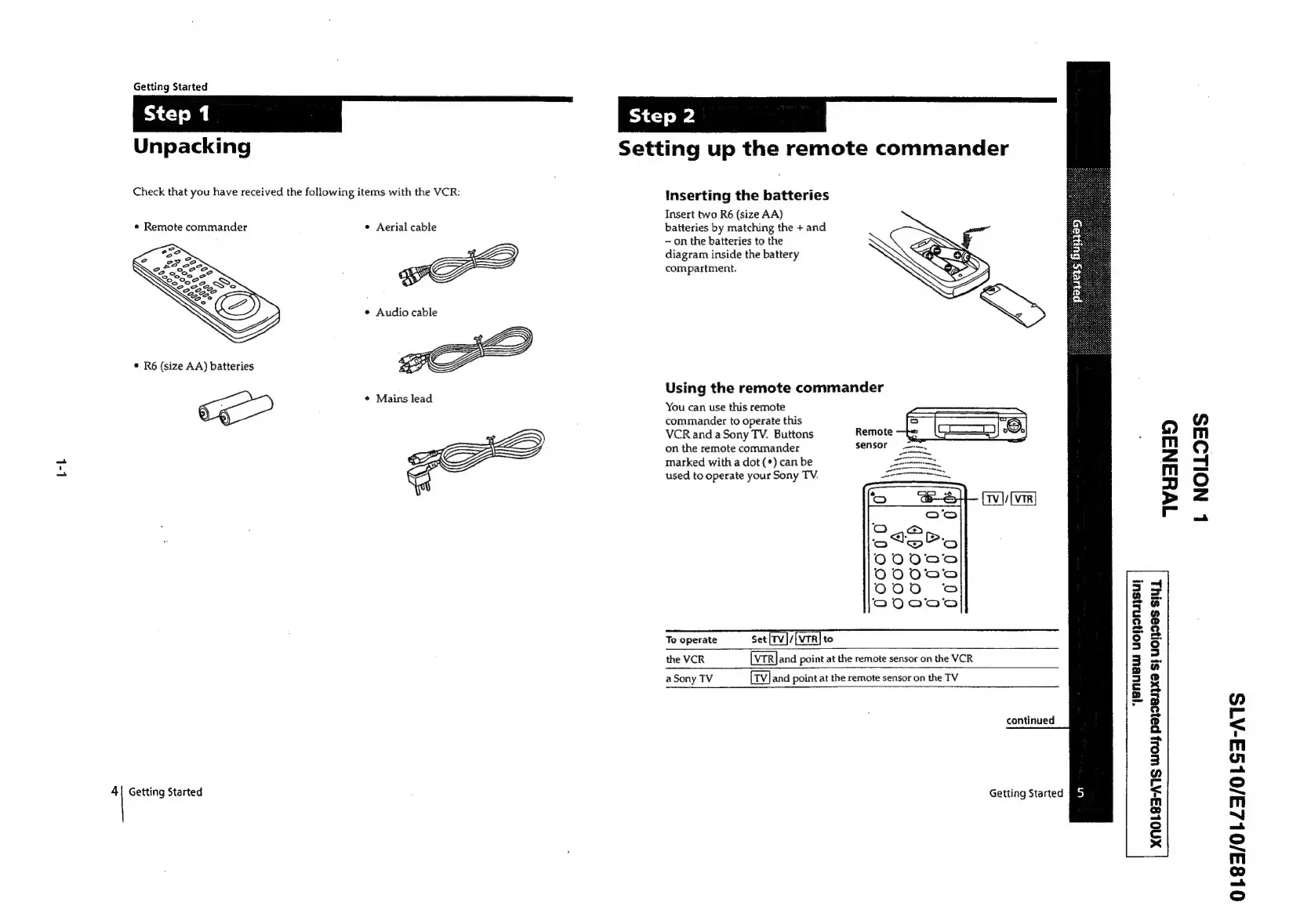
Unpacking
Check
that
you
have
received
the
following
items
with
the
VCR:
¢
Remote
commander
©
R6
(size
AA)
batteries
[~
4|
Getting
Started
¢
Aerial
cable
ve
¢
Audio
cable
*
Mains
lead
Setting
up
the
remote
commander
Inserting
the
batteries
Insert
two
R6
(size
AA)
batteries
by
matching
the
+
and
on
the
batteries
to
the
diagram
inside
the
battery
compartment.
Using
the
remote
commander
You
can
use
this
remote
commander
to
operate
this
VCR
and
a
Sony
TV.
Buttons
Remote
on
the
remote
commander
sensor
marked
with
a
dot
(*)
can
be
used
to
operate
your
Sony
TV.
To
operate
Set
[rv]/
to
the
VCR
and
point
at
the
remote
sensor
on
the
VCR
a
Sony
TV
and
point
at
the
remote
sensor
on
the
TV
“yenuew
UONINASU!
continued
Getting
Started
fi)
WYHANAD
+
z
a
4
2
o
J
x
@
3
ry
g
a
Fl
3
ra
g
o
Cc
x
L
NOILOSS
01835/01L23/0LS3S-A1S

Related product manuals