EasyManua.ls Logo

Sony SLV-E811NP - Page 24

Sony SLV-E811NP
30 pages
Print Icon
To Next Page IconTo Next Page
To Previous Page IconTo Previous Page
Loading...
€e-k
SER
Sg
SERN
ED
EES
EGA
TPS
IT
IT
Checking!changing/cancelling
timer
settings
(continued)
Record
i
ng
stereo
and
b
i
|
ing
ual
programmes
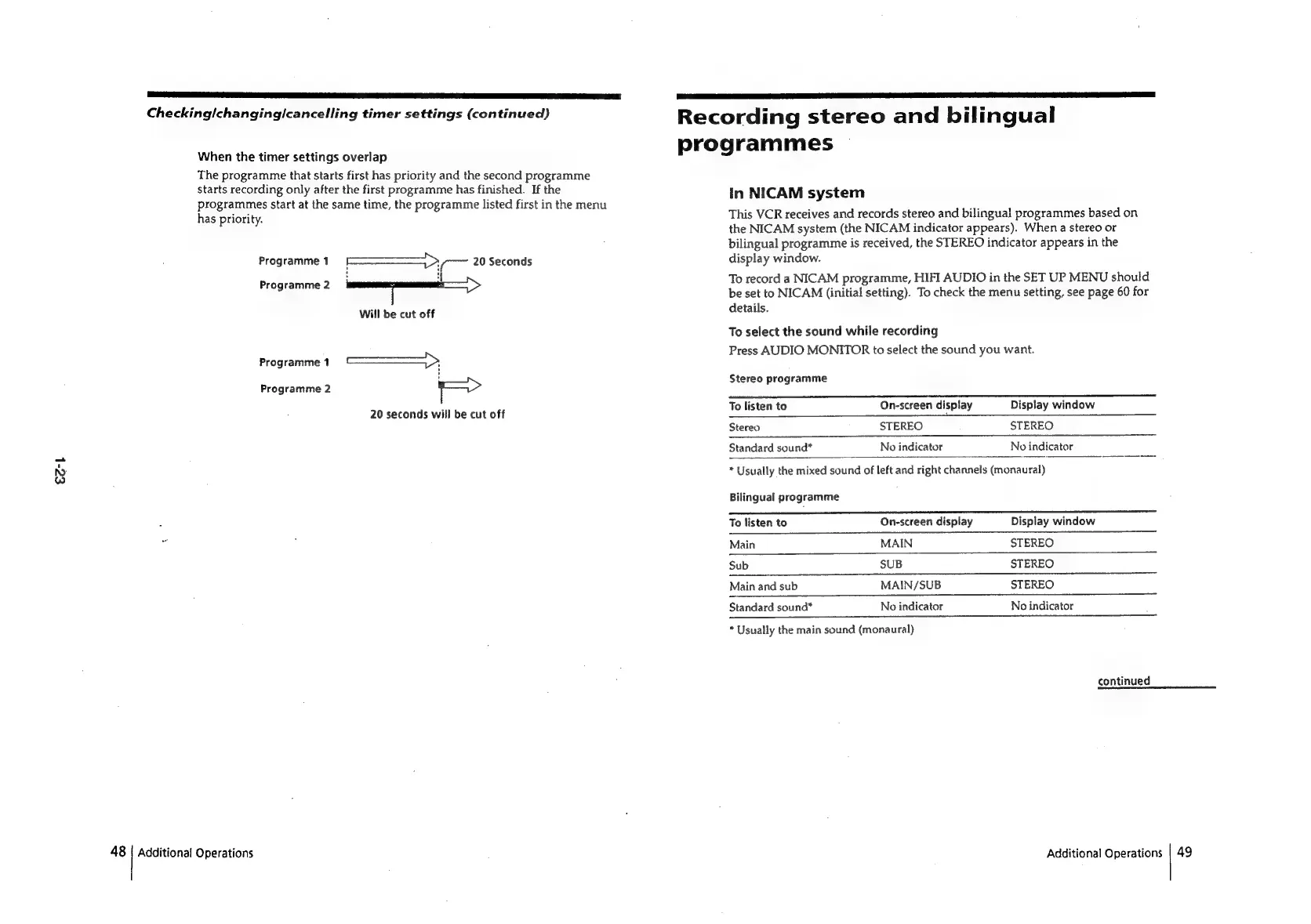
When
the
timer
settings
overlap
The
programme
that
starts
first
has
priority
and
the
second
programme
starts
recording
only
after
the
first
programme
has
finished.
If
the
In
NICAM
system
programmes
start
at
the
same
time,
the
programme
listed
first
in
the
menu
has
priority.
This
VCR
receives
and
records
stereo
and
bilingual
programmes
based
on
the
NICAM
system
(the
NICAM
indicator
appears).
When
a
stereo
or
bilingual
programme
is
received,
the
STEREO
indicator
appears
in
the
Programme
1
Sy
20
Seconds
display
window.
Programme
2
To
record
a
NICAM
programme,
HIFI
AUDIO
in
the
SET
UP
MENU
should
be
set
to
NICAM
(initial
setting).
To
check
the
menu
setting,
see
page
60
for
Will
be
cut
off
details.
To
select
the
sound
while
recording
Press
AUDIO
MONITOR
to
select
the
sound
you
want.
Programme
1
arama
cares
Stereo
programme
Programme
2
ro
reo
PLOgr
20
seconds
will
be
cut
off
To
listen
to
On-screen
display
Display
window
Stereo
STEREO
STEREO
Standard
sound*
No
indicator
No
indicator
*
Usually
the
mixed
sound
of
left
and
right
channels
(monaural)
Bilingual
programme
To
listen
to
On-screen
display
Display
window
Main
MAIN
STEREO
Sub
SUB
STEREO
Main
and
sub
MAIN/SUB
STEREO
Standard
sound*
No
indicator
No
indicator
*
Usually
the
main
sound
(monaural)
continued
48
|
Additional
Operations
Additional
Operations
|
49

Related product manuals