– 1-6 –
25
Basic Operations
Basic Operations
Basic Operations
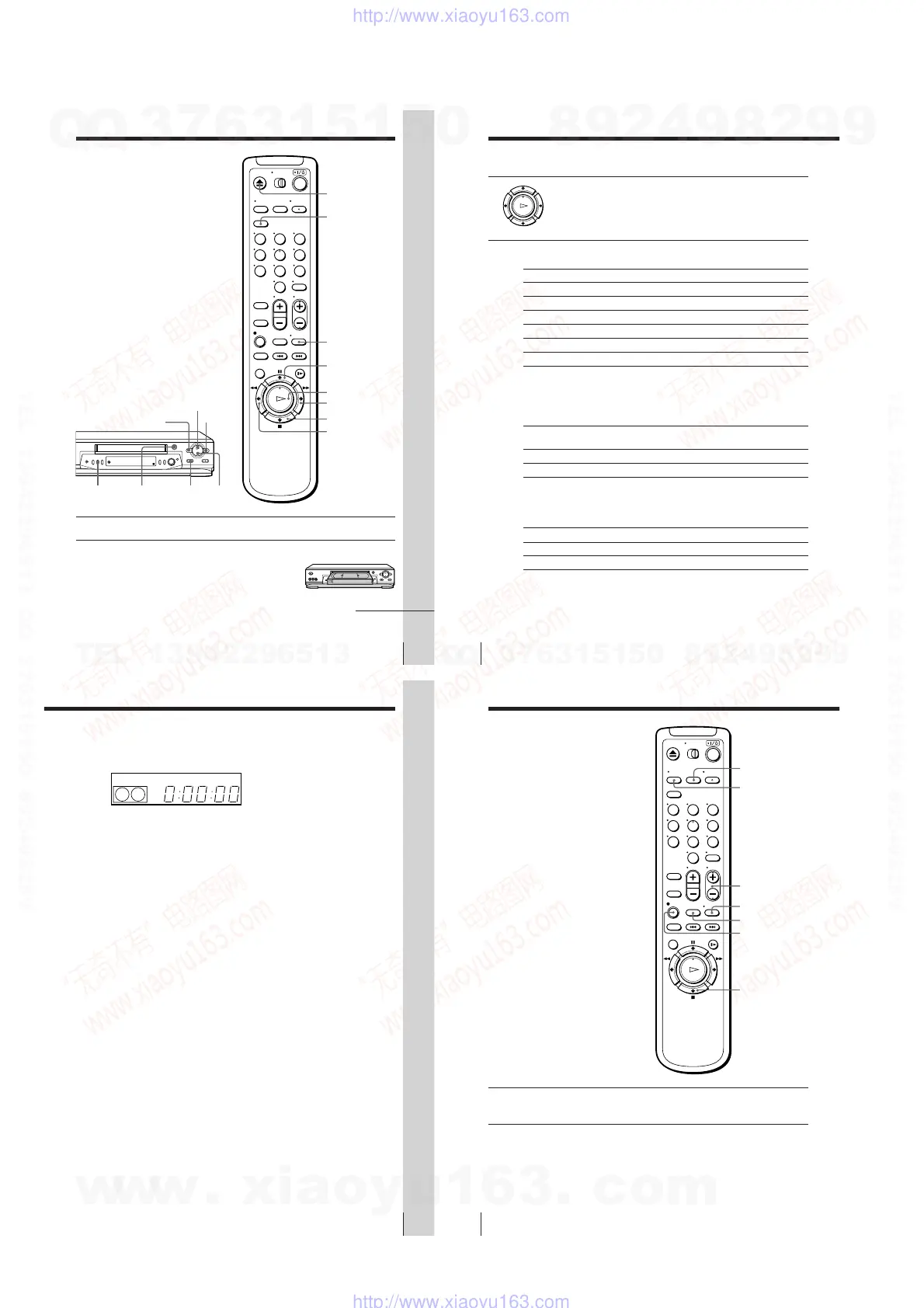
Playing a tape
Z EJECT
CLEAR
DISPLAY
H PLAY
M FF
x STOP
m REW
X PAUSE
1 Turn on your TV and set it to the video channel.
2 Insert a tape.
The VCR turns on and starts playing
automatically if you insert a tape with its
safety tab removed.
continued
COLOR
SYSTEM
x STOP
H PLAY
M FF
m REW
A EJECT
X PAUSE
123
456
789
0
Basic Operations
26
Set NTSC PB to
ON PAL-N TV
NTSC 3.58
Press COLOR SYSTEM until the indicator below
appears in the display window.
PAL
NTSC
Playing a tape (continued)
If your tape was recorded in
PAL-N
NTSC
3 Press H PLAY.
When the tape reaches the end, it will rewind automatically.
Additional tasks
To
Stop play
Pause play
Resume play after pause
Fast-forward the tape
Rewind the tape
Eject the tape
Press
x STOP
X PAUSE
X PAUSE or H PLAY
M FF during stop
m REW during stop
Z EJECT
To set the color system
If streaks appear during playback, press COLOR SYSTEM on the VCR to
conform to the system that the tape was recorded in. (Normally, the color
system is correctly set whenever the tape is inserted.)
To play an NTSC-recorded tape
Set NTSC PB in the AJUSTES ESPECIALES according to the color system of
your TV. For details, see page 56.
If your TV is
PAL-N
NTSC 3.58
* If you are using a multi-system TV, set the NTSC PB in the AJUSTES
ESPECIALES to NTSC 3.58 for better picture quality.
27
Basic Operations
Basic Operations
To use the time counter
Press CLEAR at the point on the tape that you want to find later. The counter
in the display window resets to “0:00:00.” Search for the point afterwards by
referring to the counter.
To display the counter on the TV screen, press DISPLAY. Press DISPLAY
again and the counter will disappear from the TV screen.
Notes
• The counter resets to “0:00:00” whenever a tape is reinserted.
• The counter stops counting when it comes to a portion with no recording.
• If a tape has portions recorded in both PAL-N and NTSC systems, the time counter
reading will not be correct. This is due to the difference between the counting
cycles of the two color systems.
• Depending on your TV, the following may occur while playing an NTSC-recorded
tape:
– the picture is black and white
– the picture shakes
– no picture appears on the TV screen
– black streaks appear horizontally on the TV screen
– the color density increases or decreases.
• Tapes recorded in the LP mode of other NTSC system VCRs can be played back on
this VCR but the picture quality cannot be guaranteed.
• While setting the menu on the TV screen, you cannot use the H PLAY, X PAUSE,
M FF, m REW, or x STOP button.
SP
APCVIDEO
Basic Operations
28
Recording TV
programs
1 Turn on your TV and set it to the video channel.
To record from a cable box, turn it on.
2 Insert a tape with its safety tab in place.
z REC
x STOP
DISPLAY
INPUT SELECT
CH +/–
TV/VIDEO
123
456
789
0
REC SPEED
w
w
w
.
x
i
a
o
y
u
1
6
3
.
c
o
m
Q
Q
3
7
6
3
1
5
1
5
0
9
9
2
8
9
4
2
9
8
T
E
L
1
3
9
4
2
2
9
6
5
1
3
9
9
2
8
9
4
2
9
8
0
5
1
5
1
3
6
7
3
Q
Q
TEL 13942296513 QQ 376315150 892498299
TEL 13942296513 QQ 376315150 892498299
http://www.xiaoyu163.com
http://www.xiaoyu163.com



 To Next Page