– 1-5 –
21
Getting Started
Getting Started
If the picture is not clear
Normally, the Auto Fine Tuning (AFT)
function automatically tunes in channels
clearly. If, however, the picture of a
channel is not clear, you can also use the
manual tuning function.
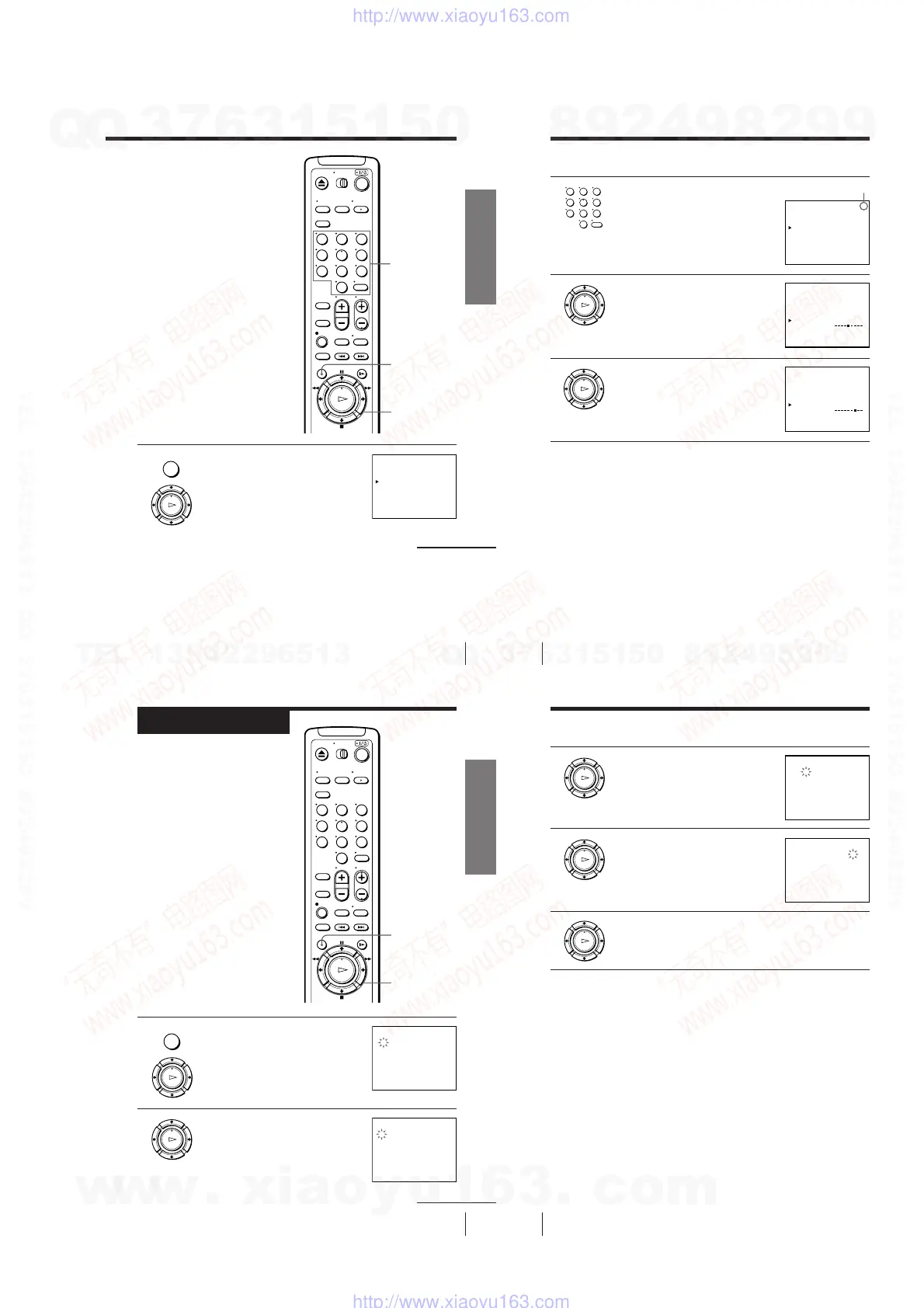
1 Press MENU, then press M/m to move the
cursor (B) to AJUSTE DE SINTONIA and
press OK.
continued
123
456
789
0
OK
PLAY
MENU
AJUSTE DE SINTONIA
:[ ]B b
ANTENA / CABLE
SINTONIA AUTOMATICA
SINT. MANUAL
SINTONIA FINA.
AFT
AJUSTAR
SELECCIONAR : [ ]V v
1CAN
ANT CABLE•
NOSI•
•
–+
MENU
OK
M/m/</,
Number
buttons,
ENTER
22
Getting Started
Step 6: Presetting channels (continued)
2 Press the number buttons to select the
channel you want to fine-tune, then press
ENTER.
3 Press M/m to move the cursor (B) to
SINTONIA FINA.
The fine tuning meter appears.
4 Press </, to adjust to a clearer picture,
then press OK.
Note that the AFT setting switches to NO.
Tip
• To select the channel in step 2 above, you can also use the CH +/– buttons. In this
case, you don’t need to press ENTER.
Notes
• The menu disappears automatically if you don’t proceed for more than a few
minutes.
• When adjusting FINE TUNING, the menu may become difficult to read due to
interference from the picture being received.
Selected channel
AJUSTE DE SINTONIA
:[ ]B b
ANTENA / CABLE
SINTONIA AUTOMATICA
SINT. MANUAL
SINTONIA FINA.
AFT
AJUSTAR
SELECCIONAR : [ ]V v
4CAN
ANT CABLE•
NOSI•
•
–+
1
AJUSTE DE SINTONIA
ANTENA / CABLE
SINTONIA AUTOMATICA
SINT. MANUAL
SINTONIA FINA.
AFT
4CAN
ANT CABLE•
NOSI•
•
–+
AJUSTAR : [ ]B b
1
AJUSTE DE SINTONIA
ANTENA / CABLE
SINTONIA AUTOMATICA
SINT. MANUAL
SINTONIA FINA.
AFT
4CAN
ANT CABLE•
NOSI •
•
–+
AJUSTAR : [ ]B b
1
123
456
789
0
OK
PLAY
OK
PLAY
23
Getting Started
Getting Started
1 Press MENU, then press M/m to move the
cursor (B) to AJUSTE DEL RELOJ and
press OK.
2 Press M/m to set the date.
The day of the week is set automatically.
Step 7
Setting the clock
You must set the time and date on the
VCR to be able to use the timer
recording features properly.
Before you start...
• Turn on the VCR and the TV.
• Set the TV to the VCR channel
(channel 3 or 4). If your TV is
connected to the VCR using A/V
connections, set the TV to video input.
• Press TV/VIDEO to display the
VIDEO indicator in the VCR’s display
window.
continued
OK
PLAY
OK
PLAY
MENU
AJUSTE DEL RELOJ
FIN :
AJUSTAR :
[
[
]
]
OK
V v
SELECCIONAR : [ ]B b
1
12
LUN2. . 001 :001
AM
AJUSTE DEL RELOJ
FIN :
AJUSTAR :
[
[
]
]
OK
V v
SELECCIONAR : [ ]B b
8
12
DOM2. . 001 :001
AM
2
OK
M/m/</,
MENU
123
456
789
0
24
Getting Started
Step 7: Setting the clock (continued)
3 Press , to select the month and press
M/m to set the month.
4 Set the year, hour, and minute in sequence,
using , to select the item to be set, and
M/m to select the digits.
The day of the week is set automatically.
5 Press OK to start the clock.
Tip
• To change the digits during the setting, press < to return to the item to be changed,
and select the digits by pressing M/m.
Note
• The menu disappears automatically if you don’t proceed for more than a few
minutes.
AJUSTE DEL RELOJ
FIN :
AJUSTAR :
[
[
]
]
OK
V v
SELECCIONAR : [ ]B b
8
12
V I E2. . 001 :009
AM
2
AJUSTE DEL RELOJ
FIN :
AJUSTAR :
[
[
]
]
OK
V v
SELECCIONAR : [ ]B b
8
6
V I E2. . 001 :009
PM
2
OK
PLAY
OK
PLAY
OK
PLAY
w
w
w
.
x
i
a
o
y
u
1
6
3
.
c
o
m
Q
Q
3
7
6
3
1
5
1
5
0
9
9
2
8
9
4
2
9
8
T
E
L
1
3
9
4
2
2
9
6
5
1
3
9
9
2
8
9
4
2
9
8
0
5
1
5
1
3
6
7
3
Q
Q
TEL 13942296513 QQ 376315150 892498299
TEL 13942296513 QQ 376315150 892498299
http://www.xiaoyu163.com
http://www.xiaoyu163.com



 To Next Page