16
Setting up the VCR with the Auto Set Up function
Step 5 : Setting up the VCR with the Auto
Set Up function
Before using the VCR for the first time, set up the VCR using the Auto Set Up
function. With this function, you can set the language for the on-screen display, TV
channels, guide channels for the ShowView system*, and VCR clock* automatically.
1
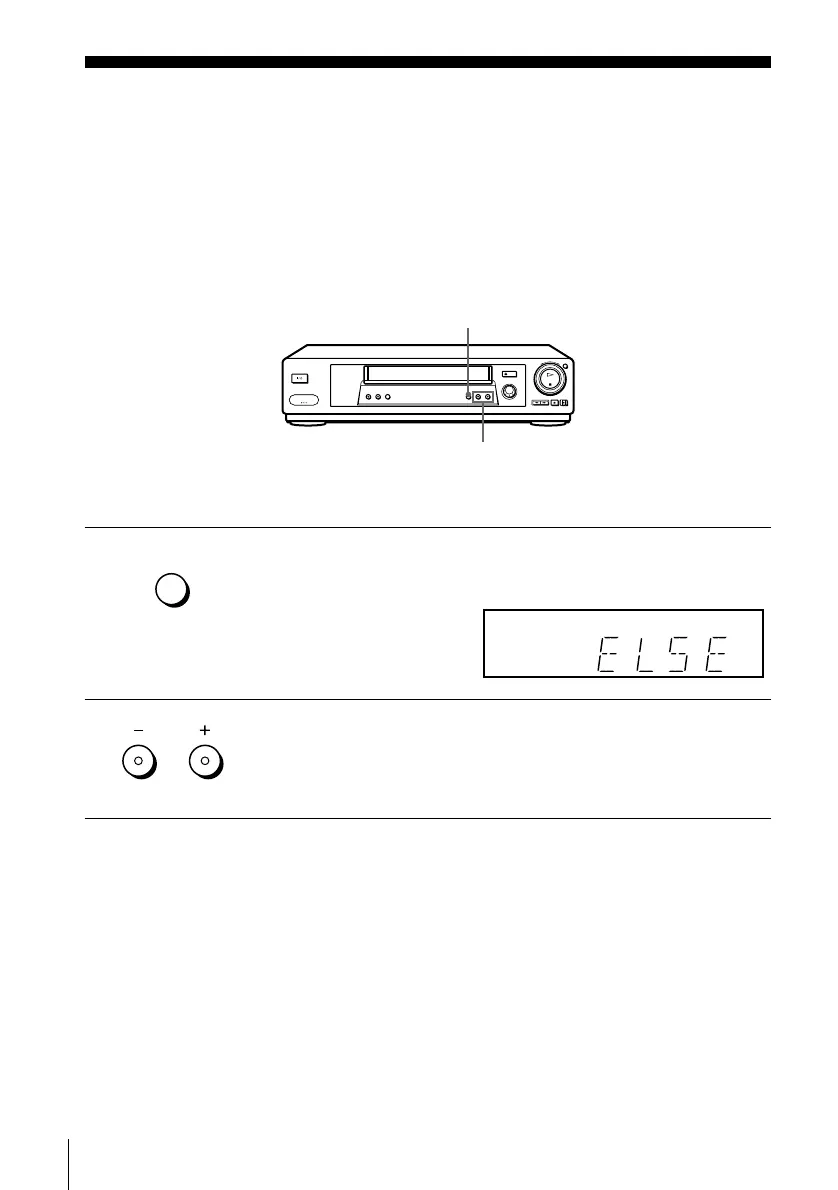
Hold down AUTO SET UP on the VCR for more than three seconds.
The VCR automatically turns on, and the country abbreviation appears in
the display window.
2
Press PROGRAM +/– to select the abbreviation of your country from the
table on page 17.
For some countries, there is a selection of languages to choose from.
If your country does not appear, select ELSE.
PROGRAM +/–
AUTO SET UP
AUTO
SET UP
RF CHANNEL
PROGRAM
TRACKING


 To Next Page