68
Checking/changing/cancelling timer settings
Checking/changing/cancelling timer
settings
Before you start…
• Turn on your TV and set it to the video
channel.
1
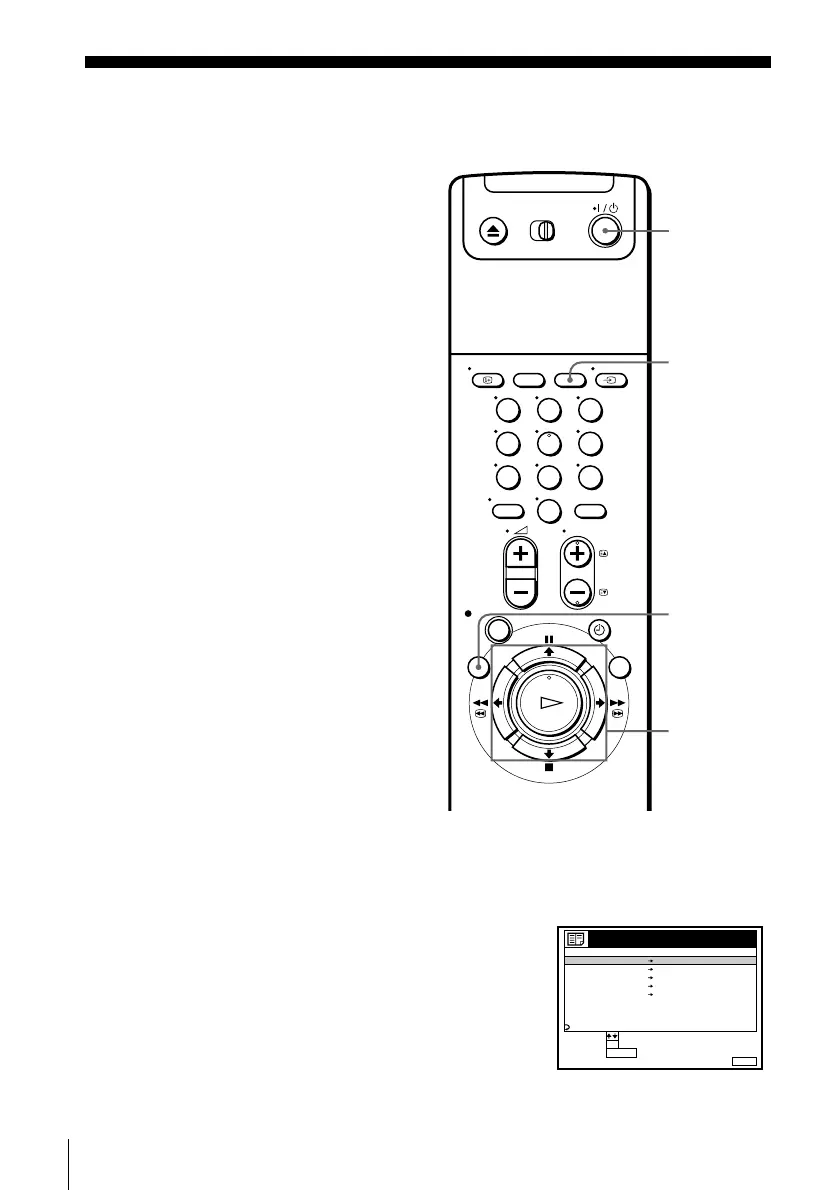
Press ?/1 to turn on the VCR.
2
Press MENU, then press M/m to highlight LISTS and press OK.
3
Press M/m to highlight TIMER LIST, then press
OK:
• If you want to change or cancel a setting, go
on to the next step.
• If you do not need to change or cancel the
settings, press MENU, then turn off the VCR
to return to recording standby.
123
456
789
0
?/1
M/m/</,
OK
CLEAR
MENU
MENUEXIT :
TIMER LIST
CANCEL
SET
:
:
SELECT :
OK
CLEAR
RETURN
20 :00 21 :00
DATE TIME PROG.
AAB LP
2 0:00 1:30
CDE LP
MON
14 :00 15 :00 LP
SUN 6:30 7:00
SP
––: –– – : –– – ––– . ––
– FRI
.10
VPS
PDC
VPS
PDC
03.9
11
FGH
I
THU28 . 9
19 :00 20 :00
3SPTODAY 5
JK


 To Next Page