53
Recording TV programmes using the ShowView system (not available on SLV-SE600A/E and SX600E)
Basic Operations
Recording TV programmes using the
ShowView system
(not available on SLV-SE600A/E and SX600E)
The ShowView system is the feature that
simplifies programming the VCR to make
timer recordings. Just enter the ShowView
number listed in the TV programme guide.
The date, times, and programme position of
that programme are set automatically. You
can preset a total of eight programmes,
including settings made with other timer
methods.
Before you start
…
• Check that the VCR clock is set to the
correct time and date.
• Insert a tape with its safety tab in place.
Make sure the tape is longer than the total
recording time.
• To record from a decoder, turn it on.
• Turn on your TV and set it to the video
channel.
• Set TIMER OPTIONS to SHOWVIEW or
VARIABLE in the OPTIONS-2 menu (see
page 79).
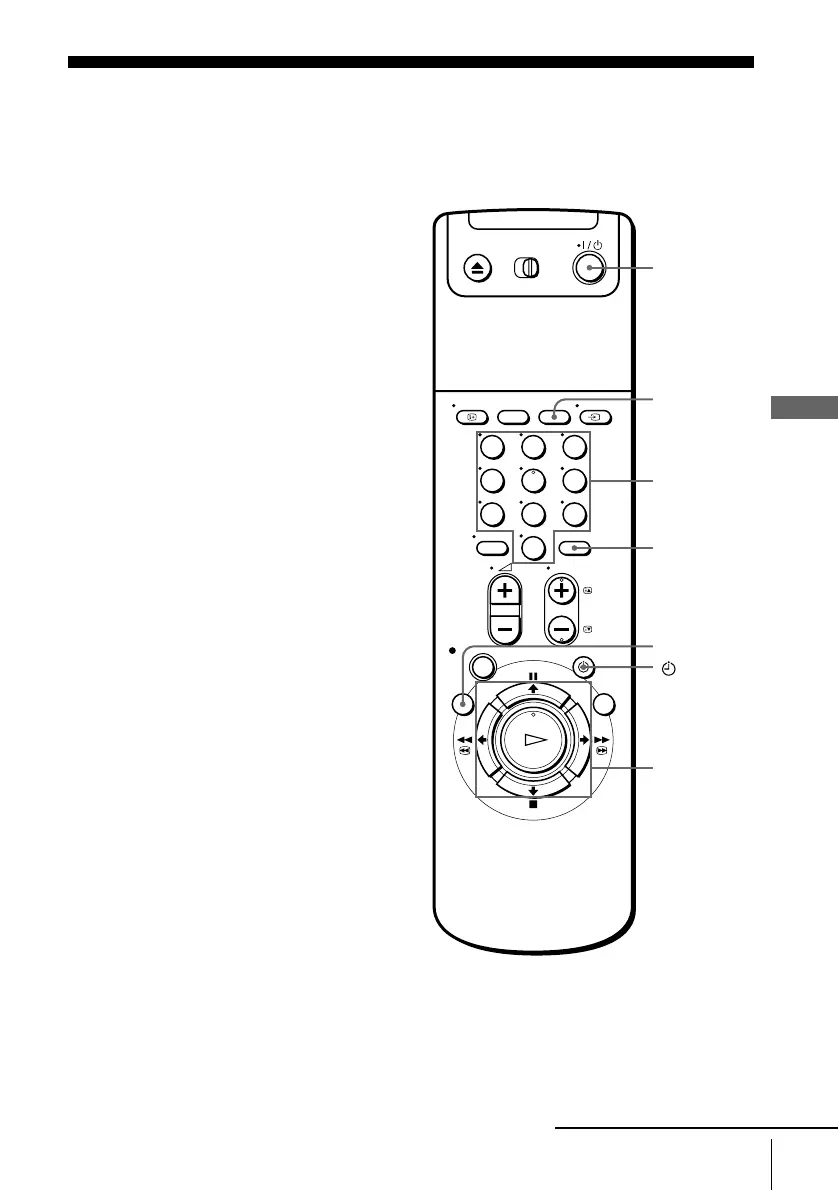
123
456
789
0
?/1
M/m/</,
OK
x STOP
CLEAR
Programme
number
buttons
TIMER
INPUT
SELECT
MENU
continued


 To Next Page