Getting Started
19
Setting the clock
Step 6 : Setting the clock
You must set the time and date on the VCR to
use the timer features properly.
The Auto Clock Set function (not available
on SLV-SE600A/E and SX600E) works only
if a station in your area is broadcasting a time
signal. If the Auto Set Up function did not
set the clock correctly for your local area, try
another station for the Auto Clock Set
function.
Setting the clock manually
Before you start…
• Turn on the VCR and the TV.
• Set the TV to the video channel.
1
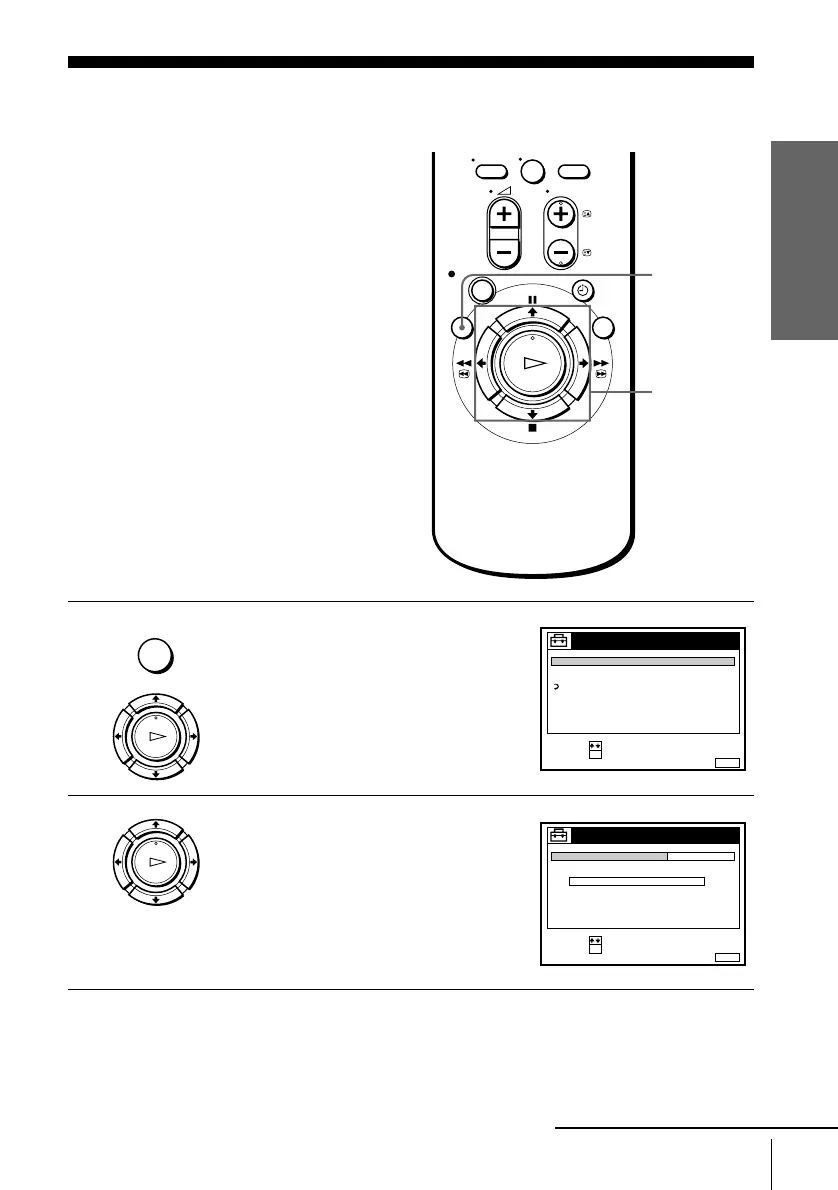
Press MENU, then press M/m to highlight
SETTINGS and press OK.
2
Press M/m to highlight CLOCK, then press
OK.
For SLV-SE600A/E and SX600E, only the
clock setting menu appears. Skip the next
step and go to step 4.
0
MENU
M/m/</,
OK
MENU
OK
PLAY
SET :
SELECT :
OK
MENUEXIT :
SETTINGS
RETURN
TUNER
CLOCK
LANGUAGE
OK
PLAY
SET :
SELECT :
OK
MENUEXIT :
CLOCK
OFFAUTO ADJUST
CLOCK PROGRAM
MANUAL ADJUST
.1 1 .2000 SAT 0 :00
continued


 To Next Page