83
Audio dubbing (SLV-SE800D1/D2/E and SX800D only)
Editing
Audio dubbing
(SLV-SE800D1/D2/E and SX800D only)
This feature lets you record over the normal
audio track. The monaural sound previously
recorded is replaced while the original hi-fi
sound remains unchanged. Use this feature
to add commentary to a tape that you have
recorded with a camcorder.
Before you start
• Open the LINE-2 IN AUDIO L/R jacks
cover on the front panel and connect a
playback source.
• Turn on the TV and set it to the video
channel.
1
Insert a source tape into your stereo system (or the playback VCR).
Search for the point to start playback and set it to playback pause.
2
Insert a prerecorded tape with its safety tab in place into this (recording) VCR.
Search for the start of the section to be replaced and press X (pause).
The VCR enters pause mode.
3
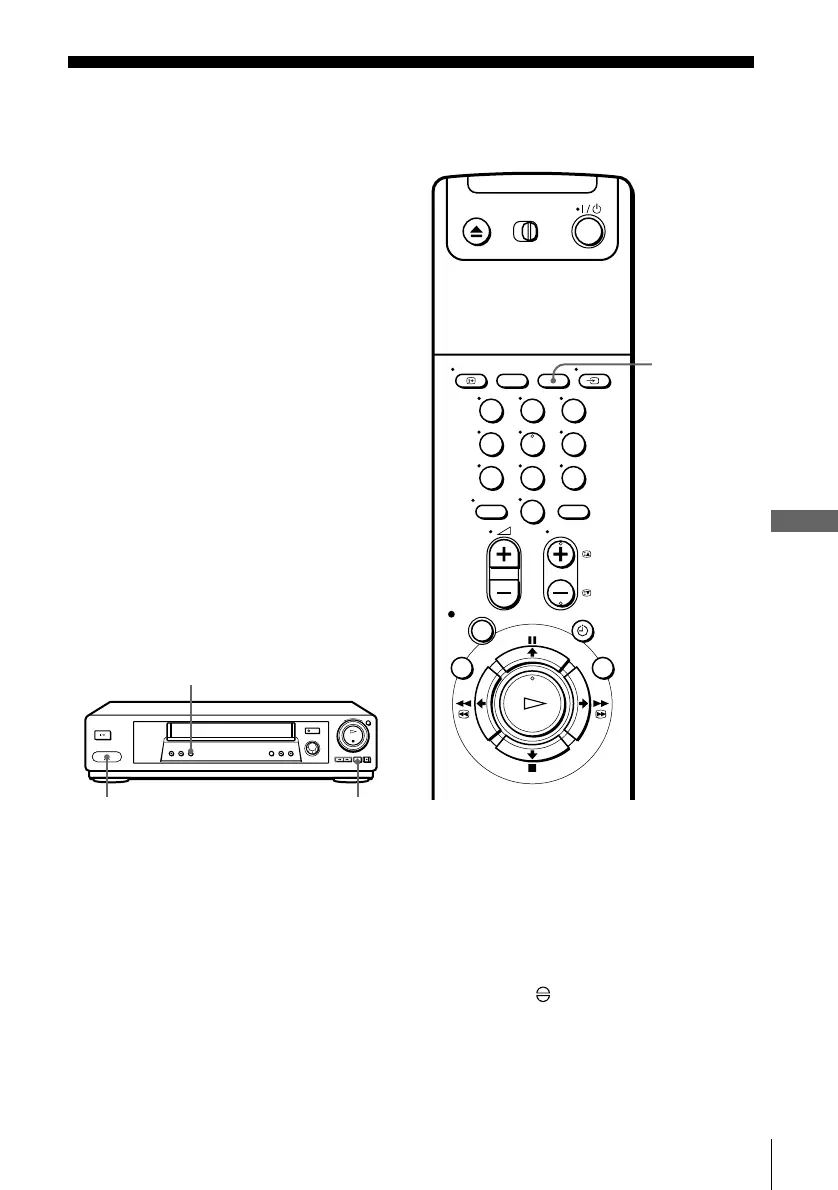
Press AUDIO DUB.
The programme position changes to “L2,” and the indicator appears in the
display window.
AUDIO DUB
X
LINE-2 IN
123
456
789
0
CLEAR


 To Next Page