28
Presetting channels
7
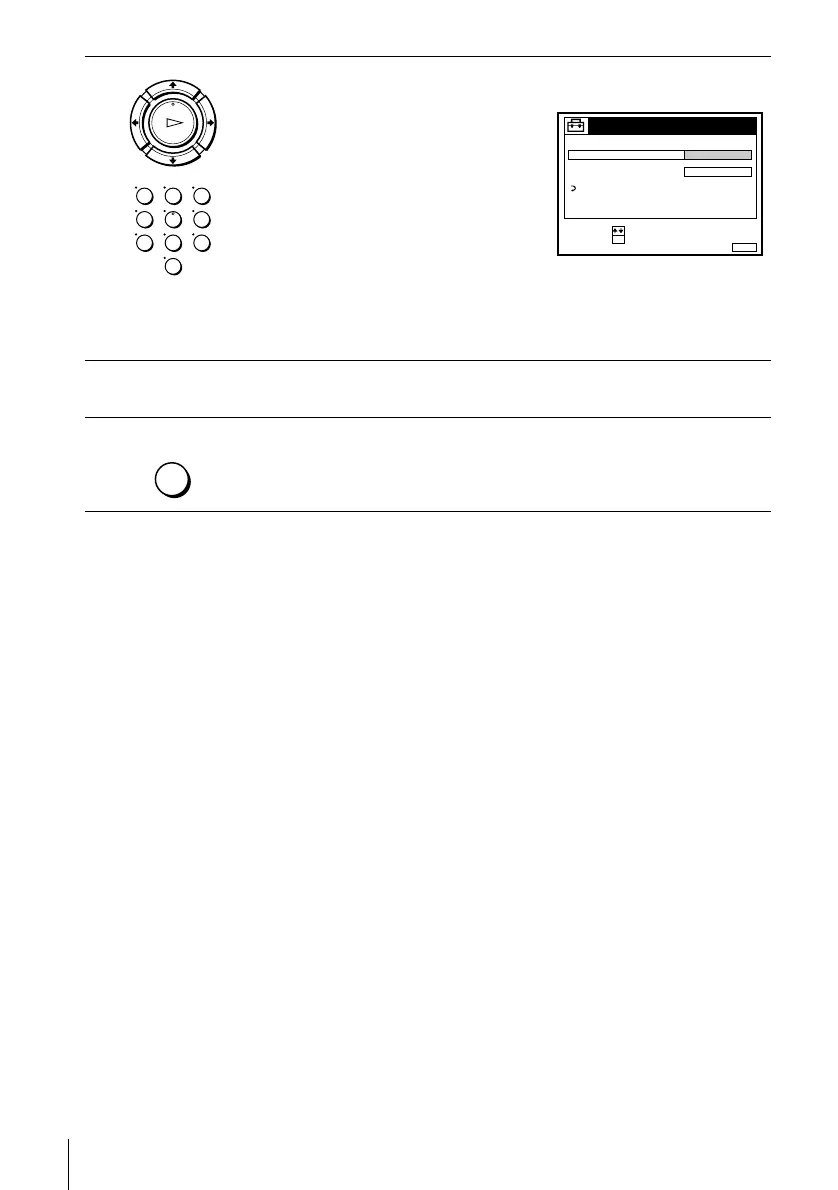
Press M/m repeatedly until the channel you want is displayed.
The channels appear in the following
order:
• VHF E2 - E12
• VHF Italian channel A - H
• UHF E21 - E69
• CATV S1 - S20
• HYPER S21 - S41
• CATV S01 - S05
If you know the number of the channel you want, press the programme
number buttons. For example, for channel 5, first press “0” and then press
“5.”
8
To preset another programme position, repeat steps 5 through 7.
9
Press MENU to exit the menu.
OK
PLAY
123
456
789
0
MENUEXIT :
TUNER
C
27
PROG.
NORMAL / CATV
CHANNEL SET
PAY - TV / CANAL+
AFT
FINE TUNING
ON
RETURN
4
CONFIRM :
SELECT :
OK
MENU


 To Next Page