Getting Started14
Step 5
Setting up the
VCR with EASY
SET UP
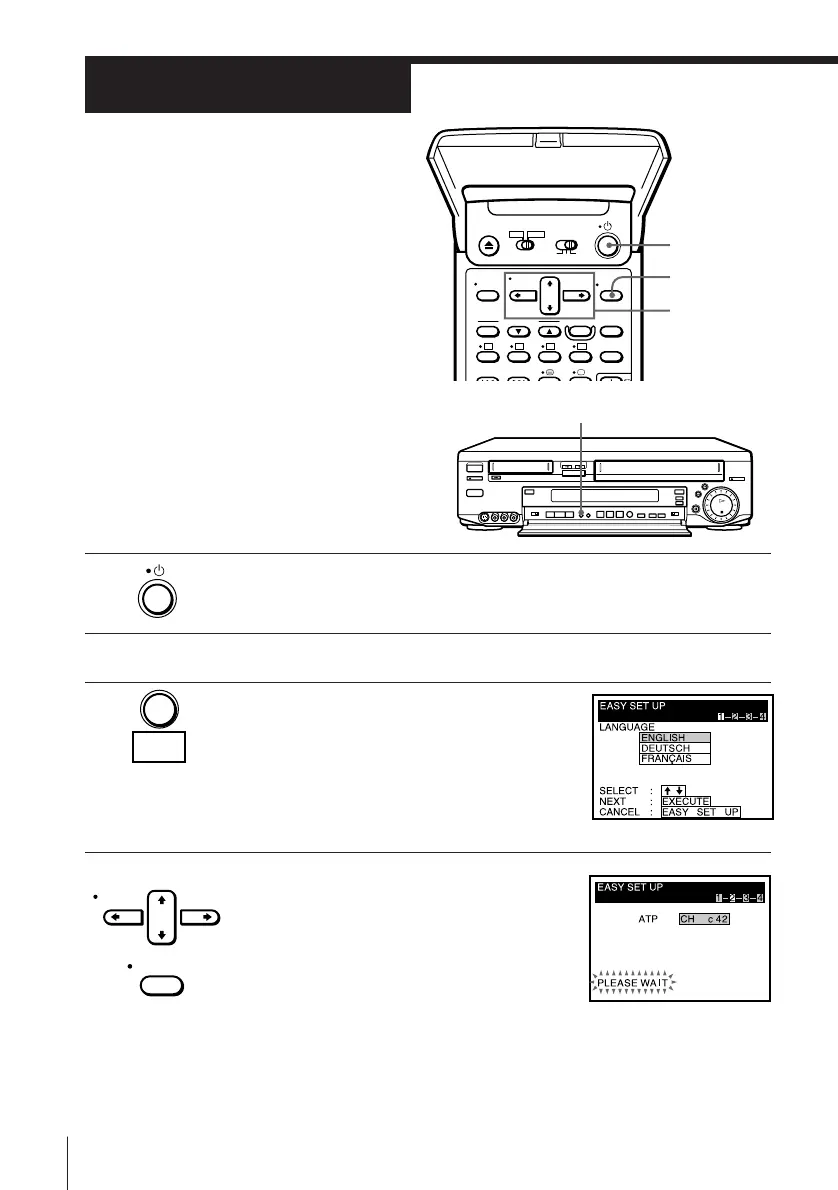
Before using the VCR for the first time,
set up the VCR using the EASY SET UP
function. With this function, you can set
the language for the on-screen display,
TV channels, guide channels for
G-CODE, and the VCR clock, guided by
the sequence indicated on the TV screen.
EASY SET UP
1 Press u to turn on the VCR.
2 Turn on your TV and set it to the video channel.
3 Press EASY SET UP on the VCR.
To cancel the EASY SET UP function, press
EASY SET UP again.
4 Press CURSOR > /. to highlight the
desired language, then press EXECUTE.
ATP starts searching for all the receivable
channels and sorts the located channels.
EXECUTE
CURSOR
> /. /? //
u
CURSOR
EXECUTE
EASY
SET UP



 To Next Page