Getting Started18
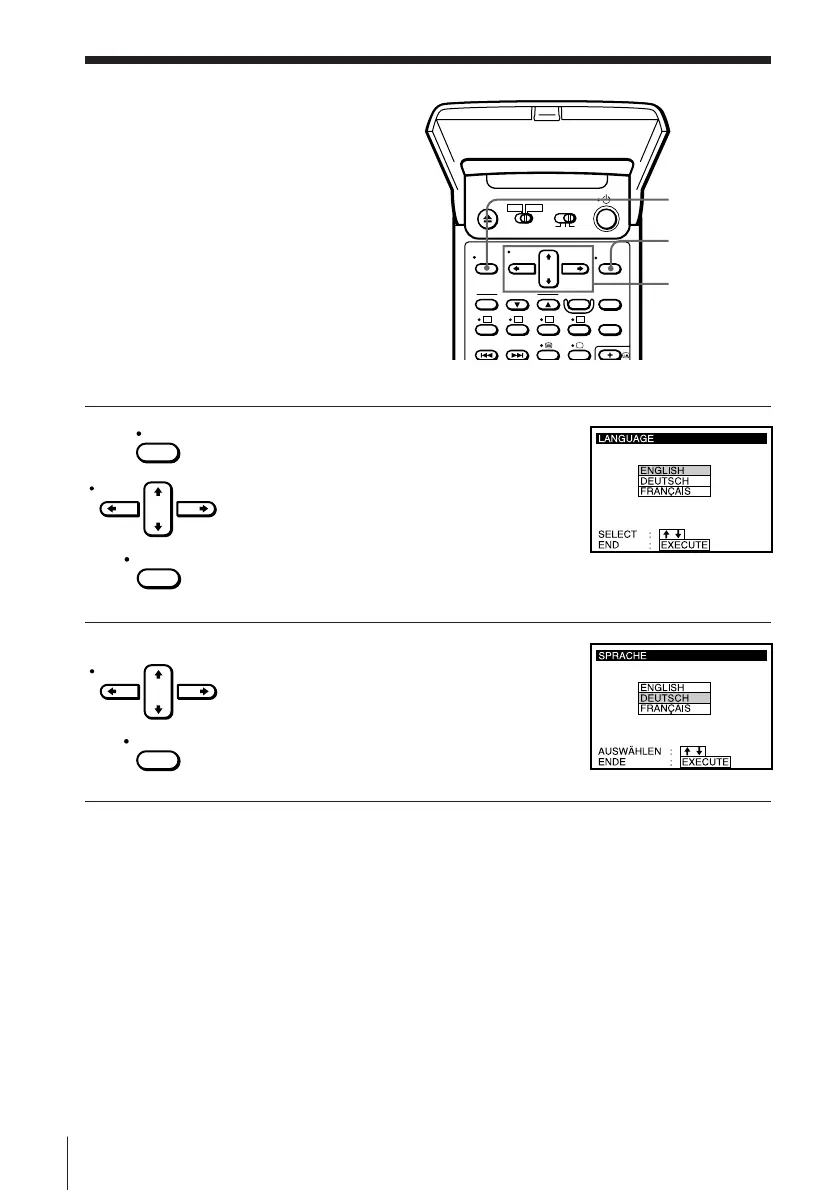
Manual setup —
Selecting a
language
You can change the on-screen display
language from the one you selected with
EASY SET UP.
Before you start…
• Turn on the VCR and the TV.
• Set the TV to the video channel.
EXECUTE
MENU
CURSOR
> /. /? //
1 Press MENU, then press CURSOR > /. to
move the cursor (I) to LANGUAGE and
press EXECUTE.
2 Press CURSOR > /. to highlight the
desired language, then press EXECUTE.
MENU
CURSOR
EXECUTE
CURSOR
EXECUTE



 To Next Page