Additional Operations44
u
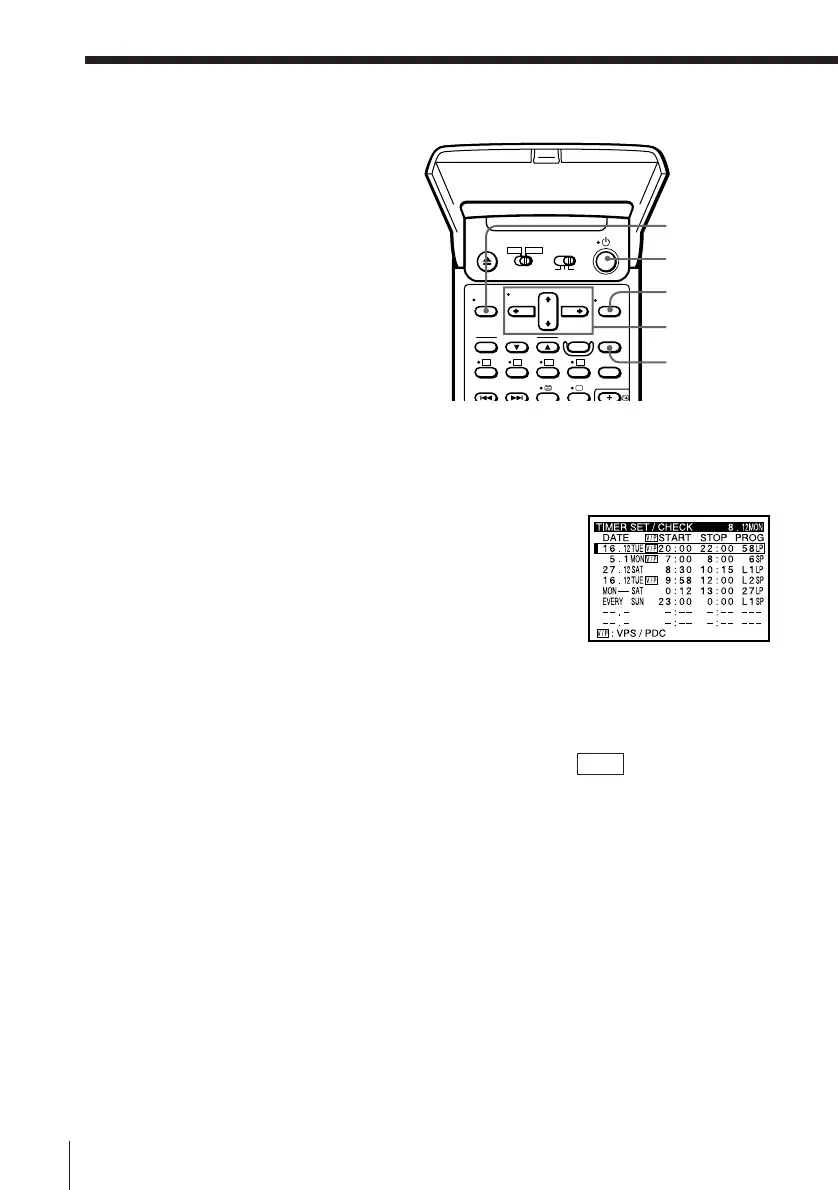
TIMER CLEAR
CURSOR
> /. /? //
EXECUTE
MENU
1 Press either VHS or V ideo8 whichever you set the timer for .
2 Press TIMER REC ON/OFF to turn off the TIMER REC indicator.
3 Press u to tur n on the VCR.
4 Press MENU, then select TIMER SET/CHECK.
• If you want to change a setting, go on to the
next step.
• If you do not need to change the settings,
press EXECUTE and TIMER REC ON/OFF,
then tur n of f the VCR to r etur n to r ecording
standby .
5 Press CURSOR >/. to select the setting you want to change or cancel:
• To change the setting, pr ess CURSOR ? // to highlight the item
you want to change, and pr ess CURSOR >/. to r eset it.
To cancel the VPS/PDC function, tur n of f the V/P indicator.
Then, press CURSOR / repeatedly until the cursor ( I) appears at the
top of the line.
• To cancel the setting, pr ess TIMER CLEAR.
6 Press EXECUTE.
If any settings r emain, pr ess TIMER REC ON/OFF. The VCR turns of f
and retur ns to r ecording standby .
Checking/
changing/
cancelling timer
settings
Befor e you star t...
• Turn on your TV and set it to the
video channel.



 To Next Page