Basic Operations
Basic Operations
31
Recording TV
programmes
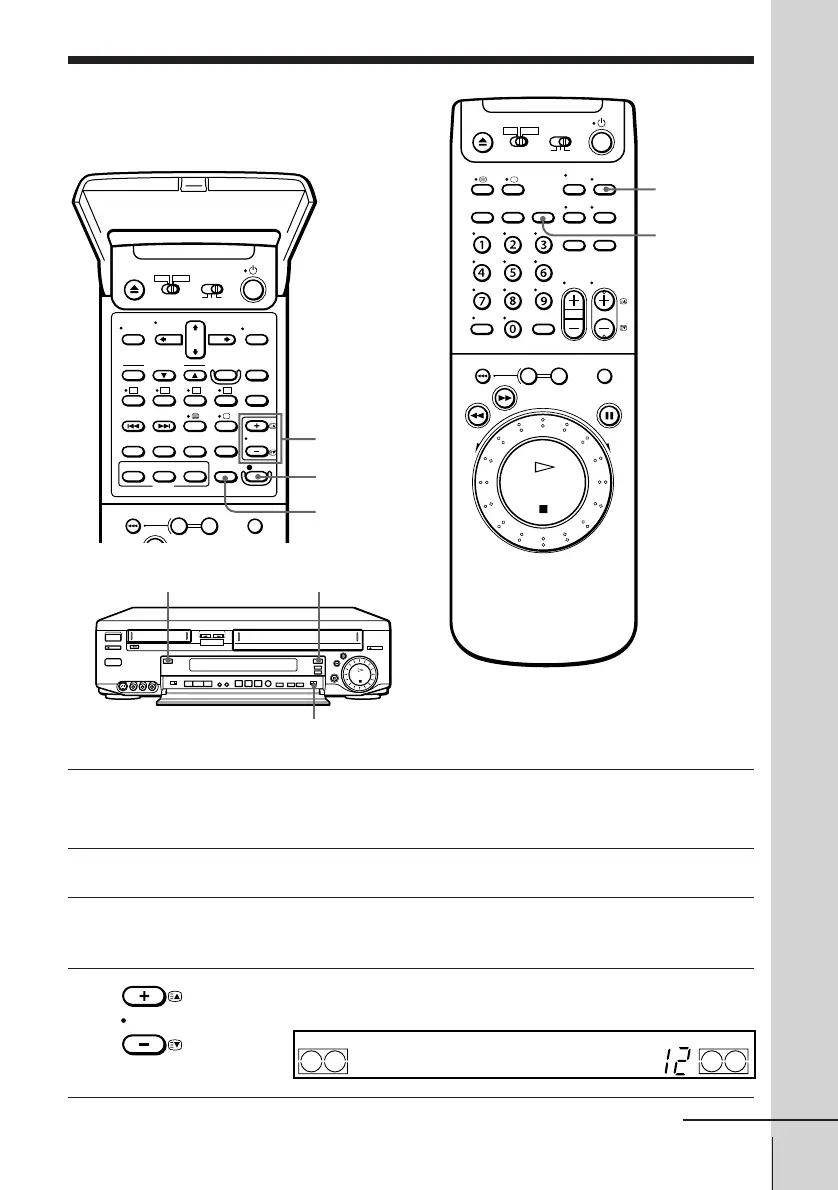
PROG +/–
TAPE SPEED
SP/LP (VHS)
r REC
1 Turn on your TV and set it to the video channel.
To record from a decoder, turn it on.
2 Press either Video8 or VHS for the deck you want to use.
3 Insert a VHS tape with its safety tab in place or an 8 mm tape with
the safety switch slid back so that the red portion does not show.
4 Press PROG +/– to select the programme position you want to
record.
COUNTER/
REMAIN
continued
DISPLAY
Video8
VHS
TAPE SELECT
(VHS deck only)
PROG



 To Next Page