9
Getting Started
Getting Started
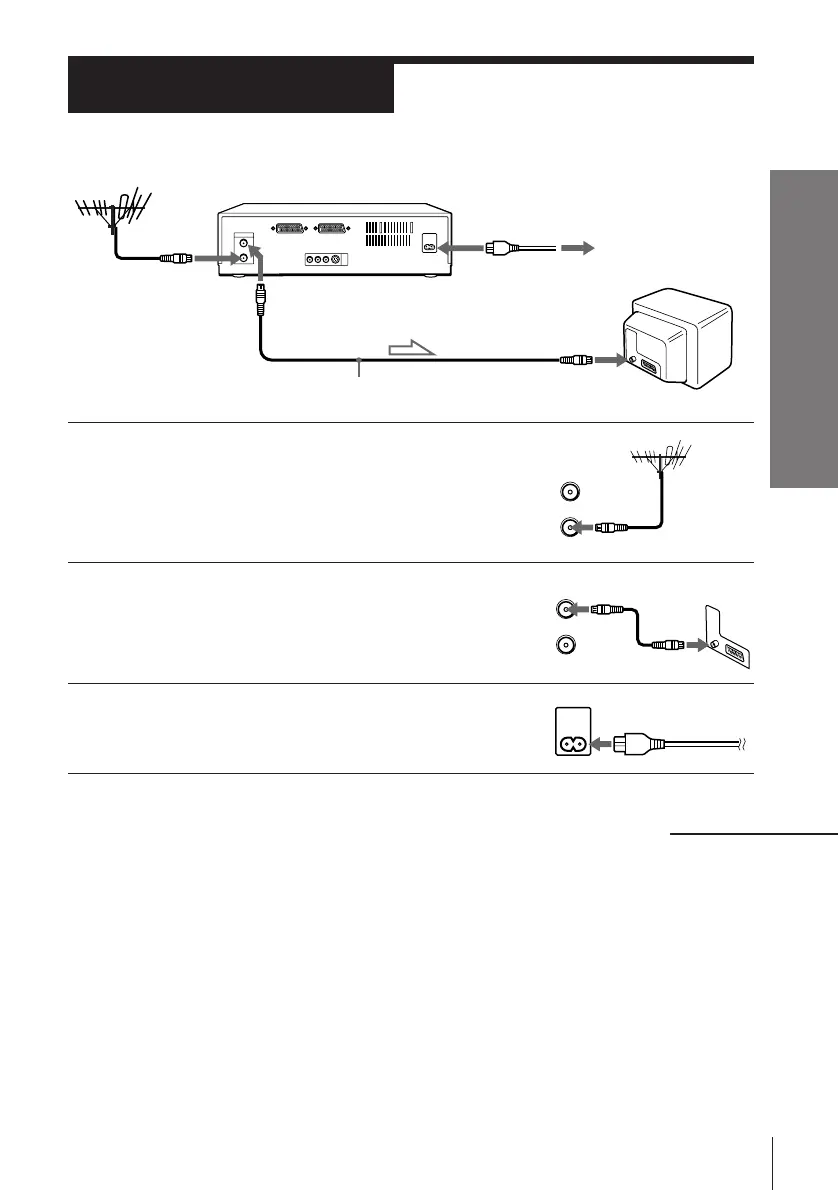
AERIAL
OUT
IN
Connecting the VCR
Step 3
: Signal flow
AERIAL IN
Aerial cable
AERIAL IN
AERIAL OUT
AC IN
to mains
1 Disconnect the aerial cable from your TV
and connect it to AERIAL IN on the rear
panel of the VCR.
2 Connect AERIAL OUT of the VCR and
the aerial input of your TV using the
supplied aerial cable.
3 Connect AC IN of the VCR to the mains
using the supplied mains lead.
continued



 To Next Page