19
Getting Started
Getting Started
Manual setup —
Presetting
channels
If some channels could not be preset
using EASY SET UP, you can preset
them manually.
Before you start…
• Turn on the VCR and the TV.
• Set the TV to the video channel.
MENU
EXECUTE
CURSOR
> /. /? //
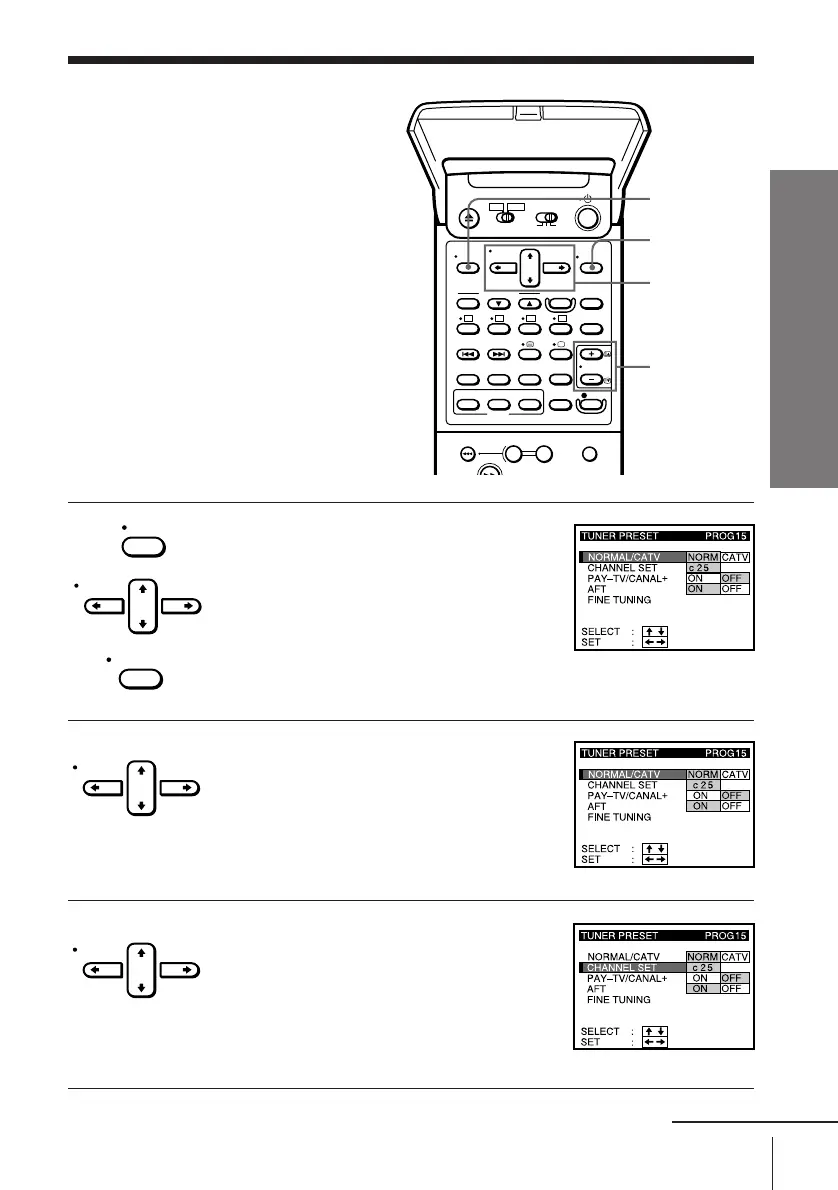
1 Press MENU, then press CURSOR > /. to
move the cursor (I) to TUNER PRESET
and press EXECUTE.
2 Press CURSOR > /. /? // to move the
cursor (I) to NORMAL/CATV, then
highlight NORM.
To preset CATV channels, highlight CATV.
3 Press CURSOR > /. to move the cursor
(I) to CHANNEL SET.
PROG+/–
MENU
CURSOR
EXECUTE
CURSOR
CURSOR
continued



 To Next Page