Getting Started16
Step 5 : Setting up the VCR with EASY SET UP (continued)
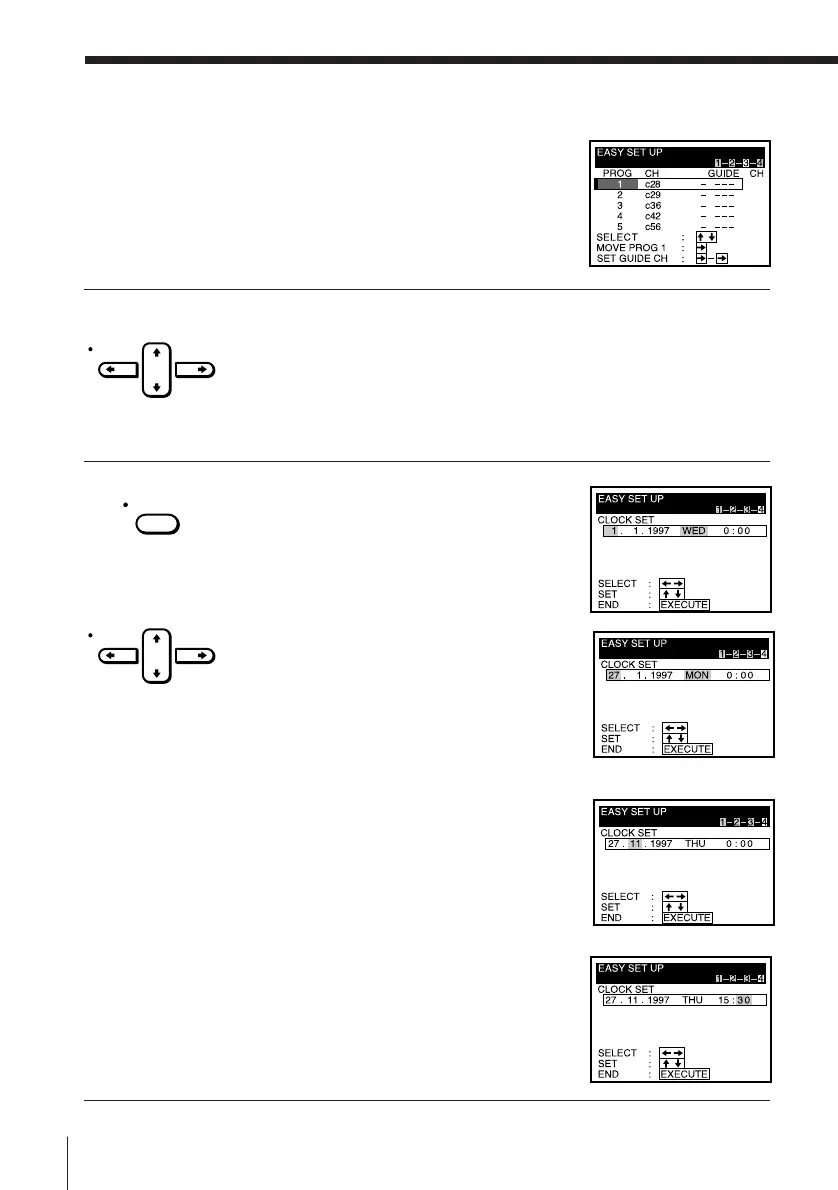
When all the channels are preset, the
following screen appears.
5 Using CURSOR > /. /? // , set G-CODE guide channels and
change the programme positions. (If not necessary, skip this step.)
The setting procedures are the same as those described in “Manual
setup — Setting up G-CODE” on page 22 and ”Manual setup —
Changing programme positions” on page 25.
6 Press EXECUTE.
The following screen appears.
1 Press CURSOR > /. to set the day.
The day of the week is set
automatically.
2 Press CURSOR / to highlight the
month and set the month using
CURSOR > /. .
3 Set the year, hour and minutes in
sequence, using CURSOR / to
highlight the item to be set, and
CURSOR > /. to select the digits.
CURSOR
EXECUTE
CURSOR



 To Next Page