25
Getting Started
Getting Started
Manual setup ––
Changing
programme
positions
After setting the channels and G-CODE
guide channels, you can change the
programme positions as you like.
Before you start…
• Turn on the VCR and the TV.
• Set the TV to the video channel.
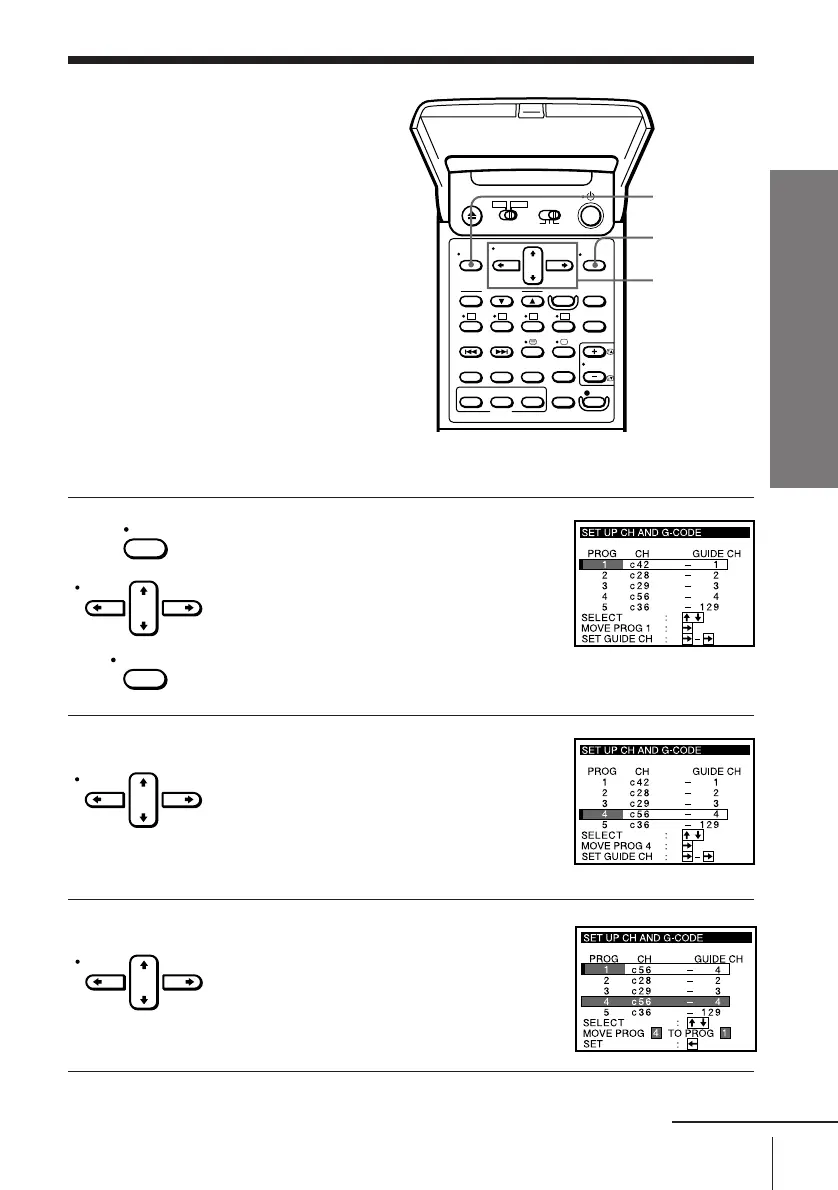
e.g. Moving the programme position from 4 to 1.
MENU
CURSOR
> /. /? //
EXECUTE
MENU
CURSOR
EXECUTE
CURSOR
CURSOR
1 Press MENU, then press CURSOR > /. to
move the cursor (I) to SET UP CH AND
G-CODE and press EXECUTE.
When using the EASY SET UP procedure,
skip this step.
2 Press CURSOR > /. to move the cursor
(I) to the row on which you want to
change the programme position, then
press CURSOR / .
To display other pages for programme
positions 6 to 60, press CURSOR > /.
repeatedly.
3 Press CURSOR > /. until the selected
channel and guide channel row moves to
the desired programme position.
continued



 To Next Page