Basic Operations
Basic Operations
39
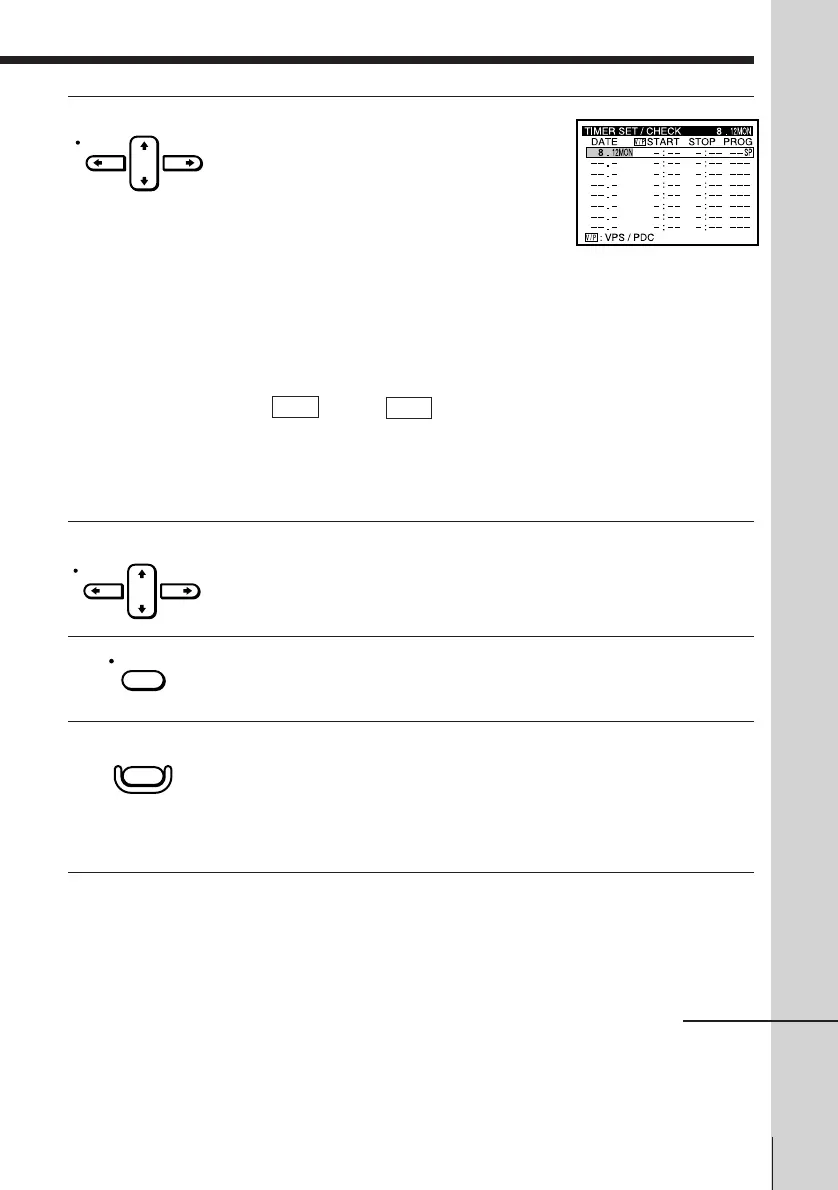
3 Set the date, start and stop times,
programme position, and tape speed
(VHS deck only) :
1 Press CURSOR / to highlight each
item in turn.
2 Press CURSOR > /. to set each item.
To correct a setting, press CURSOR ? to
return to that setting and reset.
To record the same programme every day or the same day every
week, press CURSOR . while the date is highlighted. For details,
see “Daily/weekly recording” on the next page.
If you want to use the VPS/PDC function, press CURSOR > /. to
turn on V/P in the “ V/P “ position. For details, see “Timer
recording with VPS/PDC signals” on the next page.
To record from other sources connected to the LINE-1(TV) or the
LINE-2 IN jacks, press INPUT SELECT to display “L1” or “L2” in
the “PROG” position.
4 Press CURSOR / to confirm the setting.
The cursor (I) appears at the top of the line. To enter another
setting, move the cursor to the next line and repeat step 3.
5 Press EXECUTE.
6 Press TIMER REC ON/OFF to turn off the VCR.
The TIMER REC indicator appears in the display window and the
VCR stands by for recording.
To record from a decoder or other source, leave the connected
equipment switched on.
To stop r ecor ding
To stop the VCR while recording, press TIMER REC ON/OFF.
continued
CURSOR
CURSOR
EXECUTE
TIMER REC
ON/OFF



 To Next Page