Editing60
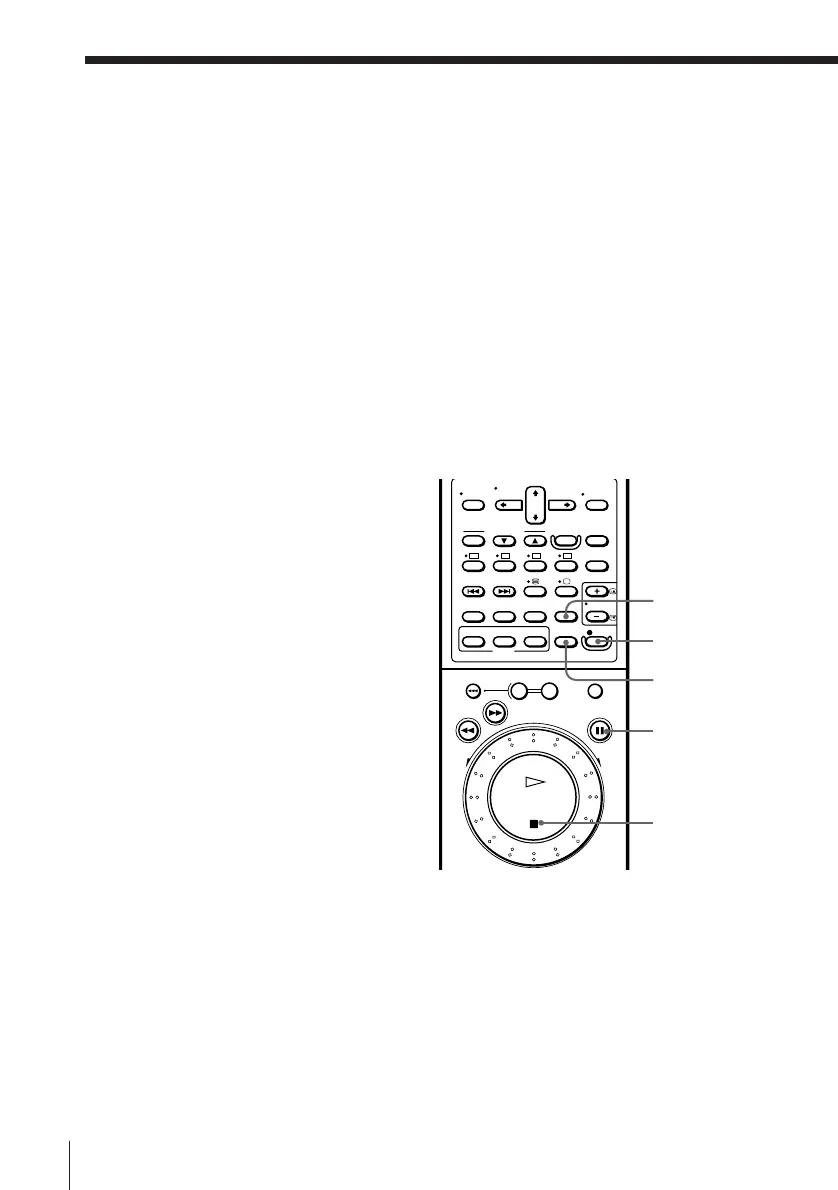
P PAUSE
r REC
INPUT SELECT
p STOP
Editing with another VCR (continued)
Tips
• Make sure you connect the plugs to jacks of the same colour.
• If the other VCR is a monaural type, leave the red plug unconnected.
• When connection is made using the EURO-AV connector, if the other VCR doesn’t
have a EURO-AV (Scart) connector, use the VMC-2106 EURO-AV connecting cable.
• When recording on this VCR, you can connect the other VCR into LINE-1 (TV)
using LINE IN jack of the 21-pin adaptor. In this case, press INPUT SELECT to
display “L1” in the display window.
Operation (when recording on this VCR)
Befor e you star t editing
• Press INPUT SELECT to display “L2” in the display window.
• Press TAPE SPEED to select the recording tape speed (SP/LP) (VHS deck
only).
• If the other (playback) VCR has an EDIT function, set it to ON.
1 Insert the source tape into the other (playback) VCR. Search for the
point to start playback and set it to playback pause.
2 Insert a tape for recording into this (recording) VCR. Search for the
point to start recording and press P PAUSE.
The VCR enters playback pause mode.
3 Press r REC on this VCR to set it to recording pause.
4 To start editing, press the P PAUSE buttons on both VCRs to release the
VCRs from pause.
For best results, press the pause on the playback VCR just before
pressing P PAUSE button on this VCR.
TAPE SPEED
SP/LP (VHS)



 To Next Page