11
PRESET position operation button
Hold down the PRESET button and press
b
uttons 1 to 3 to store the current camera
direction, zoom, focus adjustment, and
backlight compensation in the memory of
the pressed number button.
Pressing the number button on which the
se
ttings are memorized calls their statuses.
Notes
• These buttons do not function when the
OSD menu is displayed.
• For details on items that can be stored with
th
e PRESET button, see “Preset Items and
Image Setting File Items” (page 94).
FO
CUS buttons
Used for focus adjustment.
Press the AF (Auto Focus) button to adjust
t
he focus automatically. To adjust the focus
manually, press the MF (Manual Focus)
button, and adjust it with the F (Far) and N
(Near) buttons.
Note
Press the MF button and adjust the focus
manually when shooting the following
objects.
• White walls and other objects without
con
trast
• Objects behind glass
• Objects with horizontal stripes
• Objects on which bright lights are cast or
re
flected
• Nightscapes and other dark objects with
b
linking lights
• Lit objects shot with darkened exposure
a
djustment or exposure compensation
settings
A
SSIGN button
This is not used.
CA
MERA SELECT switch
Select the camera’s ID you want to operate
with
the remote commander. The camera ID
can be set using the IR SELECT switch.
Note
If two or more cameras are adjacent and
have the same ID, they are operated
simultaneously with the supplied remote
commander. When you install the cameras
close to each other, set different IDs.
For setting of camera’s ID, see “Operating
Multiple Cameras Using the Infrared Remote
Commander” (page 25).
(po
wer) button
Press this button to turn on the power or to
p
ut the camera in standby mode.
P
/T RESET button
Performs the initialization operation of pan
and
tilt. Press this when the POWER lamp
and NETWORK lamp are flashing at the same
time.
Z
OOM buttons
Press the T (telephoto) button to zoom in.
Press the W (wide angle) button to zoom out.
P
TZ AUTO FRAMING button
ON: Performs PTZ Auto Framing.
OFF: Stops PTZ Auto Framing.
FUNC. : This is not used.
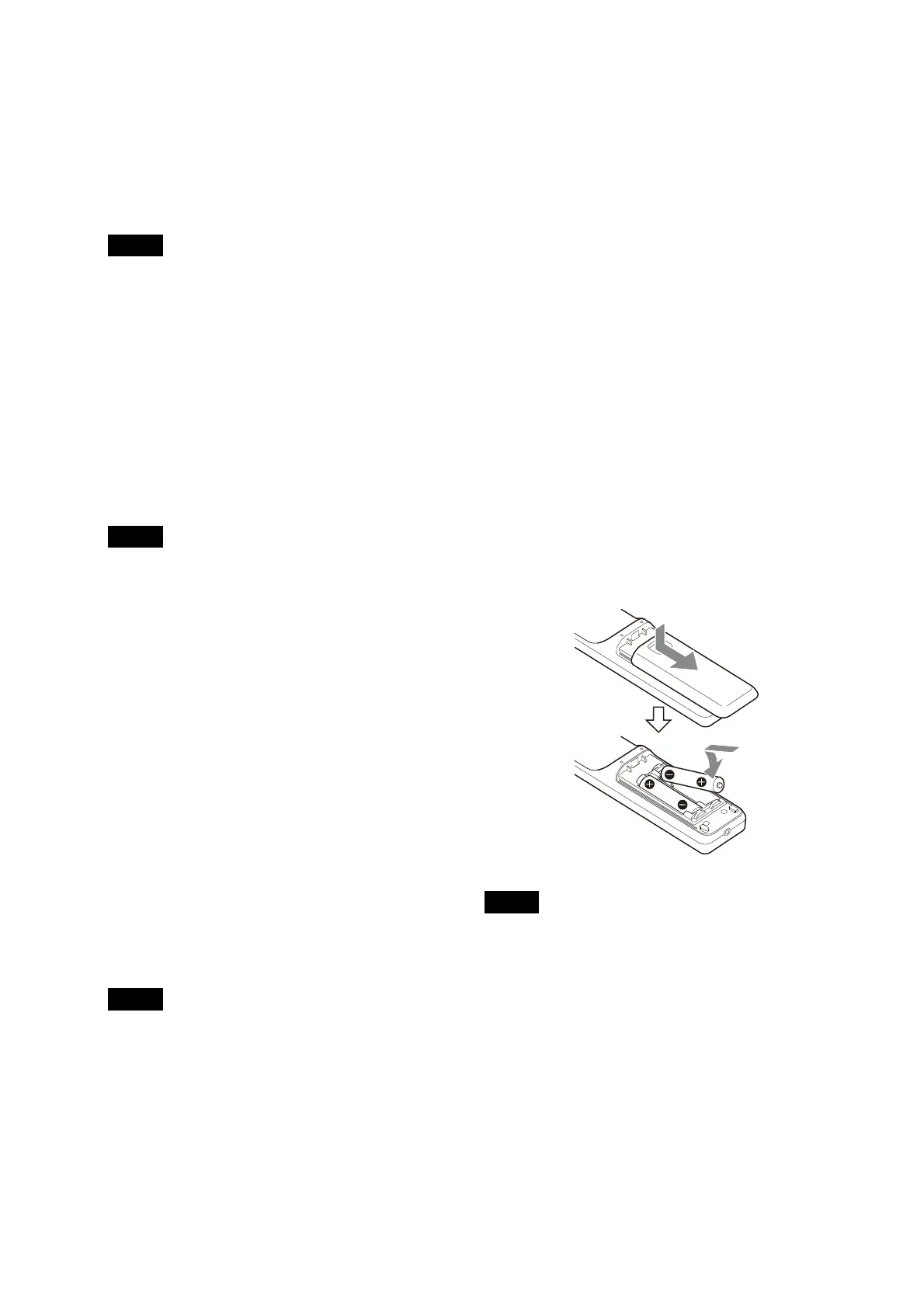
Required batteries
Two R6 (size AA) batteries are required for the
remote commander. To avoid the risk of
explosion, use R6 (size AA) manganese or
alkaline batteries.
Insert the batteries to the remote commander
wh
ile referring to the following illustrations.
Notes
• There is a danger of explosion if the batteries
are incorrectly replaced. Replace only with the
same or equivalent type recommended by the
manufacturer.
• When you dispose of the batteries, you must
ob
ey the laws of your area or country.
• R6 (size AA) batteries are not supplied.



 To Next Page