7
Location and Function of Parts
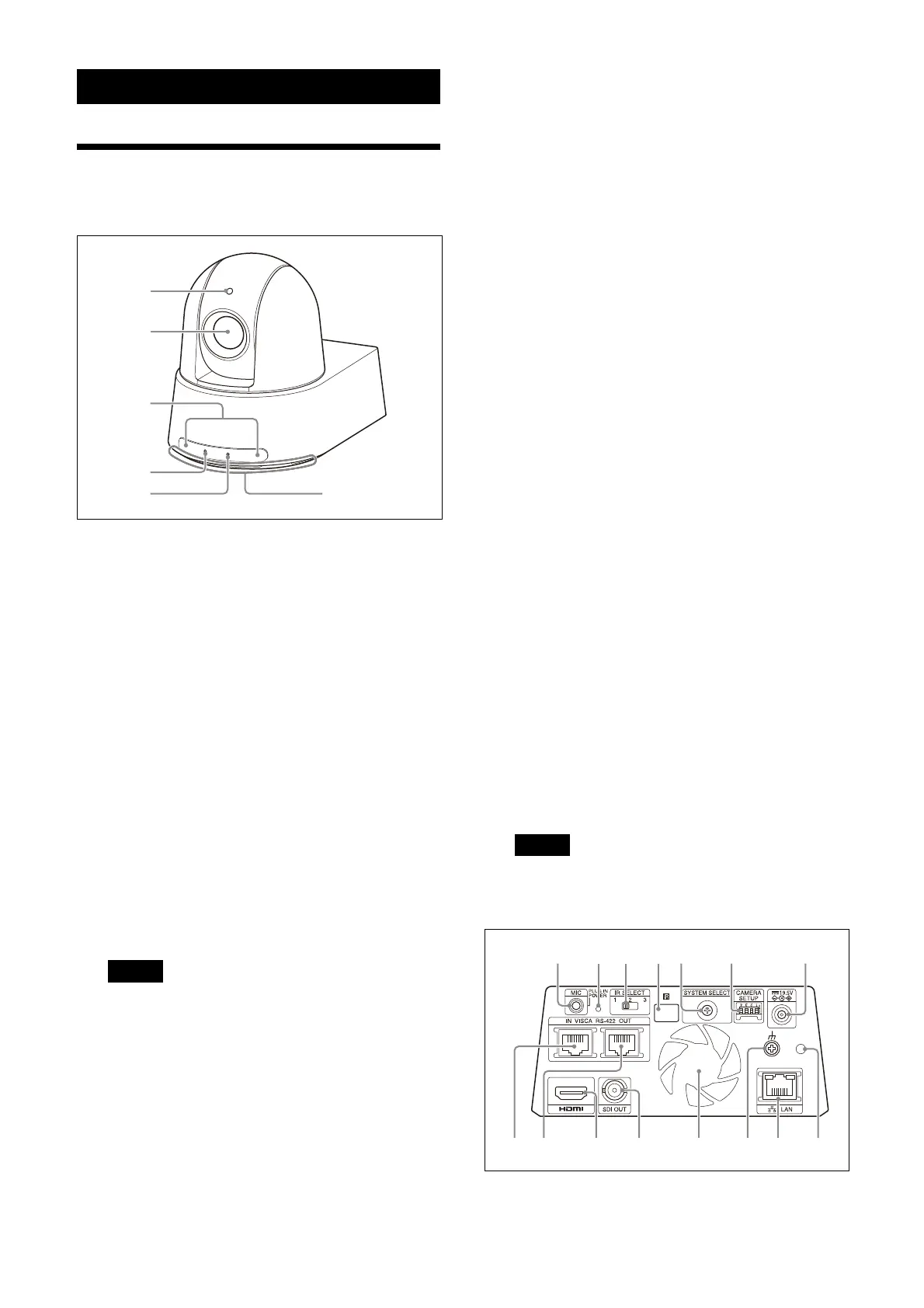
Camera
Front
Ta
lly lamp
Lights up in red when a tally command is
re
ceived or the camera is selected by an
optional remote controller (depending on
the setting mode). Also, this lamp can
display the tracking status by changing
lighting or flashing in green while the PTZ
Auto Framing function is performing.
The tally brightness can be set in the OSD
me
nu, Web App, or VISCA/CGI commands.
Le
ns
This is a 20× (SRG-A40) or 12x (SRG-A12)
m
agnification-optical zoom lens. By
enabling CLEAR IMAGE ZOOM (Clear Image
Zoom), the camera can zoom up to 30× for
4K and 40× for HD. CLEAR IMAGE ZOOM can
be set in the OSD menu, Web App, or VISCA/
CGI commands.
CLEAR IMAGE ZOOM is not available for SRG-
A1
2.
Note
Do not touch the part around the lens when
energized.
R
emote commander sensors
These are sensors for the supplied remote
c
ommander.
PO
WER lamp
Flashes in green when the camera is
c
onnected to an outlet using the supplied AC
adapter and power cord, or when power is
being supplied by connecting the camera
and PoE++(class8) power supply device with
a LAN cable. The lamp stops flashing and
lights up in green when start-up of the
camera is complete.
The lamp flashes in green when the camera
re
ceives an operation command from the
supplied remote commander.
The lamp lights up in orange when the
(p
ower) button on the supplied remote
commander is pressed and the camera
enters the standby mode.
The lamp flashes in yellow while upgrading
the
firmware.
The lamp flashes in orange when there are
d
efects in the camera (for instance, when
rotations of the fan motor slows down or
stops, etc.).
NE
TWORK lamp
Flashes during initialization when the
ca
mera is connected to the PoE++(class8)
power supply device with a LAN cable and
power is being supplied. The lamp lights up
when it is connected to the network once
start-up is complete.
Lights up after start-up is complete if
c
onnected to a network when power is
supplied to the camera from an outlet using
an AC adapter and power cord. The lamp
turns off when not connected to the
network.
The lamp turns off while upgrading the
fir
mware.
The lamp flashes when there are defects in
the
camera (for instance, when rotations of
the fan motor slows down or stops, etc.).
Inta
ke air port
Note
Do not cover this port to avoid malfunctions.
Back
ȯ
ȷȶȸȹȺȻȼȽ
ȰȲȳȱȴȵ



 To Next Page